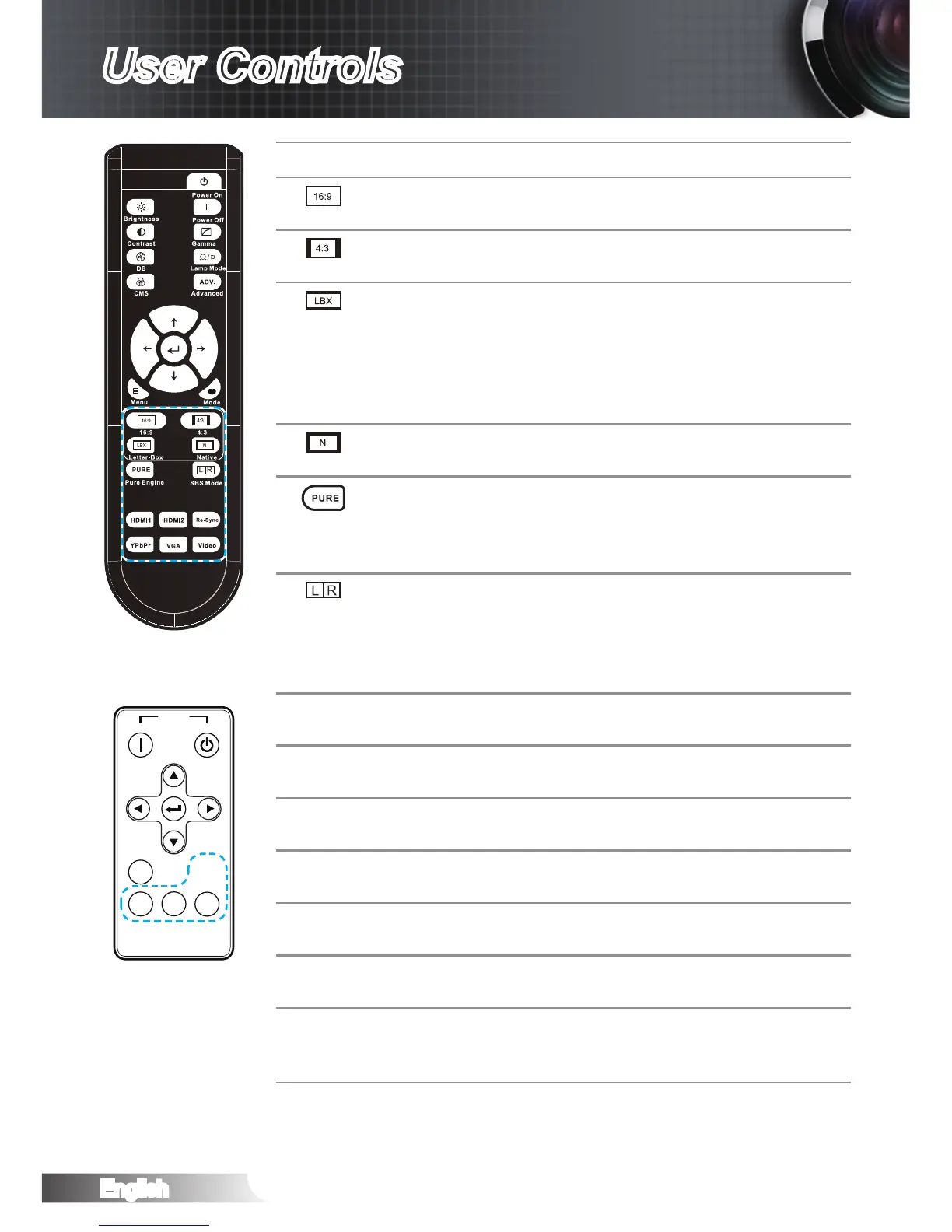
Using the Remote Control
16:9 Scale the image to 16:9 aspect
ratio.
4:3 Scale the image to 4:3 aspect
ratio.
Letter Box Enable the viewing of the letter-
boxed nonanamorphically en-
hanced movie at full screen width.
Part of the original image will be
lost if the image aspect ratio is less
than 2.35:1.
Native The input source will be displayed
without scaling.
PureEngine The PureEngine is a collection of
advanced image processing tech-
nologies that enhances the quality
of the displayed image.
SBS Mode Press “SBS Mode” to switch
between “Off” and “SBS”, use up/
down button to switch to “Top and
Bottom” or “Frame Sequential then
press “Enter” to conrm.
HDMI 1 Press “HDMI 1” to choose source
from HDMI 1 connector.
HDMI 2 Press “HDMI 2” to choose source
from HDMI 2 connector.
Re-Sync Automatically synchronize the
projector to the input source.
YPbPr Press “YPbPr” to choose Compo-
nent Video source.
VGA Press “VGA” to choose source
from VGA connector.
Video Press “Video” to choose Compos-
ite Video source.
Source Press “Source” to choose RGB,
Component, Composite Video,
and HDMI source.



 To Next Page