Viewing Documents from the Internal Memory, SD Card, or USB Flash Drive
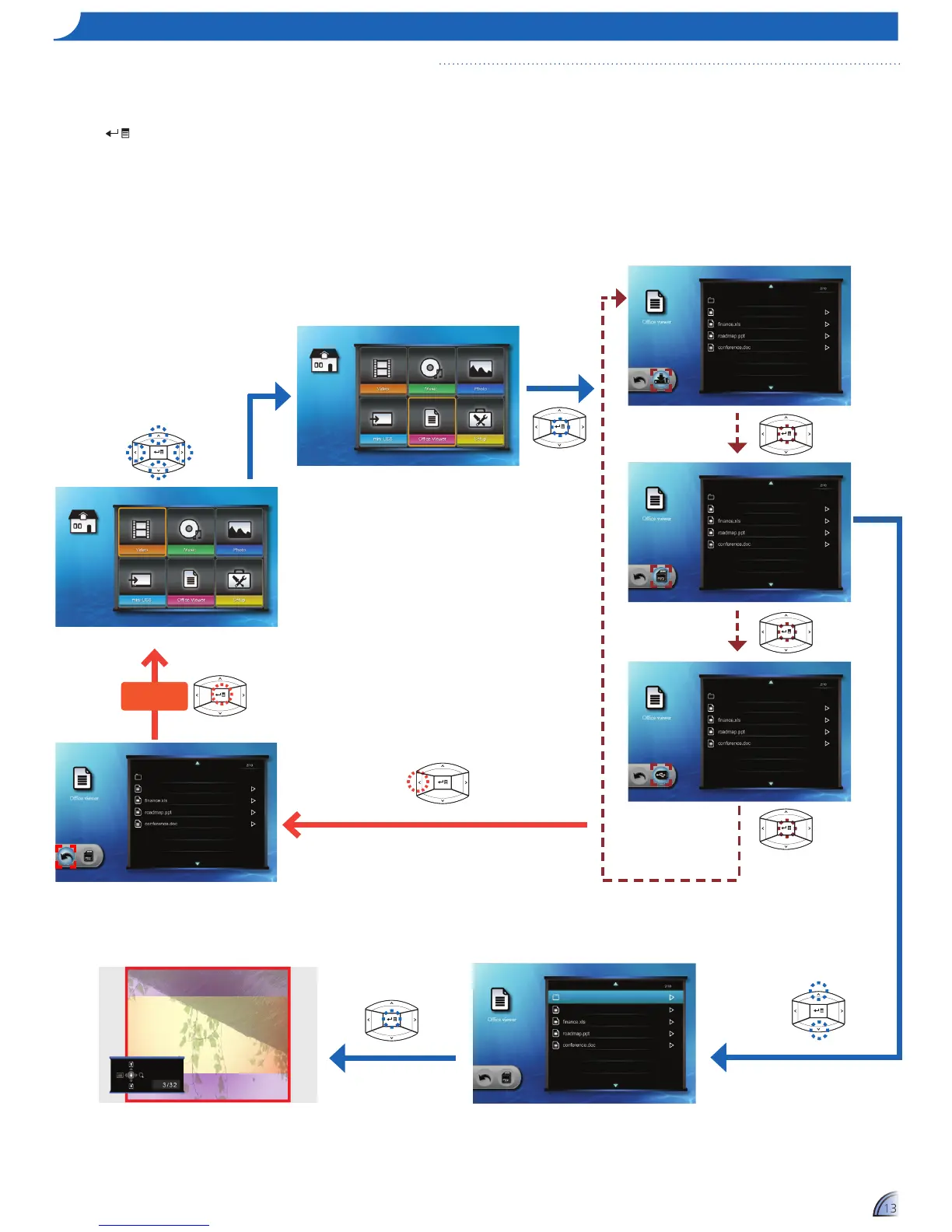
ho W t o vI e W Do c u m e n t S - So u r c e : In t e r n a l me m o r y / SD ca r D / uSB fl a S h Dr I v e
If an SD card is inserted, the content of the
memory card is read first. If you want to read
data from the internal memory or USB flash
drive, press
in the appropriate screen to
change the data source. See steps below.
Open document
Home menu
1.
Select "Office Viewer"
2.
Enter "Office Viewer" Menu
The screen, the source icon on the button guide,
and the sequence in which screens appear vary
depending on the available data source.
3.
Select Data Source
4.
Select File
5.
View File
Return Home
Menu



 To Next Page