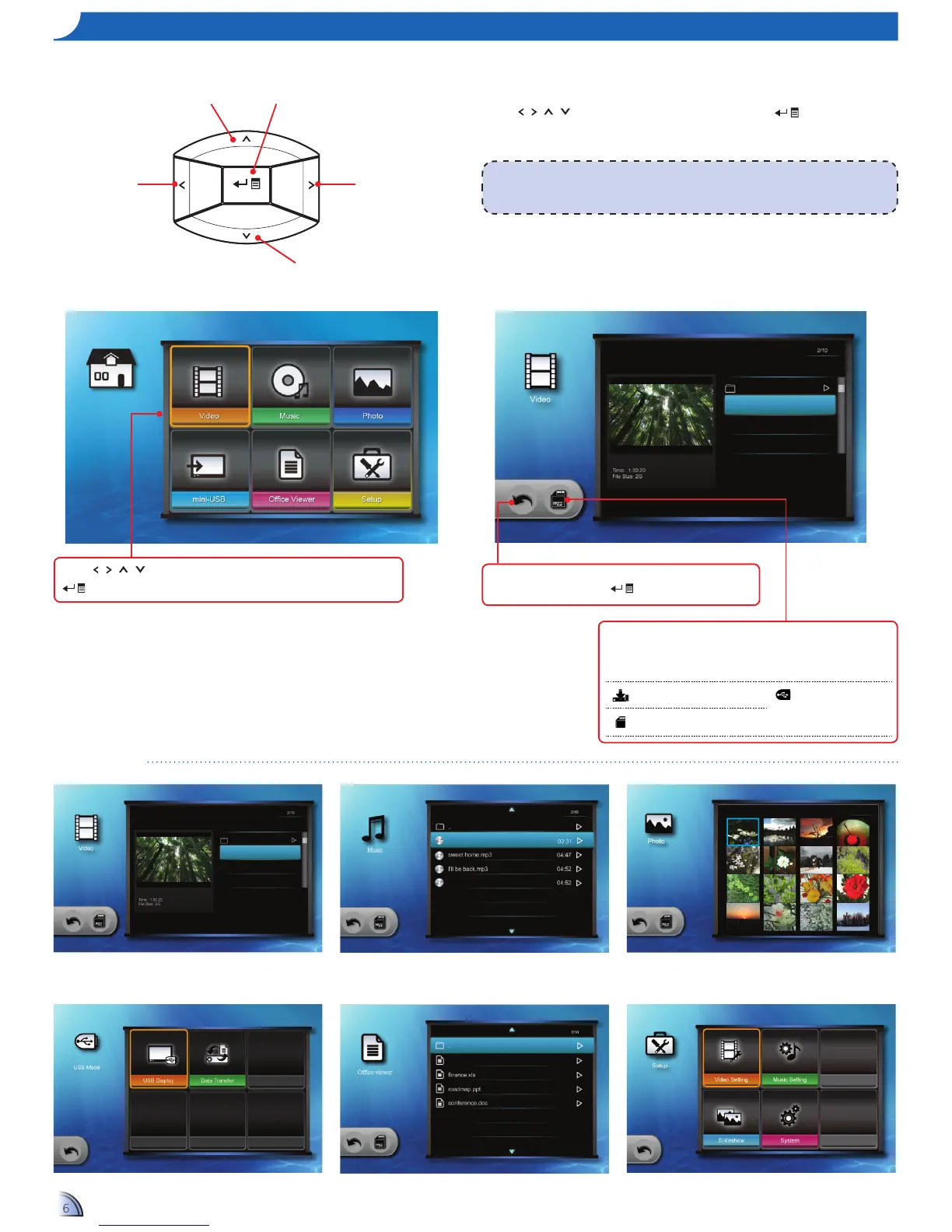
Submenu Items
Video menu
ho W t o uS e t h e me n u
<Note>
A button guide appears on the lower left corner of most screens. The guide varies depending
on the current mode. Press the corresponding button to select the option or operation.
Use•
/ / /
to highlight the desired option and press
toconrmthe
selection.
Buttons functionality varies depending on the current mode.•
Down Button
Left Button Right Button
Up Button
OK Button
Press
/ / /
to select the menu item that you want to access and press
to enter the menu screen .
Music menu
Data source icon
Press to switch the memory sources:
Internal memory » SD card»USBashdrive.
Internal memory USBashdrive
(only supports
FAT 32 format)
SD card
Back icon
Highlight this icon and press
to return to previous screen.
Home menu Submenu



 To Next Page