
 Need help?
Do you have a question about the Orange Pi Zero 2 and is the answer not in the manual?
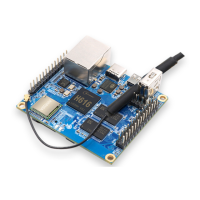
Provides a detailed look at the top and bottom views of the Orange Pi Zero 2 hardware.
Covers specifications, pinouts, and key components of the Orange Pi Zero 2.
Lists the necessary peripherals like power supply and microSD card for setting up the Orange Pi Zero 2.
Provides step-by-step instructions on connecting the SD card, USB, and power supply.
Guides on setting up SSH remote login to the development board.
Explains how to download balenaEtcher and select an OS image for flashing.
Guides through selecting the microSD card and performing the OS write operation.
 General
| SoC | Allwinner H616 |
|---|---|
| GPU | Mali G31 MP2 |
| RAM | 512MB / 1GB DDR3 |
| Storage | microSD card slot |
| Bluetooth | Bluetooth 5.0 |
| Ethernet | 10/100M Ethernet |
| GPIO | 26-pin header |
| Power Supply | 5V/2A via USB-C |
| CPU | Quad-core Cortex-A53 |
| Wi-Fi | 802.11 b/g/n |
| USB | USB 2.0 Type-A, USB 2.0 OTG |
| Video Output | HDMI |
| Audio Output | HDMI |
| Operating System | Android, Ubuntu, Debian |

 To Next Page