22
THE OFFICIAL ORANGE PI USER'S GUIDE
Connecting to the WiFi
Connect to the WiFi in the Desktop edition
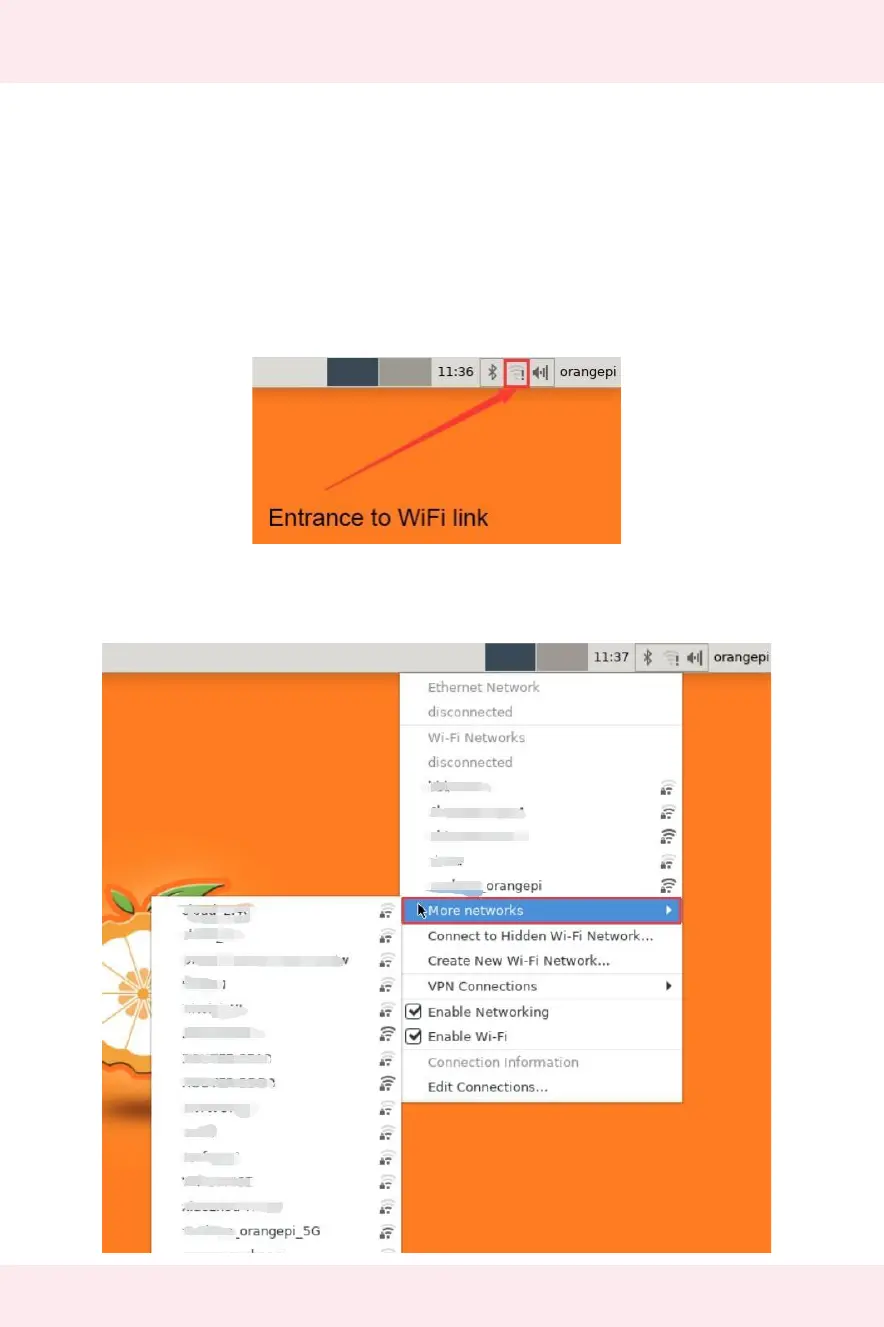
Click the network configuration icon in the upper right corner of the desktop (please
do not connect the network cable when testing WIFI)
Click More networks in the pop-up drop-down box to see all scanned WIFI hotspots,
then select the WIFI hotspot you want to connect to


 To Next Page