40
THE OFFICIAL ORANGE PI USER'S GUIDE
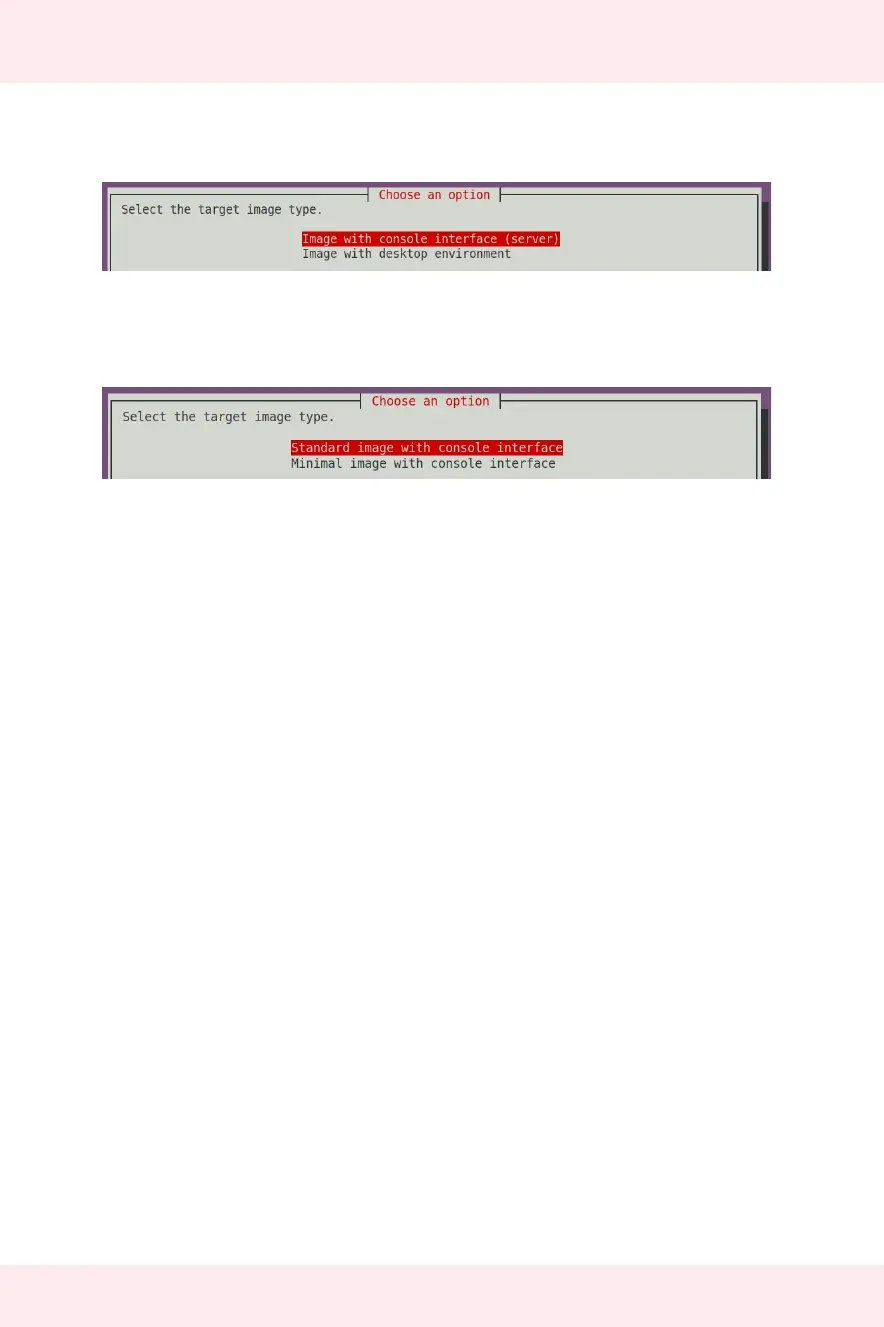
5) Then select the type of Image you wanna build.
6) Select between Standard and Minimal Image.
7) After compiling the image, the following information will be prompted
A. The storage path of the compiled image
[ o.k. ] Done building [
output/images/Orangepizero2_2.0.8_ubuntu_bionic_server_linux4.9.170/
Orangepizero2_2.0.8_ubuntu_bionic_server_linux4.9.170.img ]
B. Compilation time
[ o.k. ] Runtime [ 19 min ]
C. Repeat the command to compile the image, use the following command without
selecting through the graphical interface, you can directly start to compile the image
[ o.k. ] Repeat Build Options [ sudo ./build.sh BOARD=orangepizero2
BRANCH=legacy BUILD_OPT=image RELEASE=bionic BUILD_MINIMAL=no
BUILD_DESKTOP=no KERNEL_CONFIGURE=yes ]


 To Next Page