54
THE OFFICIAL ORANGE PI USER'S GUIDE
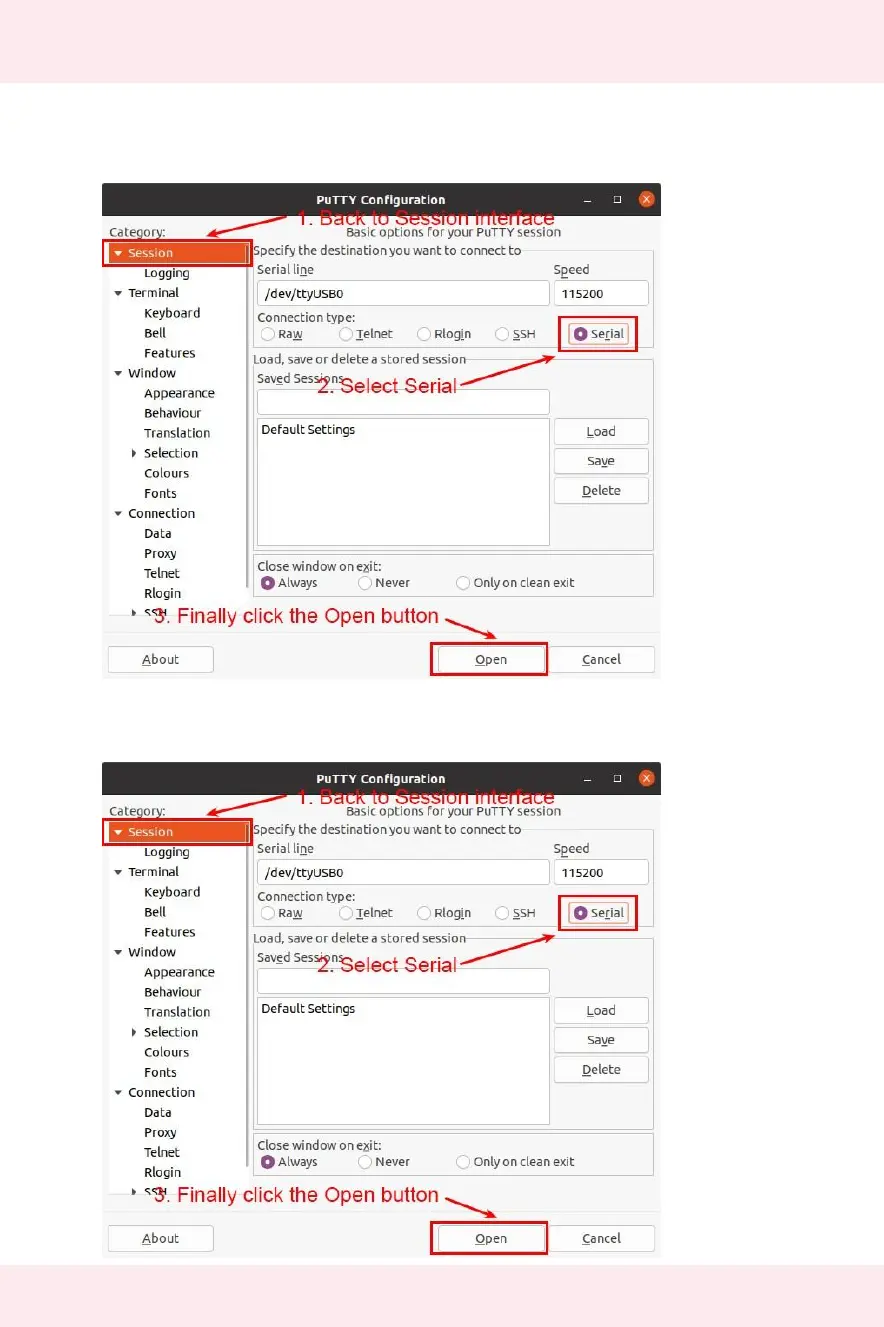
8)After setting the serial port setting interface, return to the Session interface
a. First, select the Connection type as Serial
b. Then click the Open button to connect to the serial port
9)After starting the development board, you can see the Log information output by
the OS from the opened serial terminal


 To Next Page