55
Image 27
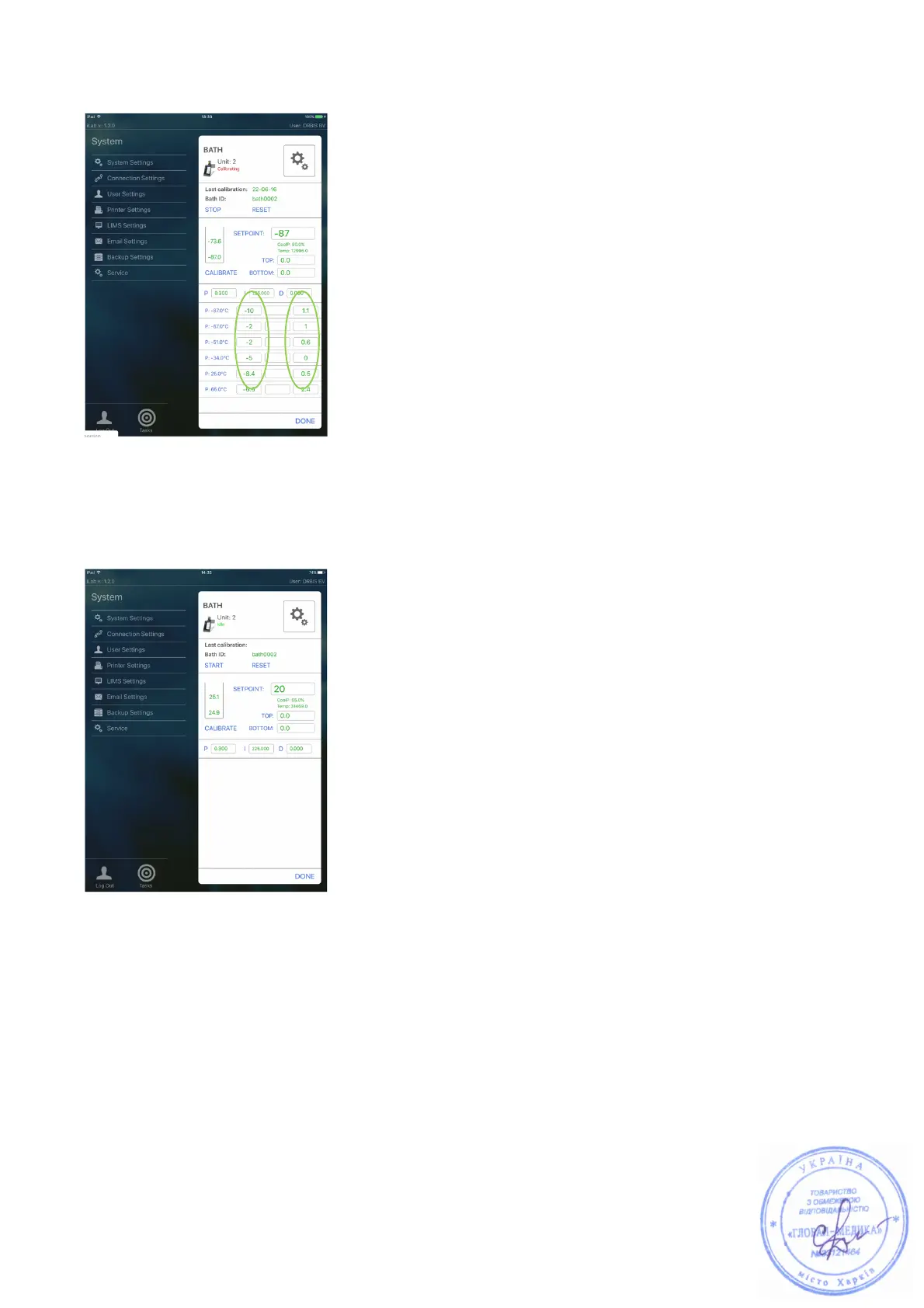
Left hand column represents the high zone (TOP) of the jacket. Right hand
column represents the low zone (BOTTOM).
Image 28
Step 4. To actually start the calibration, select “START”. The bath status in the
top of the screen changes from “Idle” to “Calibrating”.
Step 5. Place the thermometer probe + holder in the bath jacket so that the
probe is in the low zone (1 cm above the bottom of the jacket) and in the
center of the jacket.
NOTE: At every temperature point, the bottom zone must be calibrated first.



 To Next Page