Increase Quality Through Interaction with the Field
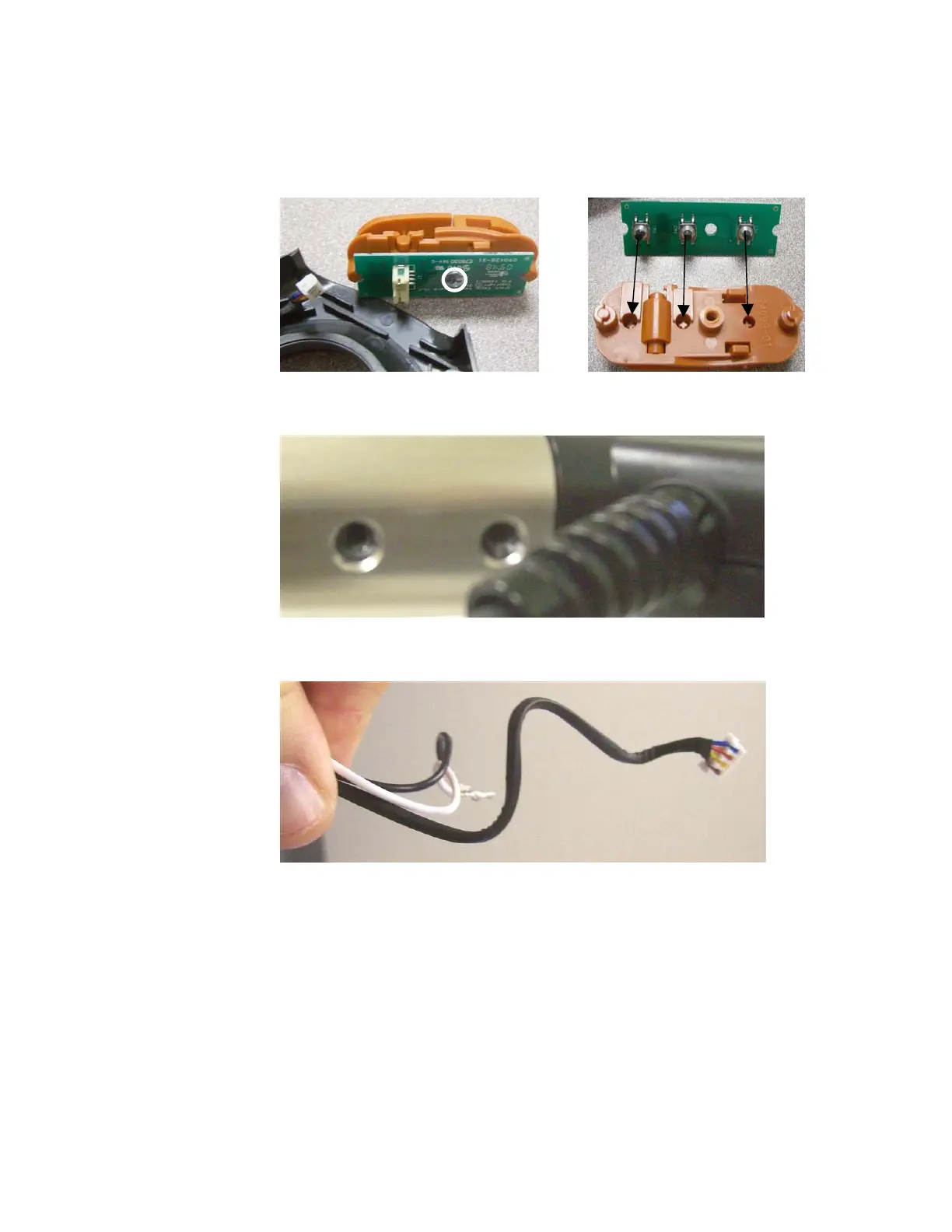
d. Extract one screw to remove the switch board from the actuator
assembly (Picture 1). Picture 2 shows the alignment of the
switch buttons to the actuator assembly.
1
2
14. Harness – Requires Steps 2, 6, 12 & possibly13
a. Remove the grip from the handle tube and open the grip.
b. Disconnect the harness wires from the wire nuts and switch
assembly
Increase Quality Through Interaction with the Field
20




 To Next Page