Page
18
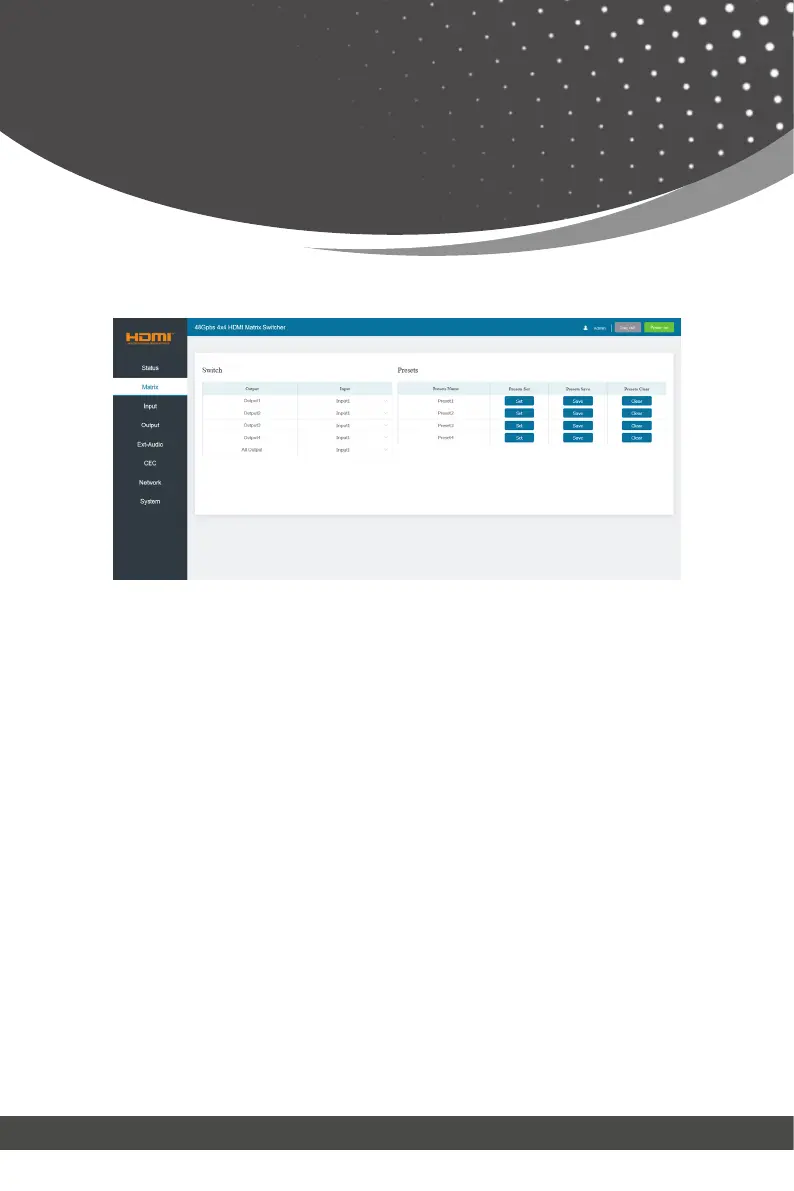
You can do the following operations on the Matrix page:
① Switch: Select the input signal source to output. The display name of
each Input and Output can be modified in Input page and Output page.
② Presets: Set, save and clear the presets.
■ Matrix Page
• The set of All Output is available to all outputs above. You can select an input
source for All Output to be used for 1~4 outputs.
•
It is null when one or more inputs assigned for outputs are different from others.
All Output:
The Input drop-down list shows all input sources. Click Input drop-down menu
and select the input signal source which will be transmitted to the correspond-
ing output.
Preset1 matches with the group of Output1 and the assigned Input. Click Set
button to set this preset. You can save or clear it via clicking Save or Clear.
Each group of the Output and Input can be set, save and clear on the page.
4 presets are allowed to be set.
Web GUI User Guide



 To Next Page