Page
20
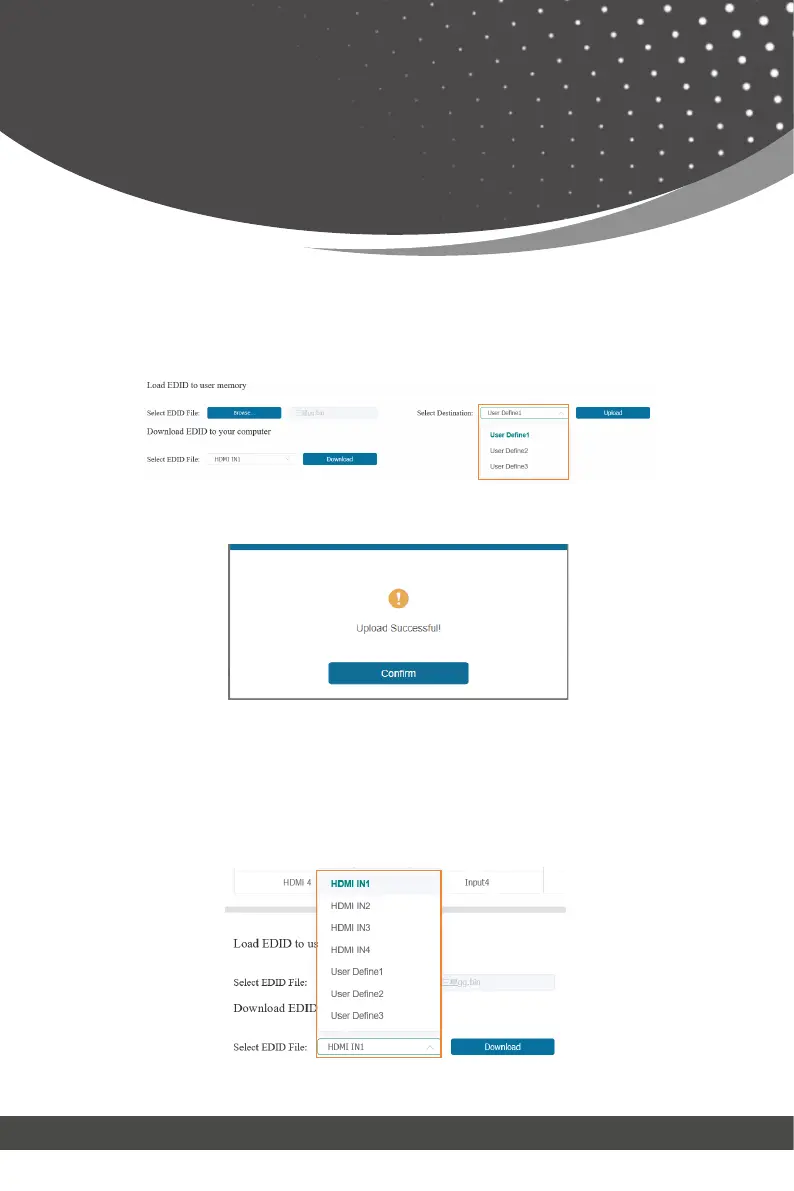
Make sure to select the correct file, then you can check the name of the se-
lected file. Then select destination “User Define1/User Define2/User Define3”,
and click “Upload”.
After successful setting, it will prompt as follows:
Web GUI User Guide
If you want to download the existing EDID, click the drop-down box of “Select
EDID File” to select the input channel you want, and then click “Download” to
save the corresponding EDID file to your computer.
⑥ Download EDID to your computer:



 To Next Page