Page
21
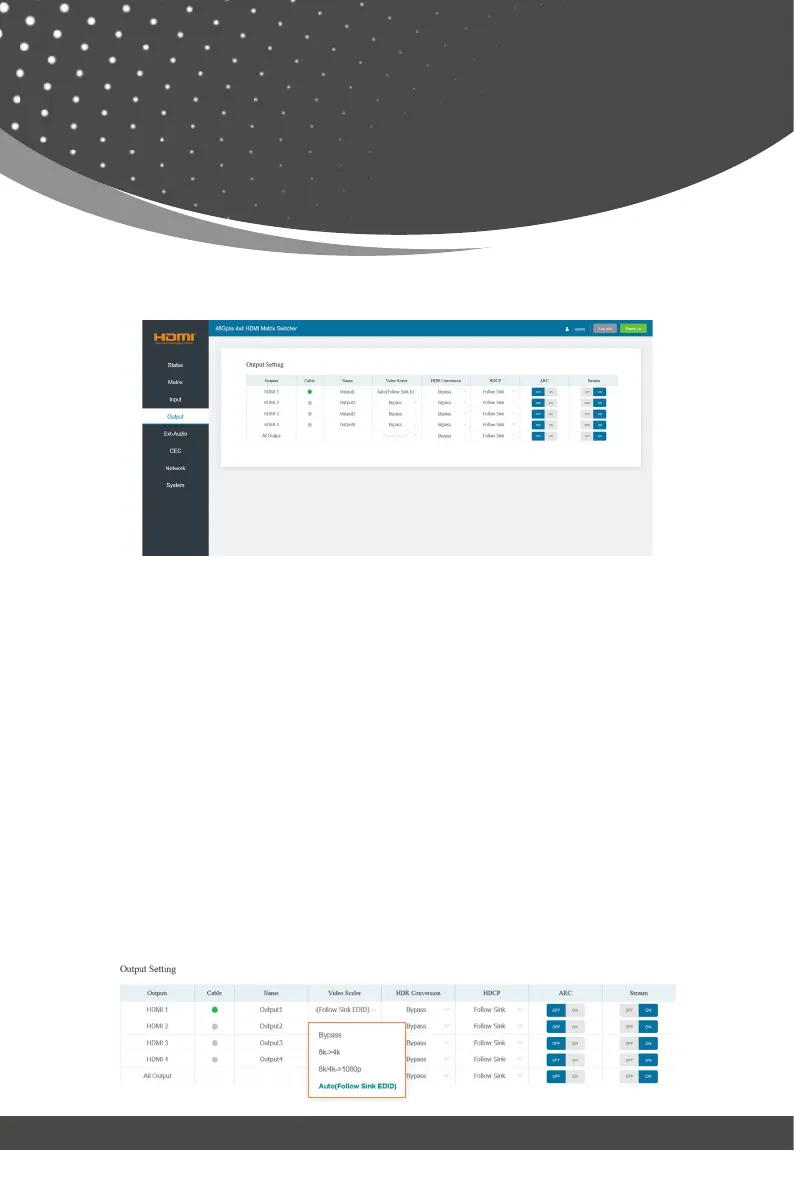
■ Output Page
You can do the following operations on the Output page:
① Outputs: Output channel of the device.
② Cable: It indicates the connection status of output ports. When the output
port is connected to the display, it shows green, otherwise, it shows gray.
③ Name: The output channel’s name. You can modify it by entering the corre-
sponding name (max length: 31 characters) in the input box.
④ Video Scaler: This product support video downscaling on all outputs. It will
output the proper video resolution according to the EDID of the display de-
vice. Click the drop-down menu and set the video scaler mode you need.
Web GUI User Guide
• The set of All Output is available to all outputs above if you select a value
from the drop-down list.
•
It is null when one or more selections for outputs above are different from others.
All Output:



 To Next Page