Page
24
⑦ ARC: Click ON/OFF button to enable/disable the ARC function of the
display device.
⑧ Stream: Click ON/OFF button to turn on/off the output stream.
Web GUI User Guide
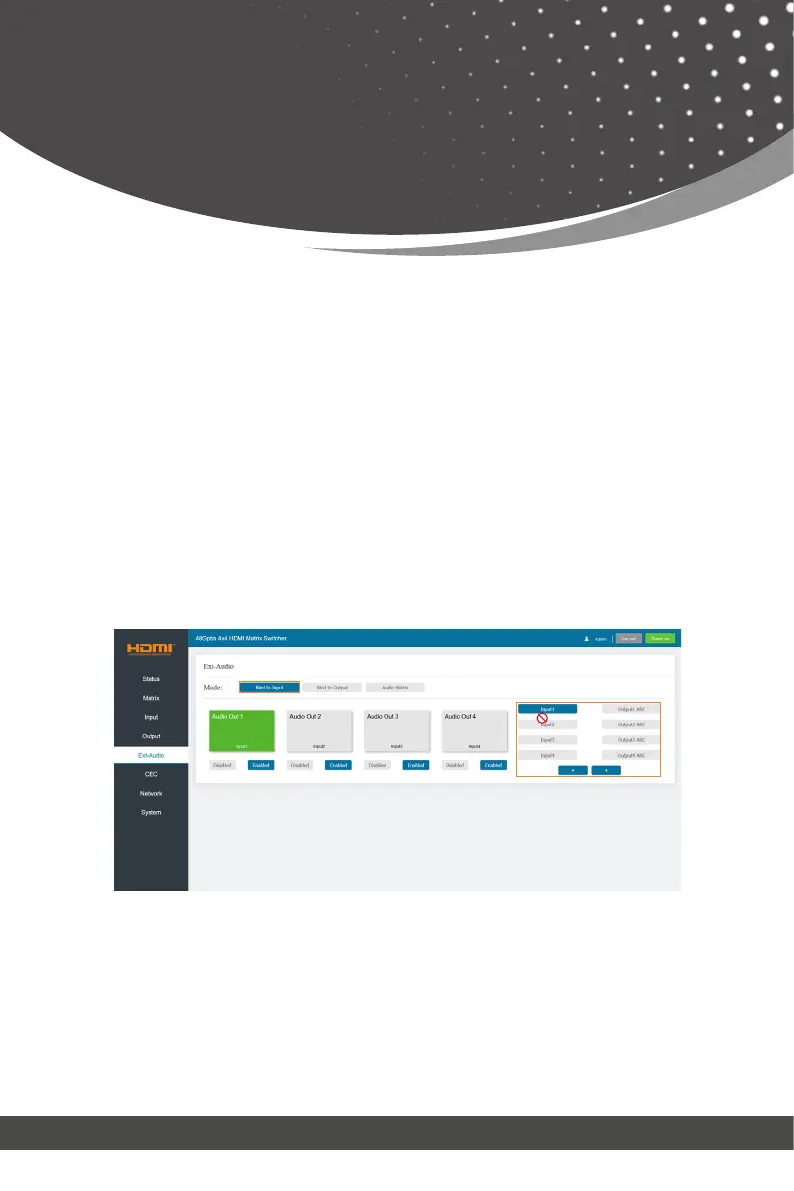
■ Ext-Audio Page
You can set the audio mode on the Ext-Audio page. There are three modes:
Bind to Input, Bind to Output and Audio Matrix.
Bind to Input: The audio output follows the HDMI input. And there is a consis-
tent oneto-one match between each HDMI input and audio output.
Click Enable/Disable button to turn on/off the audio channel.
In this mode, the input sources and output ARC can’t be selected.
Bind to Output: The audio output follows the HDMI output. For example, if
the HDMI input 3 is assigned to the HDMI output 1, the audio of AUDIO OUT
1 which follows HDMI output 1 is from HDMI input 3.
Click Enable/Disable button to turn on/off the audio channel.
In this mode, the input sources and output ARC can’t be selected.



 To Next Page