Page
27
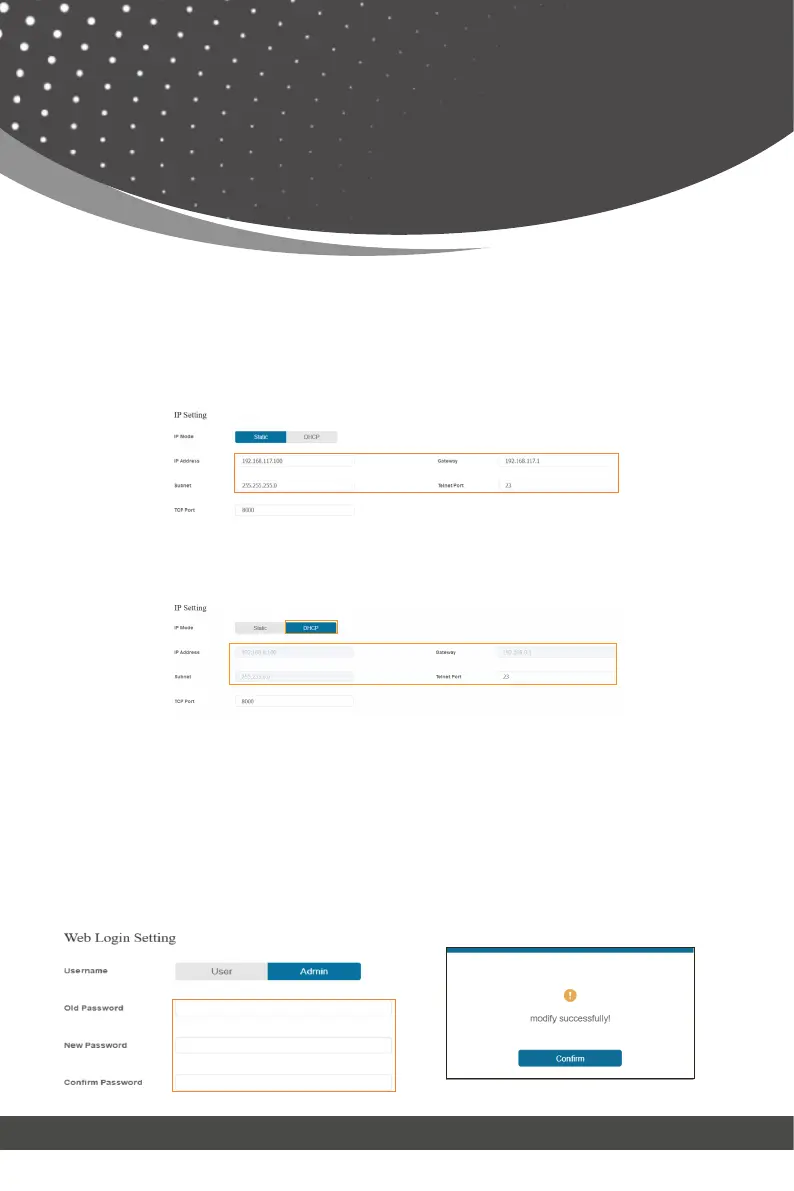
You can do the following operations on the Network page:
① Modify Network Setting:
Modify the IP Mode/IP Address/Gateway/Subnet Mask/Telnet Port as required,
click “Save” to save the settings, and then it will come into effect.
If the Mode is “Static”, you can set manually the IP Address/Gateway/Subnet/
Telnet Port as required.
If the Mode is “DHCP”, it will search and be filled with the IP Address assigned
by the router automatically. You can't modify it now.
② Modify User Password:
Click the “User” button, enter the correct Old Password, New Password, and
Confirm Password, and then click “Save”. After successful modification, there
will be a prompt, as shown in the following figure:
Web GUI User Guide



 To Next Page