20
02.04/WE
ORGAPACK OR-T 200
6 OPERATING INSTRUCTIONS
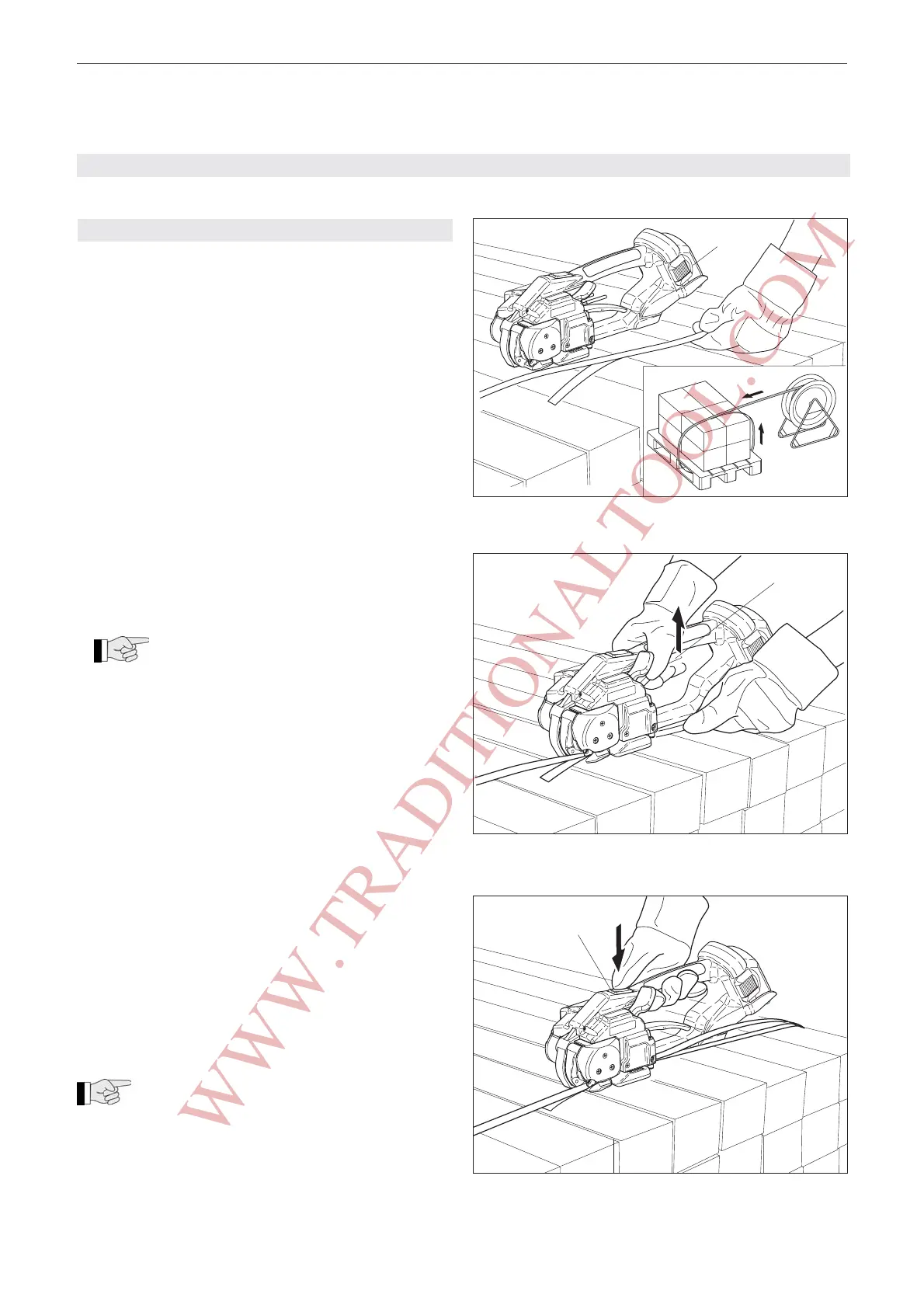
Fig. 7 Place strap around package
1
Fig. 9 Strap tensioning
1
Fig. 8 Slide straps into tool
1
6.1 OPERATING THE TOOL
– Insert charged battery (7/1) into strapping tool.
– Place strap round goods to be packaged, so that
the straps lie one above the other on top of package.
The beginning of the strap is underneath. Hold the
straps with the left hand so that the strap beginning
of the straps is approximately 20 cm (8") ahead of
the hand.
– Take the tool in the right hand and lift the rocker
lever (8/1) towards the handle.
– Slide the straps, one on top of the other, into the
tool up to the stop.
The strap lead is now approximately 5 cm
(2") beyond the tool.
– Release the rocker lever.
– Press the push button (9/1). The strap is tensioned
until the required or pre-selected strap tension is
reached.
– The strap tension can be adjusted on the oper-
ating panel (see Chapter 6.3.2).
– The strap can be re-tensioned at any time.
Releasing strap tension
In order to release the strap tension after the tension-
ing process, lift rocker lever (8/1) against handle.
If the tool is used in a dirty environment, it is
recommended that it should be cleaned daily.
In particular the tension wheel and the tooth plate
should be checked for damage and kept clean. This is
best performed by blasting with compressed air (wear
goggles).
Sales and Service 877-862-6699
WWW.TRADITIONALTOOL.COM


 To Next Page