9
Operation
Dual Function buttons
The dual function button (buttons 7 to 13) have two functions.
To use the primary function (printed on the button) just press the
button. To use the secondary function (printed above the button)
press and hold the button for 2 seconds.
Power ON / OFF
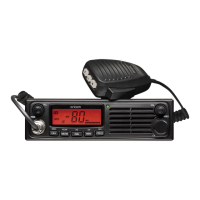
Rotate the power switch in a clockwise direction to turn the unit ON,
adjust the volume to a comfortable level. Rotate the Power Switch
counter clockwise until it click to turn off the power.
Squelch
To adjust the level of squelch use the rotary SQL control. Turning the
control clockwise reduces the amount of squelch, turning counter
clockwise increase the amount of squelch. To reduce the signals that
you can hear, increase the squelch, to hear more signals which may
include weak signals decrease the squelch.
To Select a Channel
To select a channel rotate the CH control clockwise or counter
clockwise to the desired channel.
Operation
UHF088-UG.indd 9 2012-2-8 15:44:44


 To Next Page