12
Operations
For your reference a list of the available channels, corresponding
frequencies and guidelines for their use and selection is printed
on page 21. For Australia, channels 05 and 35 are reserved for
Emergency calls.
Setting the Squelch Level
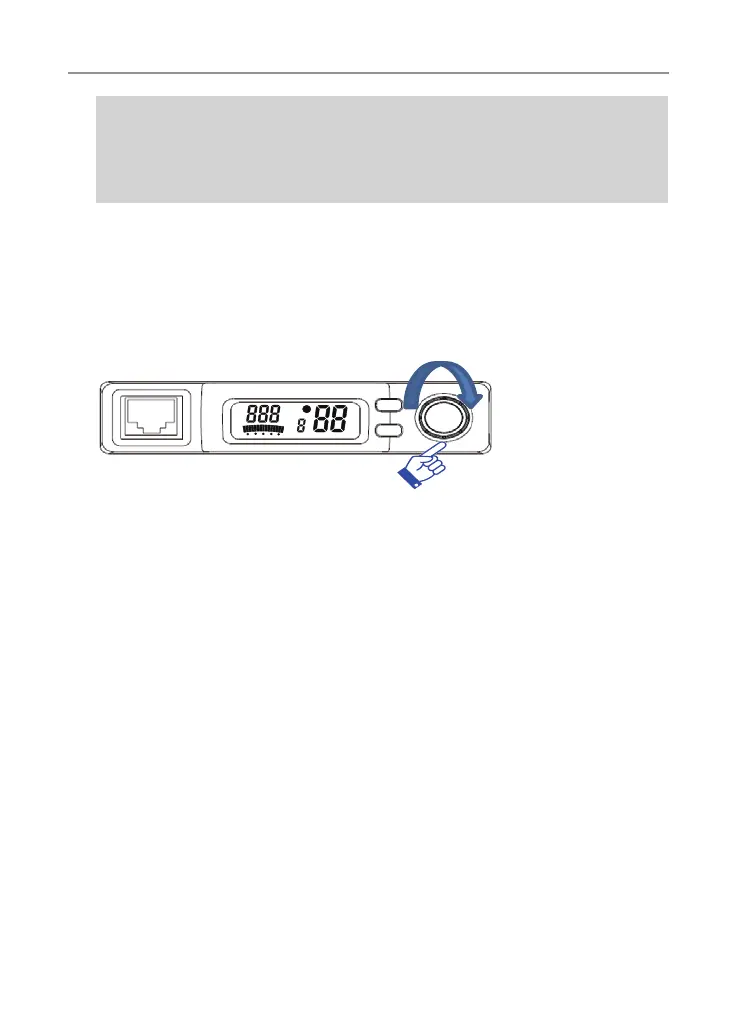
1. Press power/channel 2 times. The current squelch level is displayed.
2. Select the squelch level by rotating the squelch/channel control (sgl)
level up or channel down.
The radio has 7 preset (off - 7) squelch Levels.
Off - Squelch open
1- Max sensitivity (Min. squlech)
7- Min. sensitivity (Max/Tight squelch)
Menu
The Menu feature provides a convenient method of customising some
of the radio’s functions. The following menu options are available. Note
that some items are only available on certain channels.
1. Press and Menu/Monitor button. The first menu function displayed.
2. Press the Menu/Monitor button to cycle through each available
function. After the last function has been selected, the cycle returns to
the beginning.
3. Rotate the channel knob to alter the parameters of the selected function.
4. To save the changes and exit, press and hold Menu/Monitor button to
exit and store any changes.



 To Next Page