EasyManua.ls Logo

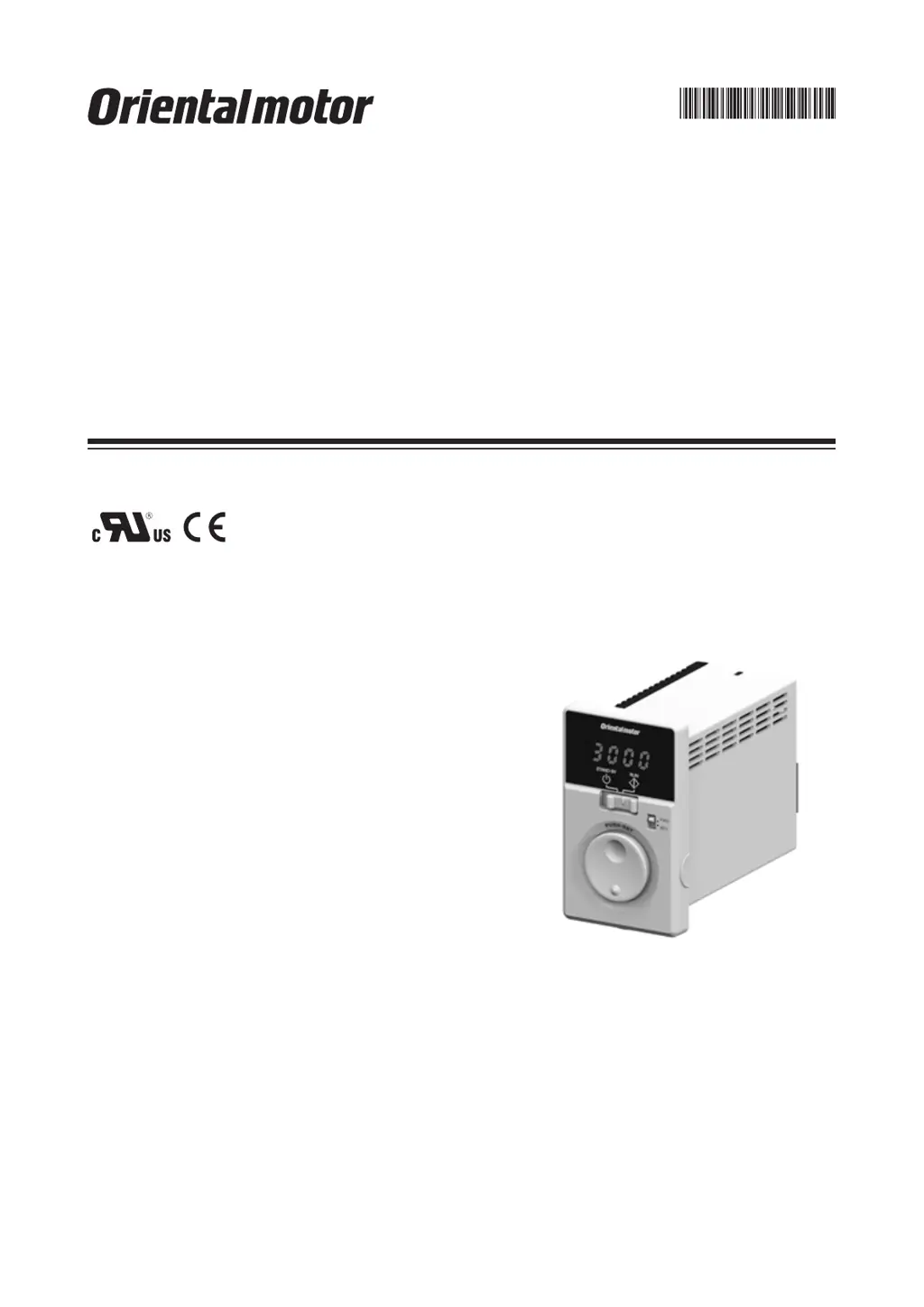
Oriental motor BMUD120-C2 - User Manual

Oriental motor BMUD120-C2
44 pages
Print Icon
To Next Page IconTo Next Page
Loading...
HM-5187-4
Brushless Motor
BMU
Series
30 W /
60 W / 120 W
OPERATING MANUAL
Thank you for purchasing an Oriental Motor product.
This Operating Manual describes product handling procedures and safety precautions.
Please read it thoroughly to ensure safe operation.
Always keep the manual where it is readily available.

Questions and Answers

  • J
    john72Jul 25, 2025
    What to do if my Oriental motor BMUD120-C2 does not operate?
    • S
      Stephen GarciaJul 25, 2025
      If your Oriental motor Engine does not operate, several factors could be the cause. First, check the connections between the driver and the power supply to ensure they are correctly connected. Second, verify that the operation switch is set to the "RUN" side, not "STAND-BY". If operating the motor using the operation switch, ensure the "external operation signal input" parameter is set to "OFF" after setting the operation switch to the STAND-BY side. When using external signals, the "external operation signal input" parameter should be set to "ON" or "RE" after turning the input operation signal OFF. Also, make sure either the FWD or REV input is ON, but not both. Finally, check for any alarms and reset after addressing the cause.
  • J
    juanrobinsonJul 30, 2025
    Why is my Oriental motor BMUD120-C2 Engine rotating in the wrong direction?
    • L
      leonardtateJul 30, 2025
      If your Oriental motor Engine rotates in the opposite direction to what you specified, there are a few potential causes. First, the FWD and REV inputs might be wrongly or not correctly connected; check these connections. Second, the gear ratio might be causing the gearhead output shaft to rotate in the opposite direction; consult the motor's operating manual for the gearhead output shaft's rotation direction. Also, check the rotation direction switch. Finally, if the rotation direction switch is set to REV, verify the setting of the "external operation signal input" parameter.
  • L
    Lindsey DiazAug 3, 2025
    What to do if the Oriental motor Engine operation is unstable or vibrating too much?
    • A
      Amber DavisAug 3, 2025
      If the operation of your Oriental motor Engine is unstable, or if the motor vibration is too great, there are a couple of things you should check. First, make sure that the motor and gearhead output shaft are correctly aligned with the load shaft. Second, check for electrical noise by testing the operation with only the essential equipment (motor, driver, and any other external equipment required for operation). If noise is present, try moving the unit away from noise sources, reviewing the wiring, changing to shielded signal cables, or installing ferrite cores.
  • C
    Charles GomezAug 7, 2025
    What to do if I cannot perform settings using the dial on my Oriental motor BMUD120-C2?
    • S
      shawnlindseyAug 7, 2025
      If the setting cannot be performed using the setting dial of your Oriental motor Engine, the lock function might be enabled. You should release the lock function.
  • T
    Timothy CalderonAug 11, 2025
    Why is the set rotation speed not saved on my Oriental motor Engine?
    • C
      Christina LewisAug 11, 2025
      If the set rotation speed is not being saved on your Oriental motor Engine, ensure that you are confirming the speed by pressing the setting dial after you set it.
  • K
    Karen PearsonAug 16, 2025
    Why is the rotation speed not displayed on my Oriental motor Engine?
    • S
      Sara WardAug 16, 2025
      If the rotation speed is not displayed on your Oriental motor Engine, the "panel initial view" parameter might not be set to show the rotation speed. Set the "panel initial view" parameter to the rotation speed.
  • J
    Jesus DuncanAug 20, 2025
    Why is my Oriental motor BMUD120-C2 Engine not reversing with the rotation direction switch?
    • M
      Michael BlackAug 20, 2025
      If your Oriental motor Engine is not reversed by the rotation direction switch, check the setting of the "external operation signal input" parameter. It may be set to "RE."

Summary

Safety Precautions

Precautions for Use

Preparation

Checking the Product

Verify that all included product items are present and report any missing or damaged items.

How to Identify the Product Model

Understand the coding system for driver and motor model names to identify product specifications.

Products Possible to Combine

Lists compatible driver and motor models for product combinations.

Names and Functions of Parts

Identifies and explains the purpose of each part on the driver's front and rear panels.

Installation

Installation Location

Specifies the ideal location requirements for installing the driver to ensure proper operation and safety.

Installing the Driver

Details the methods and directions for physically mounting the driver unit securely.

Connection

Connecting the Motor and Driver

Guides on how to physically connect the motor to the driver using appropriate cables and connectors.

Grounding

Explains the critical importance and methods for grounding the motor and driver for safety and product protection.

Connecting the Power Supply

Provides instructions for connecting the driver to the AC power supply, including voltage considerations.

Connecting the I;O Signals

Details how to connect external input and output signals to the driver's I/O connectors.

Connection Diagram

Illustrates the wiring configurations for sink and source logic input signals to the driver.

Operating

Operation Overview

Provides a general overview of how the motor can be operated using the front panel or a programmable controller.

Operating by Front Panel

Step-by-step guide on how to operate the motor using the driver's front panel controls.

Operating by Programmable Controller

Explains how to operate the motor using external signals from a programmable controller.

Operating with Multiple Speeds

Details how to set up and operate the motor at multiple predefined speeds using external signals.

Switching the Motor Rotation Direction

Describes how to change the motor's rotation direction using the front panel switch or external signals.

Convenient Functions

Functions List

Lists all available convenient functions of the driver and their corresponding reference pages.

Setting Items and Panel Displays

Explains the various screens and displays available on the driver's panel and how to navigate them.

Parameter List

Provides a comprehensive list of all configurable parameters, their settings, and descriptions.

Items Displayed on the Driver

Details the information shown on the driver's display in monitor mode, such as rotation speed and load factor.

Setting the Operation Data

Guides on setting up operation data, including rotation speed, acceleration, and deceleration times.

Setting the Acceleration Time and Deceleration Time

Explains how to set acceleration and deceleration times using the potentiometer or digital settings.

Data Locking for the Set Data

Describes how to lock settings to prevent accidental changes using the setting dial.

Limiting the Setting Range of the Rotation Speed

Explains how to set upper and lower limits for the motor's rotation speed.

Holding a Load at Motor Standstill

Details the 'slight position-keeping' function which provides holding torque when the motor is stopped.

Alarms and Warnings

Alarms

Describes various alarm types, their causes, and remedial actions to protect the driver.

Warnings

Explains warning types, their causes, and actions, which indicate potential issues before they become alarms.

Troubleshooting and Remedial Actions

Maintenance and Inspection

Inspection

Recommends periodic inspections for the motor and driver to ensure proper operation and identify potential issues.

Warranty

Information on checking product warranty status on the Oriental Motor Website.

Disposal

Guidance on disposing of the product in accordance with local regulations.

Accessories (Sold Separately)

Power Supply Cable

Details available power supply cables for connecting the driver to the mains.

Connection Cable

Information on cables used to extend the wiring distance between the motor and driver.

Mounting Brackets for Electrical Circuit Products

Options for mounting brackets suitable for DIN rail, panel, or conveyor guide installation.

Watertight and Dust-Resistant Type Front Cover

Describes a protective cover for the driver's front panel, offering IP64 protection.

Enclosure Box

An enclosure designed to protect the driver from dust and its wiring.

Reference

Standard and CE Marking

Information regarding the product's compliance with UL, CSA, Low Voltage Directive, and CE Marking standards.

Installing and Wiring in Compliance with EMC Directive

Guidelines for installation and wiring to ensure EMC compliance for the mechanical equipment.

Specifications

Technical specifications for the motor and driver, including power, voltage, current, torque, and speed.

Pin Assignment

Details the pin configurations for the motor's power and sensor connectors.

Oriental motor BMUD120-C2 Specifications

General IconGeneral
Rated Output Power120 W
SeriesBMU Series
Motor TypeBrushless Motor
Motor Frame Size60 mm
Rated Speed3000 rpm

Related product manuals