EasyManua.ls Logo

Oriental motor BMUD30-C2 - User Manual

Oriental motor BMUD30-C2
44 pages
Print Icon
To Next Page IconTo Next Page
Loading...
HM-5187-4
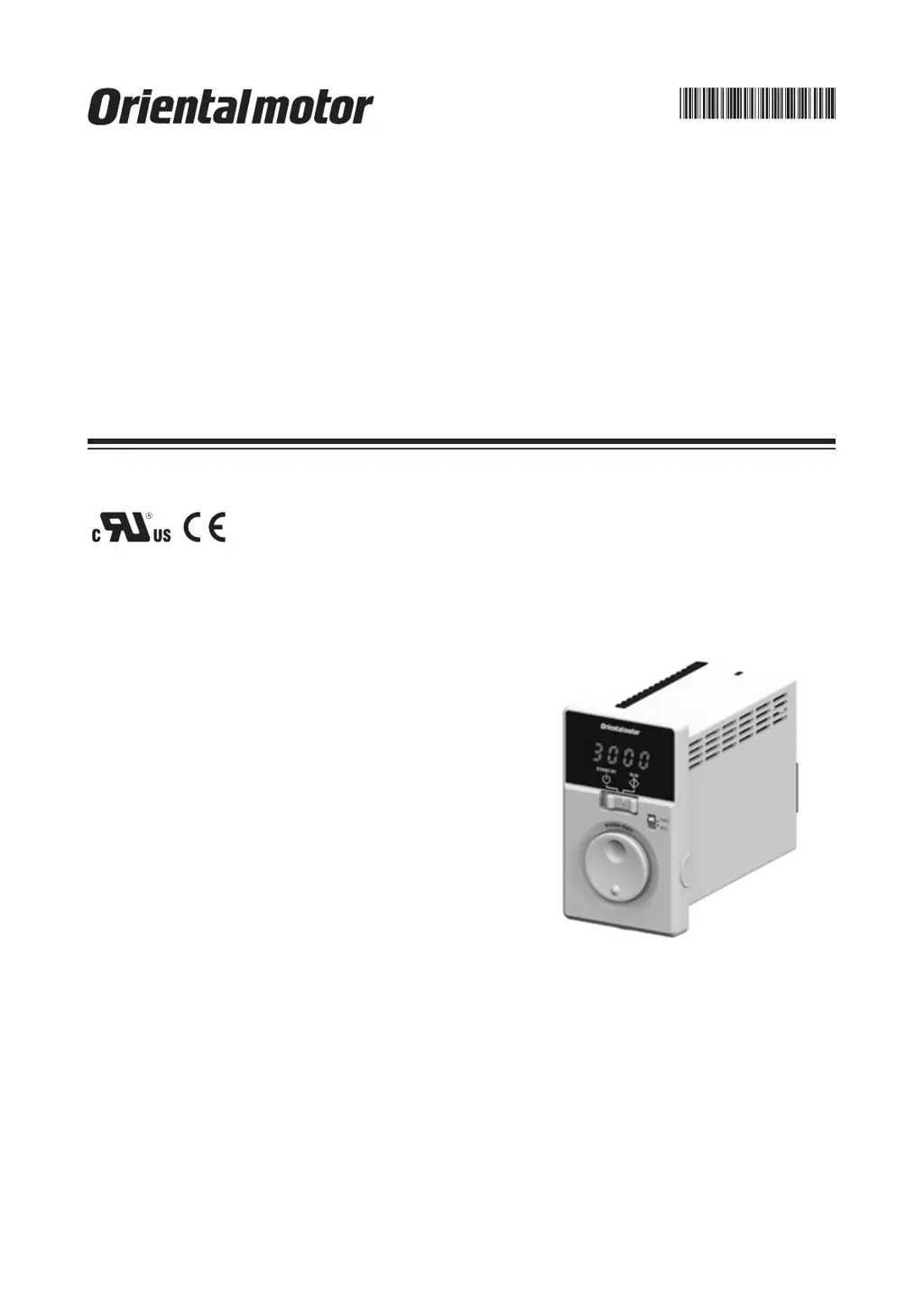
Brushless Motor
BMU
Series
30 W /
60 W / 120 W
OPERATING MANUAL
Thank you for purchasing an Oriental Motor product.
This Operating Manual describes product handling procedures and safety precautions.
Please read it thoroughly to ensure safe operation.
Always keep the manual where it is readily available.

Questions and Answers

  • J
    Jeffrey LeonardJul 25, 2025
    What to do if my Oriental motor BMUD30-C2 Engine does not operate?
    • A
      Angela PaulJul 25, 2025
      If your Oriental motor Engine does not operate, several factors could be the cause. First, check the connections between the driver and the power supply to ensure they are correctly connected. Second, verify that the operation switch is set to the "RUN" side, not "STAND-BY". If operating the motor using the operation switch, ensure the "external operation signal input" parameter is set to "OFF" after setting the operation switch to the STAND-BY side. When using external signals, the "external operation signal input" parameter should be set to "ON" or "RE" after turning the input operation signal OFF. Also, make sure either the FWD or REV input is ON, but not both. Finally, check for any alarms and reset after addressing the cause.
  • J
    Jason WillisJul 30, 2025
    Why is my Oriental motor BMUD30-C2 Engine rotating in the wrong direction?
    • D
      Derrick RodriguezJul 30, 2025
      If your Oriental motor Engine rotates in the opposite direction to what you specified, there are a few potential causes. First, the FWD and REV inputs might be wrongly or not correctly connected; check these connections. Second, the gear ratio might be causing the gearhead output shaft to rotate in the opposite direction; consult the motor's operating manual for the gearhead output shaft's rotation direction. Also, check the rotation direction switch. Finally, if the rotation direction switch is set to REV, verify the setting of the "external operation signal input" parameter.
  • R
    richard73Aug 2, 2025
    What to do if the Oriental motor BMUD30-C2 operation is unstable or vibrating too much?
    • D
      Destiny RobertsonAug 2, 2025
      If the operation of your Oriental motor Engine is unstable, or if the motor vibration is too great, there are a couple of things you should check. First, make sure that the motor and gearhead output shaft are correctly aligned with the load shaft. Second, check for electrical noise by testing the operation with only the essential equipment (motor, driver, and any other external equipment required for operation). If noise is present, try moving the unit away from noise sources, reviewing the wiring, changing to shielded signal cables, or installing ferrite cores.
  • C
    Christopher BradleyAug 7, 2025
    What to do if I cannot perform settings using the dial on my Oriental motor BMUD30-C2 Engine?
    • B
      blevinsmelissaAug 7, 2025
      If the setting cannot be performed using the setting dial of your Oriental motor Engine, the lock function might be enabled. You should release the lock function.
  • A
    Andrew AshleyAug 11, 2025
    Why is the set rotation speed not saved on my Oriental motor BMUD30-C2 Engine?
    • T
      Timothy BrownAug 11, 2025
      If the set rotation speed is not being saved on your Oriental motor Engine, ensure that you are confirming the speed by pressing the setting dial after you set it.
  • R
    robertbauerAug 16, 2025
    Why is the rotation speed not displayed on my Oriental motor BMUD30-C2 Engine?
    • A
      Aaron CervantesAug 16, 2025
      If the rotation speed is not displayed on your Oriental motor Engine, the "panel initial view" parameter might not be set to show the rotation speed. Set the "panel initial view" parameter to the rotation speed.
  • R
    Rhonda NguyenAug 20, 2025
    Why is my Oriental motor BMUD30-C2 not reversing with the rotation direction switch?
    • A
      Anthony BrownAug 20, 2025
      If your Oriental motor Engine is not reversed by the rotation direction switch, check the setting of the "external operation signal input" parameter. It may be set to "RE."

Summary

Safety Precautions

Warning and Caution Symbols

Meaning of Warning and Caution symbols for serious injury or property damage.

General Handling Precautions

Precautions for general use, installation, connection, operation, and maintenance.

Cautions and Warning Labels

Specific Cautions and Warning Labels

Specific cautions on product usage, installation, operation, and information on warning labels.

Precautions for Use

Matching Motor and Driver Output

Ensuring the motor output power matches the driver output power for correct operation.

Power Line Protection

Connecting protective devices like circuit breakers or earth leakage breakers to the power line.

Operational Restrictions

Avoiding vertical drive, using solid-state relays, and performing insulation resistance tests.

Connection and Handling Precautions

Guidelines for connecting motor/driver, handling semiconductor elements, and saving data.

Preparation

Product Verification and Identification

Verifying product inclusion and identifying driver/motor models by their codes.

Compatible Products and Part Identification

Listing compatible products and identifying driver parts and their functions.

Installation

Installation Location Requirements

Specifying ideal locations for driver installation, considering temperature, humidity, and environmental factors.

Driver Mounting and Direction

Guidance on mounting direction and physical installation of the driver.

Connection

Connecting Motor and Driver (Connector Type)

Procedure for connecting connector-type motors to the driver, including cable attachment steps.

Extending Motor-Driver Distance

Using connection cables to extend the wiring distance between the motor and driver.

Connecting Motor and Driver (Cable Type)

Procedure for connecting cable-type motors to the driver and extending distance.

Grounding Procedures

Instructions for grounding the motor and driver using protective earth terminals for safety and to prevent damage.

Connecting the Power Supply

Connecting the power supply cable to the driver's CN1 terminal, considering voltage specifications.

Connecting the I;O Signals

Connecting I/O signals to the driver's CN4 terminal for input and output signals.

Connection Diagrams

Illustrates wiring diagrams for sink logic and external power supply connections.

Source Logic Connection Diagram

Illustrates wiring diagrams for source logic connections using external power supply.

I;O Signals with Programmable Controller

Connection examples for I/O signals with a programmable controller using sink and source logic.

Operating

Operation Overview

Overview of operating the motor via front panel or programmable controller.

Operating by Front Panel

Step-by-step guide to operating the product using the front panel controls.

Powering On and Front Panel Operation

Procedure for powering on the driver and operating the motor using the front panel.

Changing Rotation Direction

How to change the motor's rotation direction using the dedicated switch.

Operating by Programmable Controller

Guide to operating the motor externally using a programmable controller.

External Operation Control Modes

Details on operating modes 'ON' and 'RE' for external control via front panel switches.

Operation and Stop Methods

Explains deceleration stop and instantaneous stop methods during operation.

Operating with Multiple Speeds

Setting up and operating the motor with up to 4 different speeds using external signals.

Switching Motor Rotation Direction

How rotation direction changes based on FWD/REV input and rotation direction switch.

Convenient Functions

Functions List

Overview of available functions for display and setting on the driver.

Setting Items and Panel Displays

Details on setting items, panel displays, and screen transitions in monitor and data modes.

Parameter Mode Navigation and Symbols

Explanation of graphic symbols and navigation through parameter mode settings.

Parameter List

Comprehensive list of parameters, their descriptions, setting ranges, and factory settings.

I;O Signal Descriptions and Functions

Detailed descriptions of input and output signals, including their functions and timing.

Items Displayed on the Driver

Description of items displayed on the driver in monitor mode, including rotation speed and load factor.

Displaying Conveyor Transfer Speed

Calculating and displaying conveyor transfer speed using speed reduction ratio.

Setting the Operation Data

How to set up to four types of operation data, including rotation speed and acceleration/deceleration time.

Setting Acceleration and Deceleration Time

Methods for setting acceleration and deceleration times using potentiometer or digital setting.

Data Locking and Resetting

How to lock and reset data settings to prevent unintended changes.

Limiting Rotation Speed Range

Setting the upper and lower limits for the rotation speed range.

Holding a Load at Motor Standstill

Alarms and Warnings

Alarms

Information on alarms, their causes, and remedial actions.

Alarm List Details

Detailed list of alarm codes, types, causes, and remedial actions.

Alarm Reset Procedures

Methods for resetting alarms, including using ALARM-RESET input or monitor mode.

Alarm Records Management

Information on how alarm records are saved and cleared.

Warnings

Information on warnings, their causes, and remedial actions.

Warning List Details

List of warning codes, types, causes, and remedial actions.

Troubleshooting and Remedial Actions

Motor Operation and Speed Issues

Troubleshooting motor operation failures, speed display, and unstable performance.

Directional and Setting Problems

Resolving issues with motor rotation direction, setting, and data saving.

Maintenance and Inspection

Inspection Procedures

Recommended periodic inspection items for the motor and driver.

Warranty and Disposal Information

Information on checking warranty and proper product disposal methods.

Accessories (Sold Separately)

Power Supply and Connection Cables

Details on available power supply and connection cables for extending distance.

Mounting Brackets & Front Cover

Information on mounting brackets and watertight/dust-resistant front covers.

Reference

Standards and CE Marking

Information on UL, CSA standards, CE Marking, Low Voltage, and EMC directives.

EMC Directive Installation and Wiring

Methods for installing and wiring to comply with EMC Directive requirements for noise suppression.

Ferrite Cores and Wiring Notes

Using ferrite cores for noise reduction and general notes on installation and wiring.

Specifications

Technical specifications for the driver and motor, including output power, voltage, and torque.

Pin Assignment

Diagrams showing the pin assignments for the motor's power and sensor connectors.

Oriental motor BMUD30-C2 Specifications

General IconGeneral
Rated Output Power30 W
CategoryBrushless DC Motor
TypeBMU Series
Power Supply Voltage24V DC
Speed Range0-3000 rpm

Related product manuals