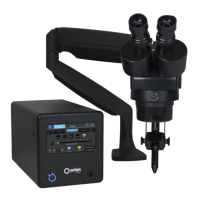
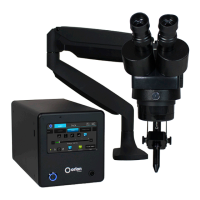
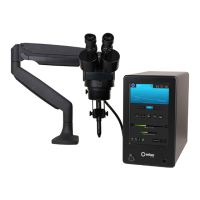
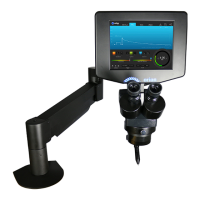
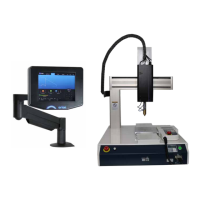
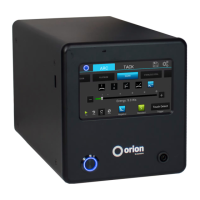
The Orion s Series Welding System is a versatile pulse arc and resistance welder designed for precision welding applications. It offers a range of features for both setup and operation, making it suitable for various materials and tasks.
Function Description
The Orion s Series Welding System primarily functions as a pulse arc and resistance welder. It utilizes high-temperature plasma to melt metal into a molten pool, facilitating clean and repeatable welds. The system is designed to prevent oxygen from entering the molten pool through the use of shielding gas, which is crucial for producing strong, non-porous welds. The welder supports four distinct weld modes: nano, micro, ultra, and tack, catering to different levels of precision and application needs.
For pulse arc welding, the system employs a stylus handpiece and an alligator clip to create a circuit with the workpiece. Tack welding, on the other hand, uses two alligator clips to hold workpieces together temporarily. The system's internal switching power supply automatically detects and adapts to both 120VAC and 240VAC inputs, ensuring broad compatibility.
A key component of the system is the stereo microscope, which provides 5x magnification for enhanced visual clarity during welding. The microscope is equipped with an LCD filter shutter that automatically darkens during welding to protect the user's eyes, while also offering an unobstructed view before the weld. For users who opt for the darkening lens system, an additional lens provides automatic darkening during the weld, further enhancing eye protection.
The welder's operation is managed through an 8-inch capacitive 10-point touch screen, which serves as the user interface. This interface allows for precise control over welding parameters, including energy, weld length, agitation, and ignition settings. It also features pre-programmed metal settings and customizable save settings, simplifying the welding process for various materials and applications.
Important Technical Specifications
- Weld Modes: 4 (nano, micro, ultra, tack)
- Pre-Programmed Metal Settings: 11
- Customizable Save Settings: 50 (25 Arc & 25 Tack)
- Languages: 20+ (with additional languages available upon request)
- Display: 8" Capacitive 10-point Touch Screen
- Energy (Ws): 1-150 Ws
- Switching Power Supply: 110/240VAC (Auto Detected)
- Weld Spot Diameter: 0.5 - 3.5mm
- Footprint (L x W x H): 12" x 6" x 10" (30.5 x 15.2 x 25.4cm)
- Weight: 20 lbs (9 kg)
- Stereo Microscope Magnification: 5x
- Electrode Collets: 0.5mm and 1.0mm (standard)
- Shielding Gas: Recommended 99.996% pure Argon (Argon 4.6) or higher
- Gas Pressure: Recommended 7-10 psi
Usage Features
The Orion s Series Welding System is designed for ease of use, from initial setup to advanced welding operations.
- Setup and Assembly: The manual provides clear instructions for setting up the power supply, microscope arm (with options for clamping or bolting to a table), and darkening lens system. The stylus handpiece and alligator clips are easily connected to the power supply.
- Electrode Management: The system includes both 0.5mm and 1.0mm electrodes and collets, allowing for flexibility in application. Instructions for proper electrode installation and sharpening are provided, emphasizing the importance of electrode condition for consistent weld quality. The manual also details when to flatten or blunt electrodes for highly conductive metals like silver and copper.
- Shielding Gas Integration: A shielding gas hose connects to the power supply, and the system is designed to work with argon gas to protect the weld pool. The regulator dial allows for precise adjustment of gas pressure, typically between 7-10 psi.
- User Interface (Touch Screen): The 8-inch touch screen is the central control hub.
- Basic Screen: Offers quick selection of metal types (e.g., yellow gold, stainless steel) and application types (e.g., large joint, small joint, corner weld, add metal to a piece, prong), with recommended settings pre-loaded. Users can adjust energy (1-150 Ws) and welds per second (1-5 welds/second) via slider bars.
- Arc Screen: Provides granular control over weld length, agitation settings (no agitation, sloped, sustained, negative), and ignition settings (standard, standard+).
- Tack Screen: Dedicated for tack welding, allowing adjustment of tack energy and pre-weld delay.
- Save/Load Screen: Enables users to save and load custom weld settings, along with notes, for repeatable results. Up to 50 customizable settings can be stored.
- Settings Tab: Contains sub-screens for Interface, Gas, Timing, and System settings.
- Interface Settings: Adjusts language, visual themes (Blue Skies, Green Leaf, Golden Sunrise, Obsidian), system volume, microscope LED brightness, and LCD screen brightness.
- Gas Settings: Displays PSI, allows for gas calibration (without gas connected), and purging the gas line. It also controls pre-flow and post-flow delay for shielding gas.
- Timing Settings: Adjusts pre-weld delay, lift-off delay (for electrode retraction), post-weld shutter delay (for microscope darkening), minimum time between welds, and duty cycle (for agitation).
- System Settings: Provides options to restore all defaults, clear all memory (including saved settings and preferences), update welder software via Wi-Fi or USB, connect/disconnect from Wi-Fi, and access support information.
- Trigger Modes: Users can choose between "Touch Detect" mode, where the weld initiates upon contact with the workpiece, or "Foot Pedal" mode, allowing manual initiation.
- Grey Waveform: When the welder is paused, the waveform screen appears grey, indicating it's not ready to weld. Pushing the play button activates the system.
Maintenance Features
The Orion s Series Welding System incorporates features and guidelines to ensure its longevity and optimal performance.
- Electrode Sharpening: Regular sharpening of electrodes with the included diamond disk is crucial for consistent and clean welds. The manual provides detailed steps for sharpening, emphasizing the correct angle and technique. It also recommends sharpening anytime a new workpiece is being welded or if the electrode becomes contaminated.
- Electrode Cleaning: If the electrode sticks to the workpiece or appears dark, it indicates contamination. The recommendation is to clean or change the electrode to maintain weld quality.
- Shielding Gas Management: The system highlights the importance of securing the pressurized gas tank and turning off the main valve when not in use to prevent leaks and ensure safety. The gas settings screen allows for calibration of the gas pressure, ensuring accurate readings.
- Software Updates: The system supports software updates via email (downloaded to a USB drive) or Wi-Fi. This allows users to benefit from new features, more efficient settings, and performance improvements developed by Sunstone engineers.
- Reset Functions: The "Reset" button on the Basic, Arc, and Tack screens allows users to restore weld settings to factory defaults. The "Clear All Memory" button in the System settings provides a more comprehensive reset, clearing all saved settings and preferences.
- Diagnostic Tools: The "Enter Test Suite" option in the System settings allows users, with the assistance of Sunstone Support, to access a diagnostic screen for troubleshooting.
- Support Information: The System settings screen provides contact information for Sunstone Engineering support, ensuring users can get assistance when needed.

 Need help?
 General

 To Next Page