EasyManua.ls Logo

Orion Cobalt CB2000.4 - User Manual

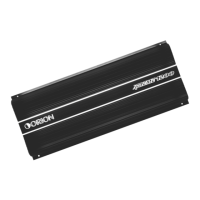
Orion Cobalt CB2000.4
19 pages
Print Icon
To Next Page IconTo Next Page
Loading...
LIMITED TWO MONTH CONSUMER WARRANTY AND ONE YEAR CONSUMER WARRANTY
WHEN PURCHASED AND INSTALLED FROM AUTHORIZED ORION DEALER
Electronics Limited Warranty
Please keep your original box. Orion warrants this product to be free from defects in materials and workmanship
under normal use for a period of TWO (2) months from the date of original purchase receipt. When
purchased and installed from an AUTHORIZED ORION dealer it is warranted for a period of ONE (1) Year from
the date of the original purchase receipt.
The ORIGINAL Receipt must be provided for all claims. Should service be necessary under this warranty for any
reason due to manufacturing defect or malfunction during the warranty period.
ORION will repair or replace (at its discretion) the defective merchandise with equivalent merchandise with
equivalent merchandise at no charge. Warranty replacements may have cosmetic scratches or blemishes.
Discontinued products may be replaced with more current equivalent products.
This warranty is valid only to the original purchaser and is non-transferable to any other person or party. Any
applicable implied warranties are limited in duration to a period of the express warranty provided herein
beginning with the date of the original purchase at retail, and no warranties, whether express or implied,
shall apply to this product thereafter. Some states do not allow limitations on implied warranties; therefore
these exclusions may not apply to you. This warranty gives you specific legal rights; however you may have
other rights that vary from state to state.
What to Do if you need Warranty or Service
Defective merchandise should be returned to your local authorized ORION dealer for warranty service.
Assistance locating an authorized dealer can be found at the products main website www.orioncaraudio.com
or by contacting ORION directly at 1-855-475-6048.If it becomes necessary for you to return DEFECTIVE
merchandise directly to ORION, call the ORION Customer Care number at 1-855-475-6048 for a Return
Merchandise Authorization (RMA) number. Package all defective items in the original container or in a package
that will prevent shipping damage. The shipping address and instructions will be given to you by our customer
care representative upon their issuing the RMA number.
The RMA number must be clearly marked on the outside of the package. Please return only defective compone-
nts. The return of functioning items increases your return freight charges. NON- DEFECTIVE items will not be
exchanged.You will be contacted by customer care advising you of such situations, and product will be returned
to you upon your payment of freight charges for the return of such product back to you.
Include a copy of the original receipt with the PURCHASE DATE clearly visible, and a ROOF of PURCHASE
statement listing the CUSTOMERS NAME, DEALER's NAME and INVOICE number, and product purchased.
Warranty expiration on items without ROOF of PURCHASE will be determined from the type of sale
and manufacturing date code. FREIGHT on defectives products returned must be PREPAID by you or your
authorized dealer; items sent freight collect, or COD will be REFUSED.
What is not covered?
The warranty is valid only if the product is used for the purpose for which it was designed and does NOT COVER
the following;
Damage due to improper installation and sound settings, excessive or insufficient voltage spikes,
and use of inferior low grade wiring.
Subsequent Damage to other components
Damage caused by exposure to moisture, excessive heat, chemical cleaners, and/or UV Radiation.
Damage through negligence, misuse, accident or abuse. Repeated returns for the same damage may be
considered abuse.
Any cost or expense related to the removal or installation of product. No Installation Fee reimbursements.
Items previously repaired or modified by any unauthorized repair facility
Return shipping costs from ORION to you on non-defective items
Products with tampered or missing barcode labels
Products returned without a Return Merchandise Authorization (RMA) number
Freight Damage
The cost of shipping product to ORION, from you to Orion
Service performed by anyone other than Orion
Damage related to Acts of Nature, lightning, hurricanes, flood, tornadoes, and wildfires.
Products Sold outside of United States have NO WARRANTY expressed or implied
How long will it take?
ORION strives to maintain a goal of 7 day service for all electronics products (amplifiers, equalizers , electronic
crossovers, etc.) returns. Delays may be incurred if lack of replacement inventory or parts is encountered.
Failure to follow these Steps may void your warranty. Any questions can be directed to the ORION Customer
Care Department at 1-855-475-6048.
CB1000.1D
CB1500.1D
CB2500.1D
CB3500.1D
CB5000.1D
4 CHANNEL AMPLIFIERS
CB600.4
CB1000.4
CB1500.4
CB2000.4
CB3000.4
2 CHANNEL AMPLIFIERS
CB300.2
CB600.2
CB1200.2
CB2700.2
MONOBLOCK CLASS AB 2 OHM AMPLIFIERS
CB1500.5
CB2700.5
5 CHANNEL AMPLIFIERS
CB1000.1M2
CB1500.1D2
CB2500.1D2
MONOBLOCK CLASS D 1 OHM AMPLIFIERS
MONOBLOCK CLASS D 2 OHM AMPLIFIERS
2016
Question and Answer IconNeed help?

Do you have a question about the Orion Cobalt CB2000.4 and is the answer not in the manual?

Summary

Electronics Limited Warranty

Warranty Service and Coverage

Details on how to obtain warranty service and what is covered by Orion's limited warranty.

What is Not Covered by Warranty

Exclusions from the warranty, including damage from improper installation or misuse.

Warranty Claim Procedure

Steps to follow for warranty claims, including RMA number and return shipping.

Introduction and Installation Guide

Product Introduction

Overview of the car audio amplifier and advice on reading the manual.

Installation Instructions

Guidance on mounting, ventilation, and routing wires for optimal performance.

Record Serial Number and Date

Instructions to record model, serial number, purchase date, and dealer for warranty.

Amplifier Functions Overview

Four Channel Amplifier Controls

Details on controls for CB600.4, CB1000.4, CB1500.4, CB2000.4, CB3000.4 models.

Two Channel Amplifier Controls

Details on controls for CB300.2, CB600.2, CB1200.2 models.

Five Channel Amplifier Controls

Details on controls for CB1500.5, CB2700.5 models.

Mono Amplifier Controls

Details on controls for CB2700.2, CB1000.1M2, and various Class D mono models.

Operation, Precautions, and Troubleshooting

Amplifier Operation and Power

Guidance on connecting power leads and understanding the power indicator.

Usage Precautions

Important warnings regarding installation, temperature, and battery voltage.

Troubleshooting Common Issues

Solutions for common problems like no function, no sound, or poor quality.

Fuse Replacement and Protection

Instructions for replacing fuses and understanding the protection circuit.

Stereo Mode Wiring Diagrams

Four Channel Stereo Wiring

Wiring diagrams for connecting speakers in stereo mode for four-channel amps.

Two Channel Stereo Wiring

Wiring diagrams for connecting speakers in stereo mode for two-channel amps.

Five Channel Stereo Wiring

Wiring diagrams for connecting speakers in stereo mode for five-channel amps.

Mono Amplifier Stereo Wiring

Wiring diagrams for mono amplifiers in stereo mode.

Speaker Connection Diagrams

Four Channel Speaker Connections

Diagrams for connecting speakers to CB600.4, CB1000.4, CB1500.4, CB2000.4.

Two Channel Speaker Connections

Diagrams for connecting speakers to CB300.2, CB600.2, CB1200.2, CB2700.2.

Five Channel Speaker Connections

Diagrams for connecting speakers to CB1500.5, CB2700.5.

Mono Amplifier Speaker Connections

Diagrams for connecting speakers to various mono amplifier models.

Bridged Mode Wiring

Four Channel Bridged Connections

Wiring diagrams for bridged mode on four-channel amplifiers.

Two Channel Bridged Connections

Wiring diagrams for bridged mode on two-channel amplifiers.

Five Channel Bridged Connections

Wiring diagrams for bridged mode on five-channel amplifiers.

Mono Amplifier Bridged Connections

Diagrams for connecting mono amplifiers in bridged mode (Master/Slave).

Wiring and Connection Guide

Power Supply and Connection Leads

Details on power supply leads, notes, and power connection.

Ground, Remote, Speaker, and Input Wiring

Instructions for ground, remote turn-on, speaker, and input connections.

Amplifier Operation and Interference

Operation Indicators and Level Control

Understanding power/protect LEDs and adjusting level controls.

Interference Prevention Guidelines

Tips for minimizing interference through proper cabling and grounding.

Amplifier Specifications

Four Channel Amplifier Specs

Technical specifications for CB600.4, CB1000.4, CB1500.4, CB2000.4, CB3000.4.

Two Channel Amplifier Specs

Technical specifications for CB300.2, CB600.2, CB1200.2, CB2700.2.

Five Channel Amplifier Specs

Technical specifications for CB1500.5, CB2700.5.

Mono Amplifier Specs

Technical specifications for Class AB and Class D mono amplifiers.

Summary

Electronics Limited Warranty

Warranty Service and Coverage

Details on how to obtain warranty service and what is covered by Orion's limited warranty.

What is Not Covered by Warranty

Exclusions from the warranty, including damage from improper installation or misuse.

Warranty Claim Procedure

Steps to follow for warranty claims, including RMA number and return shipping.

Introduction and Installation Guide

Product Introduction

Overview of the car audio amplifier and advice on reading the manual.

Installation Instructions

Guidance on mounting, ventilation, and routing wires for optimal performance.

Record Serial Number and Date

Instructions to record model, serial number, purchase date, and dealer for warranty.

Amplifier Functions Overview

Four Channel Amplifier Controls

Details on controls for CB600.4, CB1000.4, CB1500.4, CB2000.4, CB3000.4 models.

Two Channel Amplifier Controls

Details on controls for CB300.2, CB600.2, CB1200.2 models.

Five Channel Amplifier Controls

Details on controls for CB1500.5, CB2700.5 models.

Mono Amplifier Controls

Details on controls for CB2700.2, CB1000.1M2, and various Class D mono models.

Operation, Precautions, and Troubleshooting

Amplifier Operation and Power

Guidance on connecting power leads and understanding the power indicator.

Usage Precautions

Important warnings regarding installation, temperature, and battery voltage.

Troubleshooting Common Issues

Solutions for common problems like no function, no sound, or poor quality.

Fuse Replacement and Protection

Instructions for replacing fuses and understanding the protection circuit.

Stereo Mode Wiring Diagrams

Four Channel Stereo Wiring

Wiring diagrams for connecting speakers in stereo mode for four-channel amps.

Two Channel Stereo Wiring

Wiring diagrams for connecting speakers in stereo mode for two-channel amps.

Five Channel Stereo Wiring

Wiring diagrams for connecting speakers in stereo mode for five-channel amps.

Mono Amplifier Stereo Wiring

Wiring diagrams for mono amplifiers in stereo mode.

Speaker Connection Diagrams

Four Channel Speaker Connections

Diagrams for connecting speakers to CB600.4, CB1000.4, CB1500.4, CB2000.4.

Two Channel Speaker Connections

Diagrams for connecting speakers to CB300.2, CB600.2, CB1200.2, CB2700.2.

Five Channel Speaker Connections

Diagrams for connecting speakers to CB1500.5, CB2700.5.

Mono Amplifier Speaker Connections

Diagrams for connecting speakers to various mono amplifier models.

Bridged Mode Wiring

Four Channel Bridged Connections

Wiring diagrams for bridged mode on four-channel amplifiers.

Two Channel Bridged Connections

Wiring diagrams for bridged mode on two-channel amplifiers.

Five Channel Bridged Connections

Wiring diagrams for bridged mode on five-channel amplifiers.

Mono Amplifier Bridged Connections

Diagrams for connecting mono amplifiers in bridged mode (Master/Slave).

Wiring and Connection Guide

Power Supply and Connection Leads

Details on power supply leads, notes, and power connection.

Ground, Remote, Speaker, and Input Wiring

Instructions for ground, remote turn-on, speaker, and input connections.

Amplifier Operation and Interference

Operation Indicators and Level Control

Understanding power/protect LEDs and adjusting level controls.

Interference Prevention Guidelines

Tips for minimizing interference through proper cabling and grounding.

Amplifier Specifications

Four Channel Amplifier Specs

Technical specifications for CB600.4, CB1000.4, CB1500.4, CB2000.4, CB3000.4.

Two Channel Amplifier Specs

Technical specifications for CB300.2, CB600.2, CB1200.2, CB2700.2.

Five Channel Amplifier Specs

Technical specifications for CB1500.5, CB2700.5.

Mono Amplifier Specs

Technical specifications for Class AB and Class D mono amplifiers.

Overview

The ORION High Performance Car Audio amplifier is designed to provide high-quality audio performance with minimal maintenance. Before installation and use, it is crucial to read the instruction manual carefully to familiarize yourself with the product's features and ensure proper setup.

Function Description:

The amplifier is designed for negative ground 12V DC operation. It supports speakers with an impedance of 2 or 4 Ohms in stereo mode, and 2 or 4 Ohms when used as a bridging amplifier. The unit features a Mosfet power supply and is available in 1 to 5 channel power amplifier configurations.

Key controls and indicators include:

  • Input Mode: Allows selection of the input signal type.
  • Gain Control: Adjusts the input sensitivity to match the output level of the head unit.
  • LPF/HPF Control: Low Pass Filter and High Pass Filter controls for making good sound combinations.
  • Sub Sonic Control: Filters out ultra-low frequencies that are inaudible and can waste amplifier power.
  • Bass Boost Control: Enhances low-frequency output.
  • Thermal Protection: A built-in circuit to protect the amplifier from overheating.
  • LED Power and Protection Indicator: A green LED indicates power is on, while a red LED signifies a protection mode (overload, short circuit, or high temperature).
  • Low Input and High Input Selected: Options for different input signal levels.

Usage Features:

Installation:

  • Mounting: Choose a mounting location free from direct weather influences. Ensure the area is well-ventilated as the amplifier generates heat. Avoid installing the unit where it would be subject to high temperatures (direct sunlight, heater air), rain, moisture, dust, or dirt. If installed horizontally, do not cover the heatsink fins with carpet.
  • Wiring: Keep wire connections as short as possible to minimize power losses and maximize audio output. Route all power and speaker wiring through existing wire channels to prevent damage. Avoid sharp-edged metal. Lay cables away from ignition cables, modules in the boot, and under the dashboard to prevent interference.
  • Power Connection (GND): Connect the GND terminal to the chassis ground of the car, ensuring a clean electrical and mechanical contact. Drill a hole, remove paint/dirt, and fasten the cable end with a ring terminal and screw. The ground connection should be as short as possible, with a minimum diameter of 4 mm².
  • Power Supply (+12V): Connect the +12V terminal to the positive pole of the battery with a lead cable. Add a fuse within 30 cm of the battery. The cable diameter should be at least 4 mm² for 3m length and 6 mm² for 6m length. Use #10 gauge or thicker wire for this lead.
  • Remote Control (REM): Connect the REM terminal to the car radio's automatic antenna connector. This allows the amplifier to switch ON/OFF automatically with the radio. A cable diameter of 0.5mm is sufficient. If the car stereo does not provide an "Auto-Antenna" lead, the remote turn-on lead can be wired to an "Accessory" or "Radio" terminal in the car's fuse block.
  • Speaker Connections: Wire speakers according to the appropriate wiring diagram. For most applications, #18 gauge wire is suitable, but never thinner than #20 gauge. For leads exceeding 10 feet, #16 gauge is recommended. Pay careful attention to polarity and ensure terminals correspond between speakers and amplifier. Do not ground speaker leads to the chassis.
  • Input Connections: The amplifier features low-level input capability. If the car stereo lacks low-level outputs, an AUTOCRAFT line converter can be used with the speaker (high-level) outputs from the stereo.

Operation:

  • After installation, turn on the radio. The amplifier should switch on automatically and reach full performance after a short power-on period.
  • Slowly increase the volume using the radio's control. If there is no sound or distorted replay, switch off the radio immediately and check all connections.
  • Level Control: Adjust the input level control to achieve the best sound without distortion. A recommended procedure is to set the car radio volume to 2/3 of maximum, then turn the amplifier's gain control from "Min" to "Max" until distortion is heard, then slightly back to "Min".
  • Overload Protection: If using 2 Ohm speakers in stereo mode, or 4 Ohm speakers in bridge or tri-mode, and overload protection is triggered, turn the gain control to "Min" until the operation is trouble-free.

Maintenance Features:

Troubleshooting:

  • No Function: Check connection cables (BATT/GND/REM) for proper connection, mechanical contact, and removed jacket. Verify the fuse is not defective and replace with the correct value if necessary.
  • No Sound: Check speaker cable or plug connections.
  • No Sound / Red LED Protection Shines: This indicates a short circuit in the speaker cables. Eliminate the short. If using low impedance speakers (2 Ohm stereo, 4 Ohm bridge/tri-mode) and the set is overloaded, reduce the gain control to "min".
  • Poor Sound Quality (Distortions): If speakers are overloaded, reduce the volume level and check volume control positions.
  • No Stereo Sound And A Weak Bass: Speaker cables (+) and (-) may be mixed up, indicating the unit is wired out of phase.

Fuse Replacement:

  • If a fuse blows, check the power connection and replace the fuse. If it blows again, there may be an internal malfunction, requiring consultation with a dealer.
  • WARNING: Use only the specified amperage fuse. Using a higher amperage fuse can cause severe damage.

Protection Circuit:

  • The amplifier has a protection circuit that activates if the unit overheats or if speaker terminals are short-circuited. Do not attempt to test the protection circuits by covering the heatsink or connecting improper loads.

Interference Prevention:

  • Use screened audio cables for low-level inputs.
  • Lay signal, speaker, and power cables separately, maintaining distance from each other and the car chassis. If separation is not possible, lay circuit and ground cables together with serial cables.
  • Avoid ground loops by wiring all components to a central point in a star-like way. Measure voltage at the battery and compare it to the chosen ground point and (+) terminal of the amplifier to find the correct central.
  • If pickups occur from external electrical sources into speaker cables, divide the core leads and twist them together.
  • If car electronics cause noise, add an interference suppression choke to the power wiring.
  • If humming noises occur, use thicker ground cables or add further ground cables to the chassis.
  • To reduce contact resistance and bad/loose contacts, tin cable ends or use multi-core cable ends, spade terminals, or other gold-plated terminals, which are corrosion-free and have low contact resistance.
  • If all measures fail, a ground loop isolator may solve the problem.

Orion Cobalt CB2000.4 Specifications

General IconGeneral
Channels4
RMS Power @ 4 Ohms100W x 4
RMS Power @ 2 Ohms200W x 4
RMS Power @ 4 Ohms Bridged400W x 2
Minimum Impedance Unbridged2 Ohms
Minimum Impedance Bridged4 Ohms
THD @ Rated Power<0.05%
Damping Factor>200
Input Voltage14.4V
Input Sensitivity200mV - 6V
Bass Boost0-12dB
Bass Boost Frequency45Hz
Frequency Response10Hz - 30kHz
Power Output (RMS)100W x 4 @ 4 Ohms
Fuse Rating40A

Related product manuals