EasyManua.ls Logo

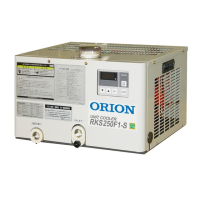
Orion RKS250F1-S - User Manual

Orion RKS250F1-S
60 pages
Print Icon
To Next Page IconTo Next Page
Loading...
Operating Manual
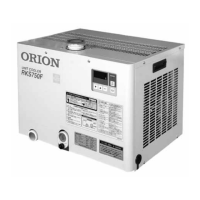
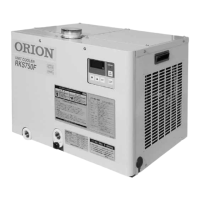
Circulating Type Liquid Cooling Equipment
ORION Unit Cooler
RKS250F1-S
RKS400F1
CAUTION
This product is designed for industrial use.
Handle with care.
Please read this manual carefully and operate
this product accordingly.
Retain this manual for future reference.
This manual is comprised of two sections.
Operation Guide ··········Pages 1 to 37
Installation Guide··········Pages 38 to 56
03107178010

Questions and Answers

  • J
    Julie DavisAug 17, 2025
    What to do if my Orion RKS250F1-S Accessories product doesn’t run and the COOLER lamp is off?
    • M
      Michelle HowardAug 17, 2025
      If your Orion Accessories product doesn’t run and the COOLER lamp is off, the controller may be defective, in which case you should replace it. Alternatively, the protective device or the fuse might be defective or blown, respectively. Refer to protective-device explanations or replace the fuse.
  • J
    Joanna WhiteAug 20, 2025
    Why is my Orion RKS250F1-S Accessories cooler running but not cooling to the set temperature?
    • R
      robert09Aug 20, 2025
      If the Orion Accessories cooler runs but doesn't cool to the set temperature, the load might be too great, so try reducing it. A gas leak could cause poor cooling capacity, so check for that. Also, excessive ambient temperature could be the cause, so lower the cooler ambient temperature to below 40.
  • C
    Cynthia MedinaAug 23, 2025
    What to do if the COOLER lamp is on, but the compressor is not running in my Orion Accessories?
    • E
      Eric SmithAug 23, 2025
      If the COOLER lamp is on but the compressor isn't running on your Orion Accessories, the power voltage might be low; provide the rated voltage. Another possible cause is a bad electromagnetic contactor, so replace the contactor.
  • A
    Andrew HolmesAug 26, 2025
    How to fix a condenser (filter) inspection warning on Orion RKS250F1-S?
    • J
      Jennifer FernandezAug 26, 2025
      If you receive a condenser (filter) inspection warning on your Orion Accessories, clean the condenser (filter) if it is dirty and then press the reset switch for approximately 5 seconds.
  • E
    Erik HartAug 28, 2025
    What to do for an intake temperature sensor issue on Orion Accessories?
    • D
      Darlene HancockAug 28, 2025
      To address an intake temperature sensor issue with your Orion Accessories, confirm that the water is actually circulating. Bring the water temperature to within 5-25°C. Ensure the operating circulation flow rate (circulation pump flow rate) is not below 15 L/min. Operate the product in an ambient temperature of 5-40°C.
  • E
    Elizabeth AcostaAug 30, 2025
    What should I do after a power outage with my Orion RKS250F1-S?
    • J
      jaredgillespieAug 30, 2025
      If there was a power outage or the power supply was cut off while your Orion Accessories product was operating, press the RESET switch and then start product operation again.
  • K
    Kathryn WilsonSep 2, 2025
    What to do if I see a 'Power supply open phase' error on my Orion RKS250F1-S Accessories?
    • K
      Kevin MooreSep 2, 2025
      If you encounter a power supply open phase error on your Orion Accessories, it means the R phase is open. Check the power supply and fuse.
  • J
    Jesse HicksSep 5, 2025
    How to fix a 'Power supply reversed phase' error on Orion RKS250F1-S Accessories?
    • S
      Stephanie ThomasSep 5, 2025
      If your Orion Accessories shows a 'Power supply reversed phase' error, the power supply R, S, and T lines don't match up. Reverse 2 of the 3 lines of the power supply cable.
  • J
    jbondSep 8, 2025
    Why does the compressor stop less than 3 minutes on my Orion RKS250F1-S?
    • J
      James YoungSep 8, 2025
      If the compressor stops less than 3 minutes on your Orion Accessories, it means the water volume in the water tank is larger than 20 L.
  • R
    Robert WadeSep 12, 2025
    How do I resolve a memory error on my Orion Accessories?
    • B
      Brandi SmithSep 12, 2025
      If you get a memory error on your Orion Accessories, press the RESET switch. Cut off the power supply, and then reapply power.

Orion RKS250F1-S Specifications

General IconGeneral
BrandOrion
ModelRKS250F1-S
CategoryAccessories
LanguageEnglish

Related product manuals