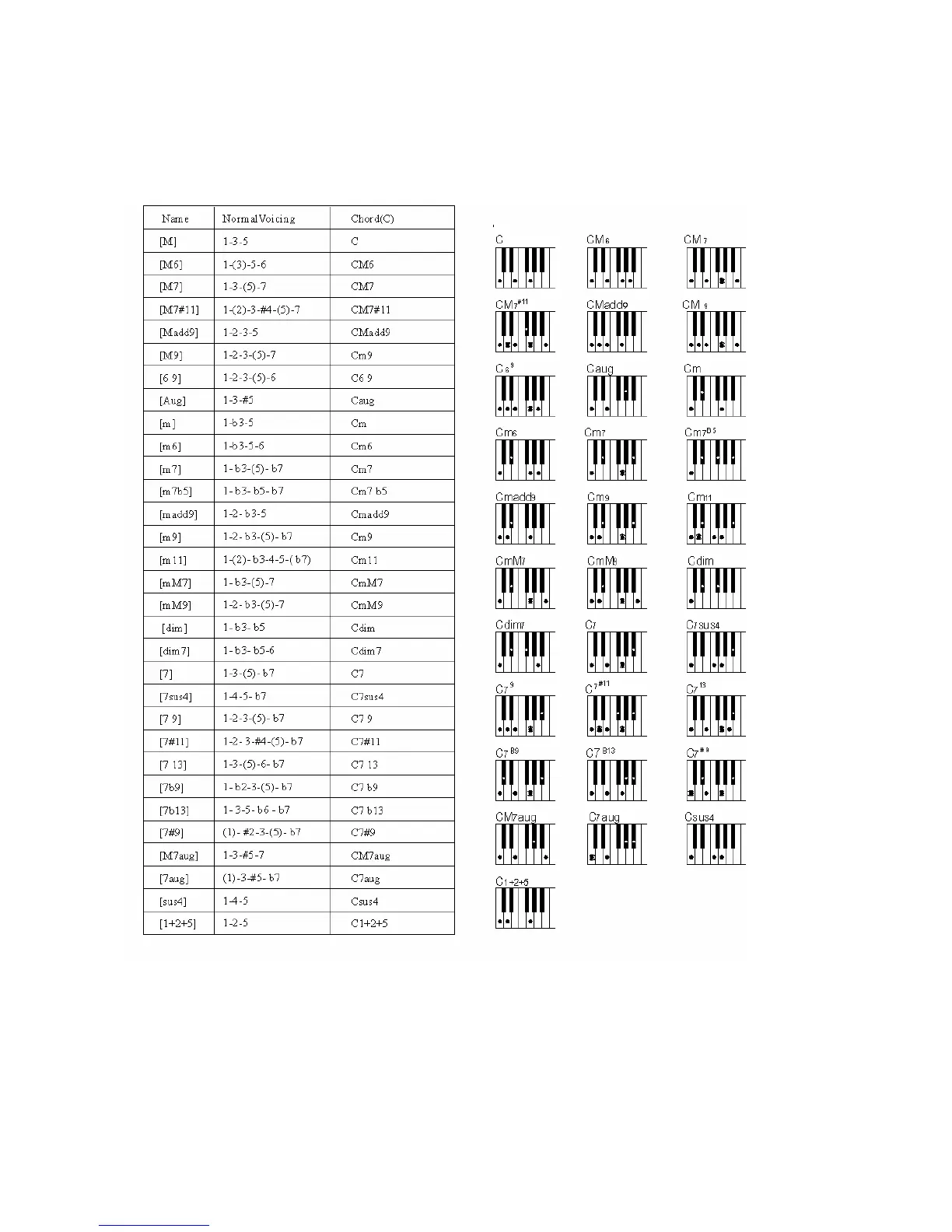
FINGERED
- Press the SELECT button to select FINGERED function in the display.
- Play the desired chords using the standard configurations with three or more fingers.
- The keyboard recognize the following chords:
Note that when in Fingered mode the keyboard will recognizes the chords also played with a
second different Single Finger system. This will help the players that are used to this second
Single Finger system.
C Major Press the key C.
C minor Press the key C + the 3rd key to the right
C Seventh Press the key C + the 2nd key to the left
C Diminished Press the key C + the 3rd key to the right + 4th key to the left



 To Next Page