Use the [ACC+/-] buttons to set the desired volume. The volume range is from 0 (no sound) to 31
(Max volume). The default volume value (28) can be recalled instantly by pressing both the
[ACC+/-] buttons at the same time.
METRONOME CONTROL
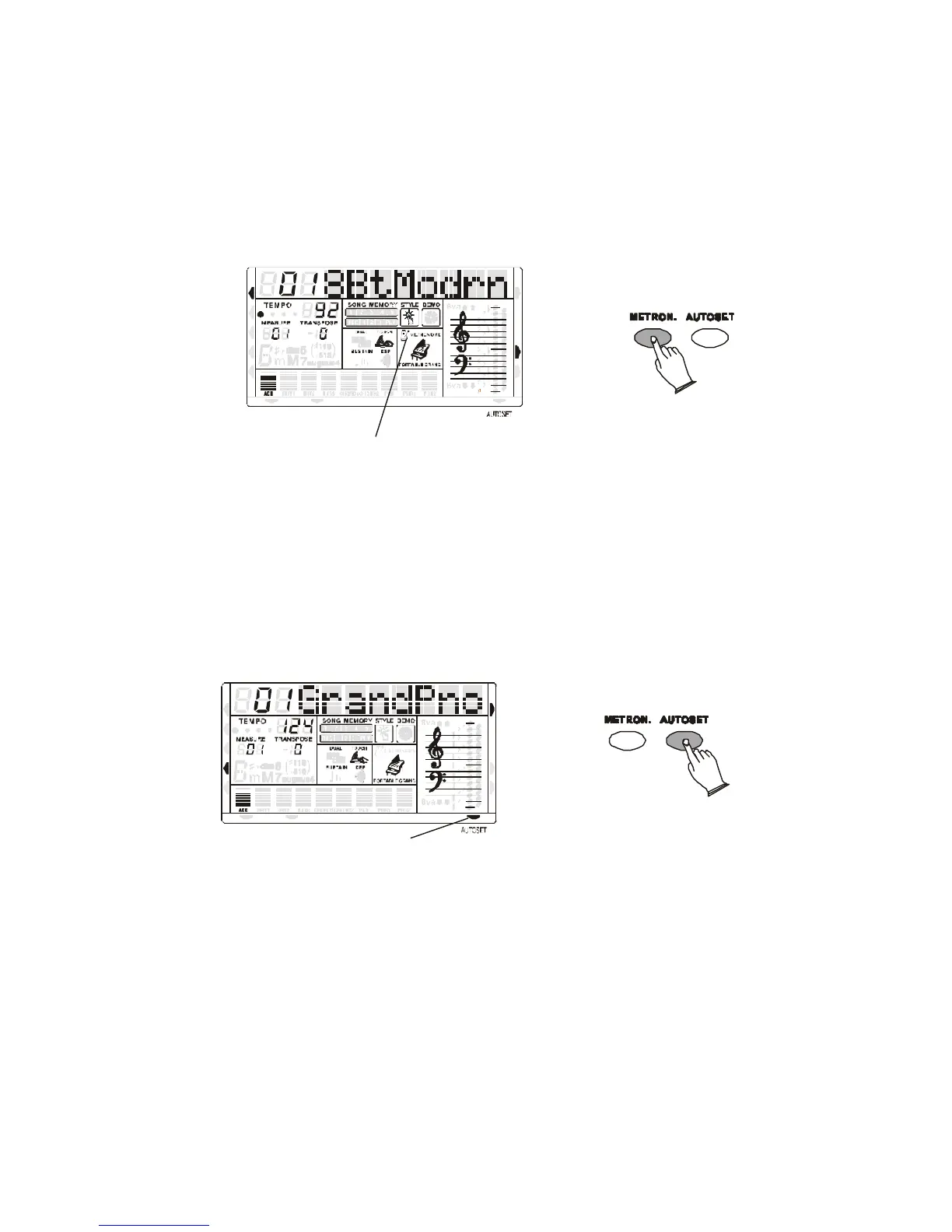
The metronome feature is activate by pressing the METRONOME button.
MIDI IN MIDI OUT
NORMAL
SINGLE
FINGERED
SPLIT
PERCUSSION
Metronome Flag
STYLE
DEMO
When this is set to ON, the beat indicator flashes at the current tempo.
To select the metronome type (3/4, 4/4) it is necessary to select a related style:
Select a Waltz for the (3/4) , select a 8 Beat for (4/4). Use the Tempo buttons to control the
Metronome speed.
AUTOMATIC SET UP
This function allows you to recall the best registration for each rhythm and when a style is
selected and the AUTOMATIC SET-UP activated (the icon appears on the bottom right part of
the display), a nice registration for both the left hand and right hand parts will be automatically
selected.
AUTOSET Flag
MIDI IN MIDI OUT
NORMAL
SINGLE
FINGERED
SPLIT
PERCUSSION
RIGHT VOICE
STYLE
DEMO
?
The AUTOMATIC SET-UP will also select the optimum tempo for the style selected. An
indicator illuminates in the Message Display when the system is activated. When the registration
is changed with the AUTO SET UP activated, the instrument will accept the changes but the
registration will not be changed in the internal memory.
A good way to start exploring the keyboard is to play using the AUTOMATIC SET-UP’s for all
the rhythms. By selecting the desired rhythm with the AUTOMATIC SET-UP system ON, you
will hear 130 nice registrations. The AUTOMATIC SET UP system can be switched ON and
OFF by pressing the AUTOSET button.



 To Next Page