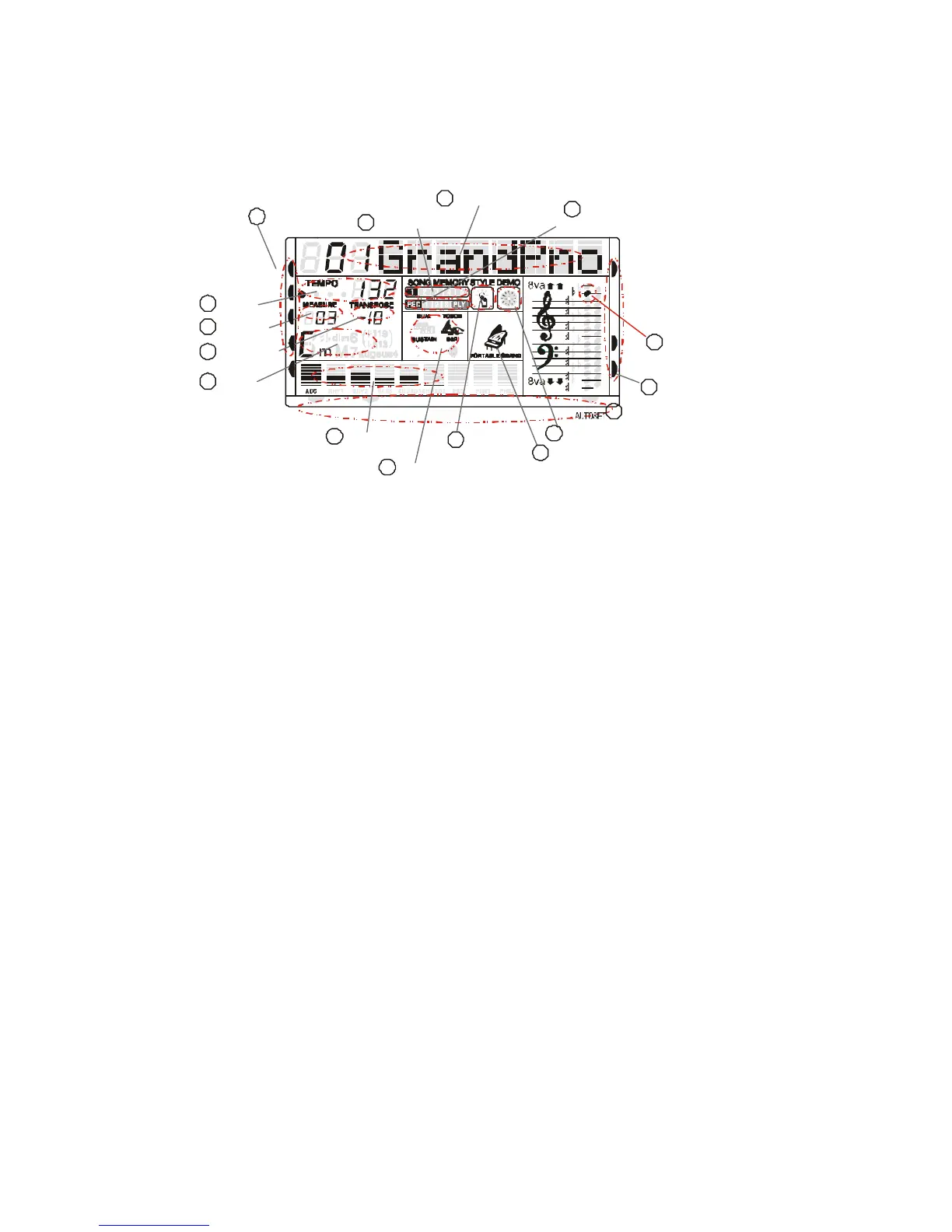
PANEL DISPLAY INDICATIONS
Your instrument features a large multi-function display (MULTI DISPLAY) that shows all important
settings for the instrument. The section below briefly explains the various icons and indications in the
display.
1
Message Display
PERCUSSION
(1) Message Display - This section displays the demo song, voice or style name and number you have
selected.
(2) Active Input - When you play the instrument, you need to change the voice, style, demo. The arrow
point to which is the active section.
(3) Finger Select - This arrow tells you which finger mode is selected and if the keyboard is split into two
parts or not.
(4) Note Display - When you play a key on the keyboard, the note will be displayed.
(5) Voice Effect - These icons display the Dual, Sustain, Touch and Effect function is turned ON/OFF.
(6) Track Volume - It displays the volume of each track dynamically when the demo song or style is
played.
(7) Transpose - Display the current transpose status of the keyboard. The number 00 indicates No
transpose.
(8) Chord Type - Display current chord type you play on the keyboard accompaniment section when the
keyboard is in the Single or Fingered mode.
(9) Measure - Display the measure of the demo song, style or record/play back have played.
(10) Tempo - Display the tempo of the demo song, lesson, style or record/play.
(11) Song Memory - Display the record and play track during recording and play back.
(12) Record and Play - Display the record and play status.
(13) Demo - Display the demo is playing.
(14) Style - Display the accompaniment is playing.
(15) Piano - Display if the current voice name is Piano.



 To Next Page