DEMO SONGS AND FX BUTTONS
Listen to the pre-programmed demonstration songs - they'll give you a good idea of what the
instrument can do.
MIDI IN MIDI OUT
STYLE
DEMO
NORMAL
SINGLE
FINGERED
SPLIT
PERCUSSION
- Turn the Power ON and Set the Master Volume at half way.
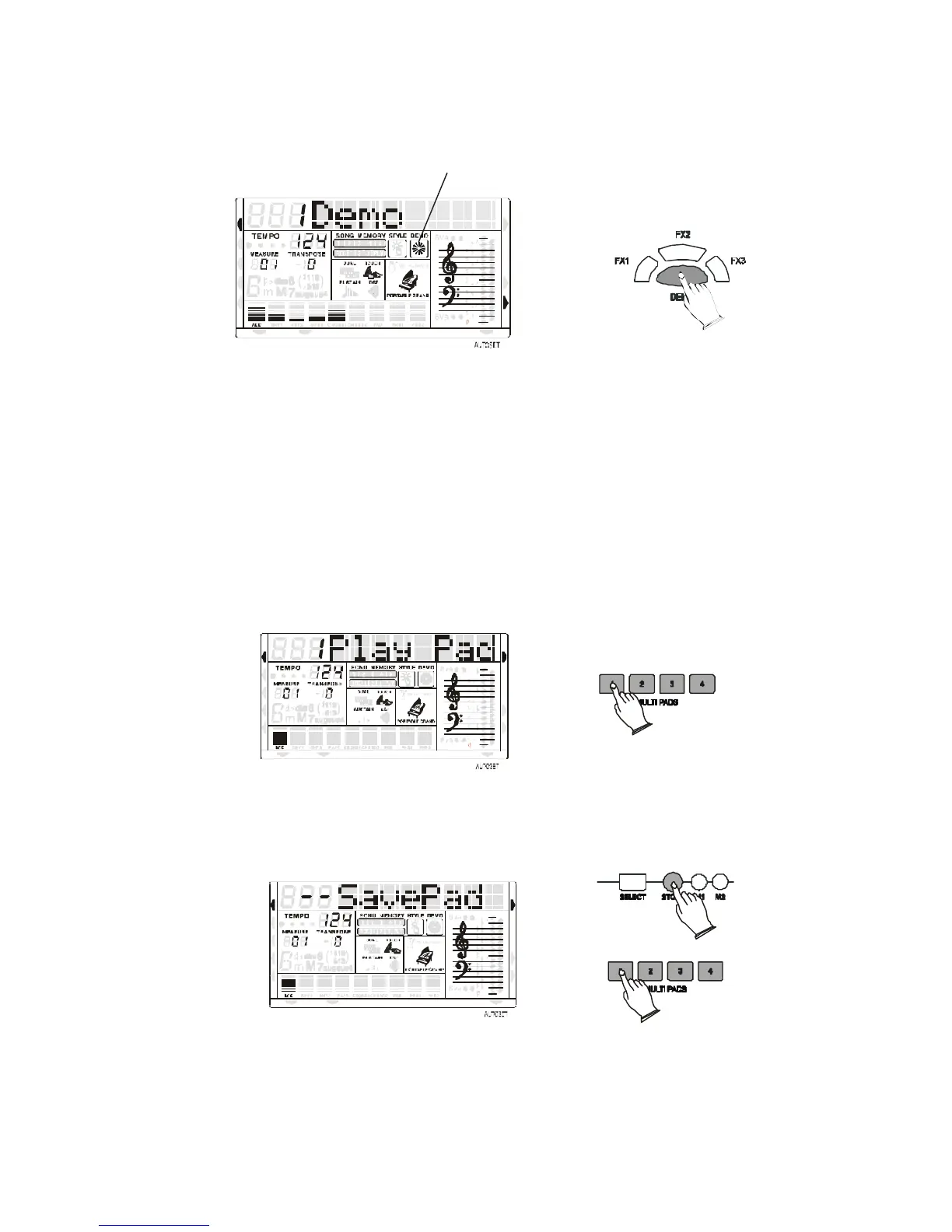
- Press DEMO/SONG button to start the DEMO. The number of the selected DEMO will
appear on the MULTI DISPLAY. You can select the demonstration song by the [+/-] buttons.
Press the FX buttons to play the sound effects stored in the three buttons.
MULTI PADS
The MULTI PADS have a factory set of 4 different sounds. These four sounds can be replaced
with other sounds available in any of the available Drum Kits (150 –159)or Arabic Drum Kits
(158 – 159) or in the Effect Sound Bank (160). Press one of the Multipad to play the sounds
stored in the buttons.
STYLE
DEMO
MIDI IN MIDI OUT
NORMAL
SINGLE
FINGERED
SPLIT
PERCUSSION
To program new Drum Sounds in the Multipads:
- Select the Drum Kit or the Effect bank (150 - 160)
- Press the STORE button at the same time with the Multipad button number 1 and release
both buttons. The display shows: 1 SavePad.
STYLE
DEMO
MIDI IN MIDI OUT
NORMAL
SINGLE
FINGERED
SPLIT
PERCUSSION
- As soon as the two buttons are released the display shows: - - SavePad
- Press now again the Multipad number 1 button together with the key on the keyboard
related to the desired sound. The display shows: 1 SavePad.
- The new sound effect is now stored in the Multipad button.
It is possible to reprogram all the four Multipads.



 To Next Page