MIDI
MIDI, the Musical Instrument Digital Interface, is a world-standard communication interface
that allows MIDI-compatible musical instruments and equipment to share musical information
and control one another.
This makes it possible to create "systems" of MIDI instruments and equipment that offer far
greater versatility and control than is available with isolated instruments.
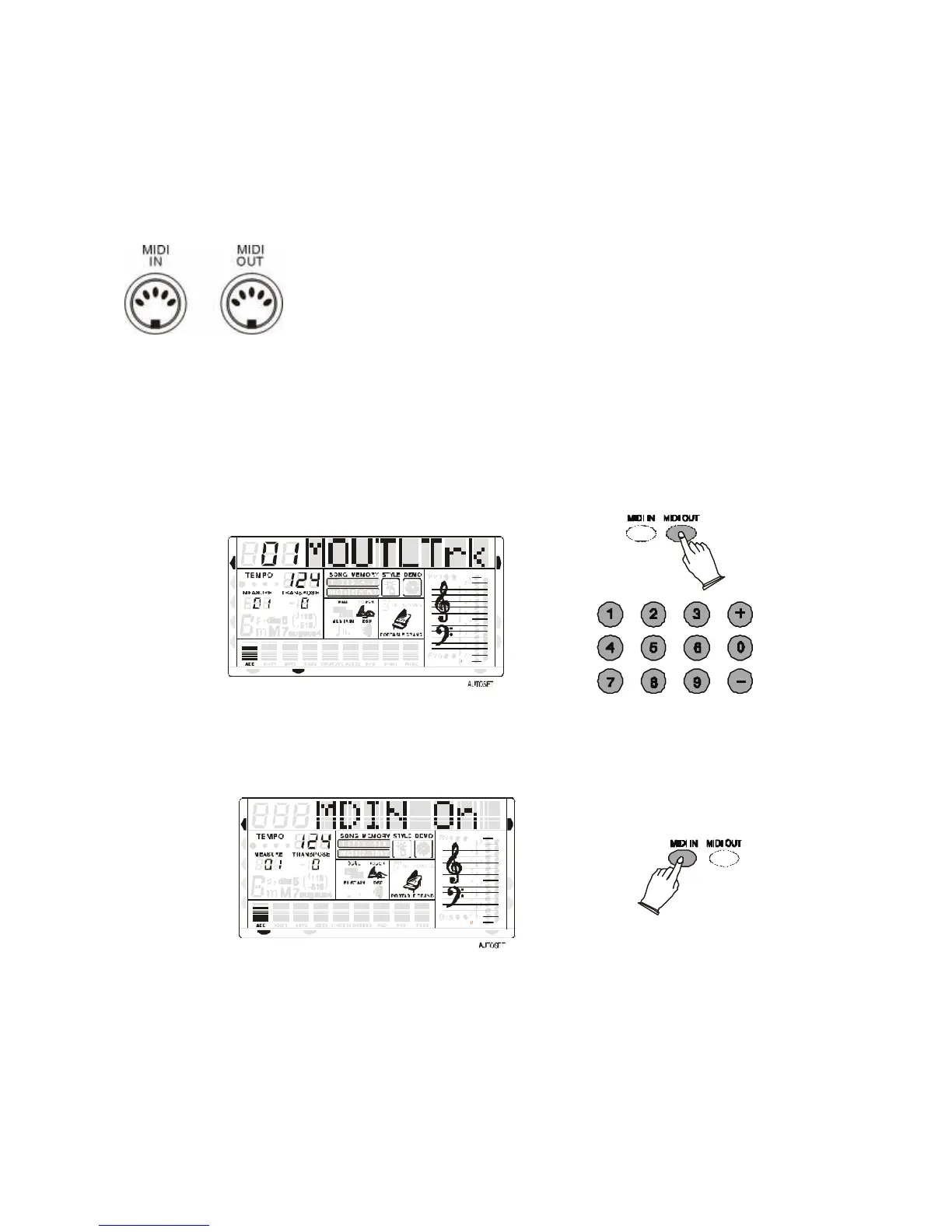
Your instrument MIDI IN connector receives MIDI data from an
external MIDI device which can be used to control yours. The MIDI
OUT connector transmits MIDI data generated by your instrument (e.g.
Note and velocity data produced by playing the keyboard ).
MIDI OUT
Use the [MIDI OUT] button to select:
- No MIDI Out, the display will indicate "MOUT OFF".
- Select the left-hand Midi Out channel, the display will indicate "MOUTLTrk".
Use the numeric key-pad buttons or [+/-] buttons to select the channel.
- Select the right-hand Midi Out channel, the display will indicate "MOUTRTrk", then use the
numeric key-pad buttons or [+/-] buttons to select the channel.



 To Next Page