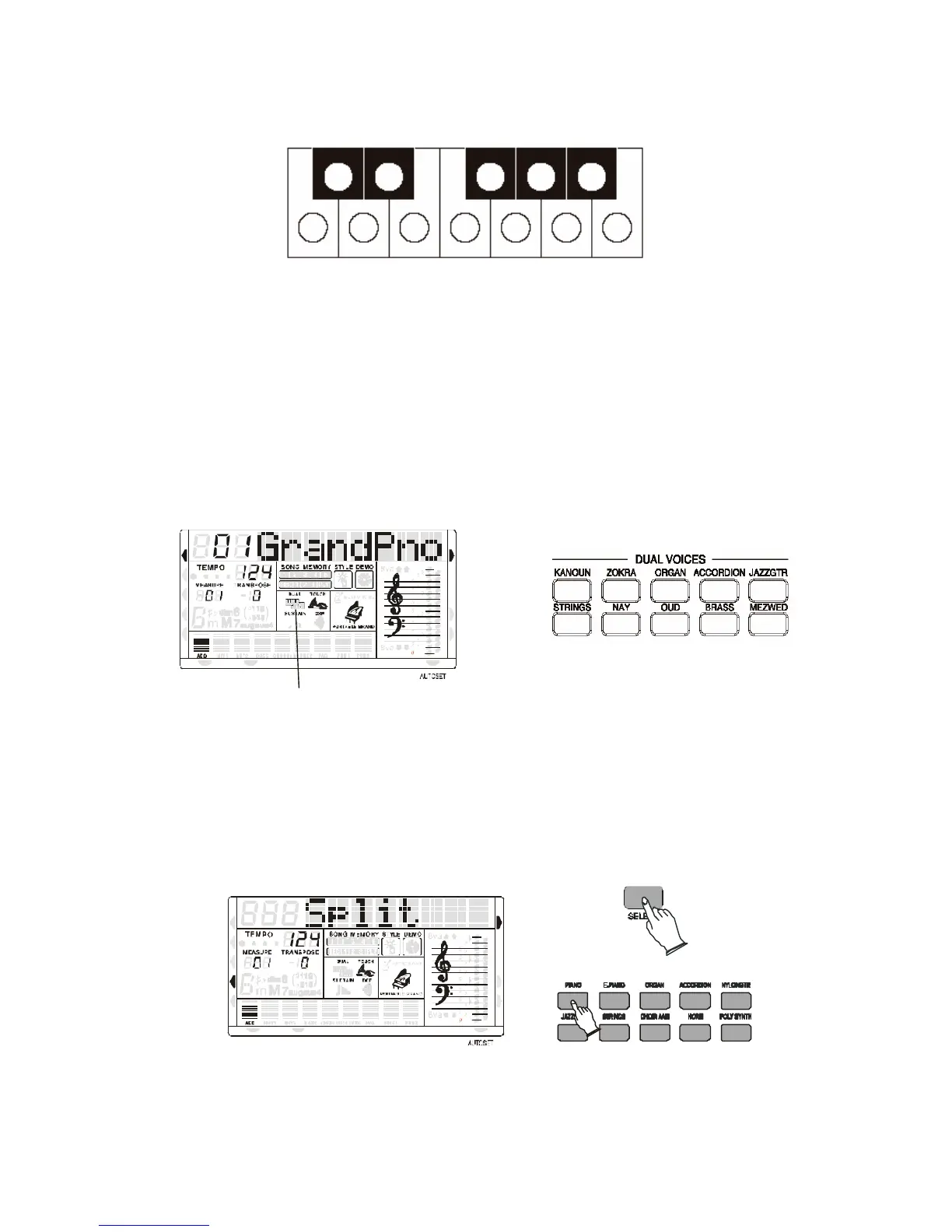
SETTING THE ARABIC SCALE
These 12 buttons allows to select in real time the desired Arabic Scale. Each one of the buttons is
related to one of the 12 semitones of the Octave. Press the desired buttons and the related notes
of the instrument keyboard, or the right part of the keyboard when in Split or Auto
Accompaniment mode, will be lowered by a ¼ of a tone.
It is possible to change the scale while playing in real time or store your favourite scales in the 6
Panel Memories available the instrument and recall them at the touch of a button.
We will see how to store this in the related paragraph.
SELECT A DUAL VOICE
There are 10 sounds available for the Dual Voice function.
MIDI IN MIDI OUT
NORMAL
SINGLE
FINGERED
SPLIT
PERCUSSION
Dual voice Flag
RIGHT VOICE
STYLE
DEMO
- Press one of the buttons, the dual voice flag will appear on the multi display. In this mode,
you can play two different voices by pressing one key.
- Press the button again to turn Dual Voice off, press other button to select other Dual Voices.
SELECT A LEFT VOICE
There are 10 sounds available for the Left Voice function.
MIDI IN MIDI OUT
NORMAL
SINGLE
FINGERED
SPLIT
PERCUSSION
STYLE
DEMO
- Press one of the buttons, the Split arrow appear on the multi display. In this mode, you can
play a sound together with the automatic accompaniment.
- Press the button again to turn Left Voice off, press other button to select other Left Voices.



 To Next Page