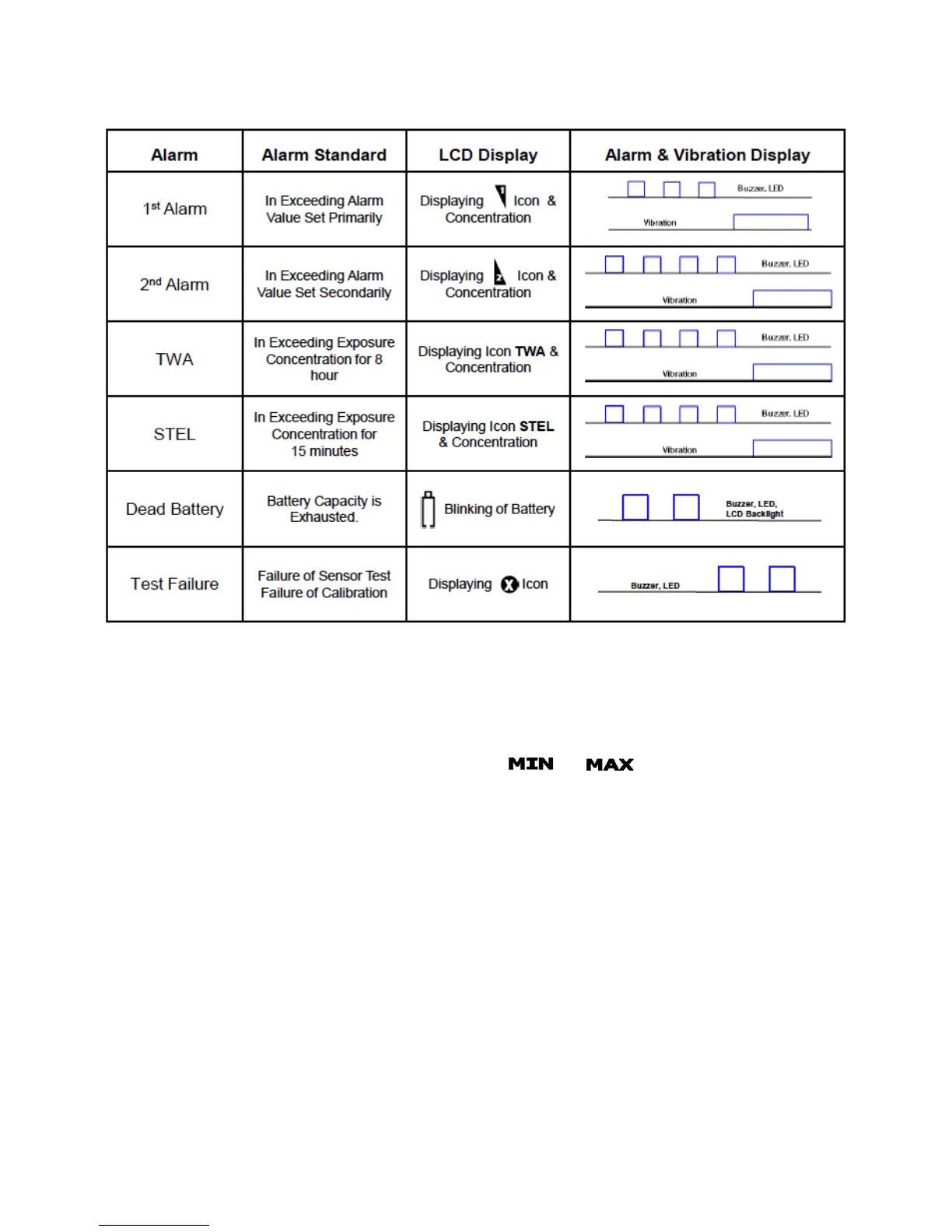
Alarm Displays
Alarm Indicators
If the concentration of gas changes, the value of concentration will be indicated on the
display screen in real-time. If the gas concentration exceeds the present value for the
low or high alarm, the measured value of gas and or icon (respectively) will
blink periodically. In addition, an LED notification, audible alarm and vibration will be
triggered.
Returning to Normal Operating Mode Following a Low Alarm
To silence the audio alarm briefly while in Low Alarm, press the green power button
(the lights and vibration will continue until the reading drops below the Low Alarm
limit). Once the device has been moved to a clean-air location, the alarms will stop.
To remove the alarm icon from the display screen following a Low Alarm, press the
green power button. This step allows the user to confirm that the area is indeed safe.


 To Next Page