EasyManua.ls Logo

OTT Hydrolab DS5X - User Manual

OTT Hydrolab DS5X
74 pages
Print Icon
To Next Page IconTo Next Page
Loading...
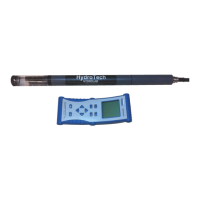
Hydrolab DS5X, DS5, and MS5
Water Quality Multiprobes
USER MANUAL
February 2006, Edition 3
© Hach Company, 2006. All rights reserved.

Table of Contents

Questions and Answers

  • S
    Sarah GreenAug 16, 2025
    What to do if PC or communication software of OTT Hydrolab DS5X is not functioning correctly?
    • J
      justin87Aug 16, 2025
      If your PC or terminal emulation or communication software isn't working right, try these steps: * Start the communications software before connecting the instrument. * Make sure the PC is on and the communication software is running. * Check that you've selected the correct communication port (COM 1, 2, 3, 4). * Confirm the terminal is set to ANSI terminal emulation, and the baud rate is correct (19200, 8, N, 1). * If using a long cable (100 meters or more) with the Surveyor, set the terminal and Sonde baud rates to 9600.
  • R
    Regina HendricksAug 19, 2025
    What to do if communication is not established after several attempts with OTT Hydrolab DS5X?
    • A
      astaffordAug 19, 2025
      If you're having trouble establishing communication, here are a few things to check: * First, make sure the instrument is powered on and working. * Then, check the power cables and connections to ensure they are properly connected to the wall outlet or external battery, if you're using one. * Also, verify that the input voltage to the multiprobe is between 7V and 18V. * If your multiprobe has an internal battery pack, check the batteries' polarity and voltages.
  • M
    Martha WagnerAug 21, 2025
    Why OTT Hydrolab DS5X Transmitter gives wrong Conductivity, Temperature, and/or Depth readings?
    • R
      Ronald TateAug 22, 2025
      Incorrect readings for Conductivity, Temperature, or Depth can often be resolved by ensuring that the sensors are properly maintained and calibrated. Also, verify that the units displayed are accurate (e.g., for Depth: meters, feet, or psi).
  • S
    Shannon JohnsonAug 25, 2025
    What to do if power cables and connections of OTT Hydrolab DS5X Transmitter have issues?
    • T
      Thomas BrowningAug 25, 2025
      If you're experiencing power cable and connection issues, verify that the PC and multiprobe are properly connected to the wall power outlet or an external battery, if being used. Also, check that the input voltage to the multiprobe is between 10 and 15 volts. If applicable, make sure the battery pack is correctly installed and verify the battery polarity and voltages.
  • H
    hillnathanAug 28, 2025
    What to do if OTT Hydrolab DS5X gives incorrect D.O. readings?
    • L
      ldavisAug 28, 2025
      If you're getting incorrect D.O. readings, make sure the D.O. sensor has been properly maintained and calibrated.
  • A
    Amy GeorgeAug 30, 2025
    What to do if Hydras 3LT does not automatically detect the Sonde when launched?
    • C
      Charles SmithAug 31, 2025
      If the Hydras 3LT isn't automatically detecting the Sonde when launched, press the RE-SCAN FOR SONDES button.
  • T
    Toni CarterSep 3, 2025
    How to configure Hydras 3 LT Communication Settings for OTT Transmitter?
    • M
      Michael NelsonSep 3, 2025
      To configure Hydras 3 LT Communication Settings, select File>Options from the Hydras 3 LT Connection Screen. If you know the Sondes/PC baud rate and COM port, disable the COM Port and baud rate auto scans and set Hydras3LT to use the known values.
  • K
    kevin71Sep 5, 2025
    What to do if OTT Transmitter has a connection timeout issue?
    • S
      stantongregorySep 6, 2025
      If you're experiencing a connection timeout issue, the connection timeout may be extended from 10 to 15 seconds, which will allow time for additional retries.
  • K
    Kathryn EllisSep 9, 2025
    What to do if there are internal components issue with OTT Hydrolab DS5X Transmitter?
    • E
      Eric WilsonSep 9, 2025
      If you suspect an issue with the internal components, make sure all internal connections are securely seated. Check for any water inside the unit; if damp, dry it thoroughly with a lint-free cloth or let it air dry in a dry room overnight. Identify and repair the source of the leak. If these steps don't solve the problem, try substituting other instruments, cables, and terminals to find the failing component.
  • M
    Marcus CollinsSep 12, 2025
    Why OTT Hydrolab DS5X Transmitter gives Low D.O. readings or extreme pH/Redox levels?
    • C
      cmillerSep 12, 2025
      If you're getting low D.O. readings or extreme pH/Redox levels, check the value of the sample solution and ensure the sensors are properly maintained.

Summary

Section 2 General Information

2.1 Safety Information

Provides critical safety instructions, warnings, and hazard communication for instrument operation.

2.1.2 Precautionary Labels

Details instrument symbols for safety and operational guidance.

Section 3 Installation

Section 4 Operation

4.1 Parameter Setup

General instructions for configuring multiprobe parameters using software.

4.2 Calibration

General information and conditions for sensor calibration.

Section 5 Deployment

5.1 Deployment Considerations

General factors to consider before deploying the multiprobe.

5.2 Deployment in Open Waters

Specifics for deploying the multiprobe in open water environments.

Section 6 Maintenance

6.1 Multiprobe and Accessory Maintenance

General maintenance for the multiprobe housing and accessories.

6.2 Battery Replacement

Overview of replaceable batteries for the multiprobe.

6.2.2 MS5 Battery Replacement

Detailed steps for replacing MS5 batteries.

6.5 Clark Cell Dissolved Oxygen Maintenance

Procedures for maintaining the D.O. membrane and electrolyte.

6.2.1 DS5 and DS5 X Battery Replacement

Detailed steps for replacing DS5/DS5X batteries.

Section 9 Repair Service

Appendix A Troubleshooting

Troubleshooting Communications

Steps to resolve issues with PC communication and software detection.

Troubleshooting using Terminal Mode

Steps for troubleshooting via terminal emulation.

Troubleshooting Sensor Issues

Common sensor reading problems and their potential solutions.

Troubleshooting Hydras 3 LT

Specific steps to troubleshoot Hydras 3LT detection and connection issues.

Appendix B External Communications

Appendix C Using HyperTerminal

OTT Hydrolab DS5X Specifications

General IconGeneral
ManufacturerOTT Hydromet
CategoryTransmitter
DisplayLCD
Operating Temperature Range-20°C to +60°C
Measurement Range (Water Level)0 to 10 m
Protection RatingIP68
Measurement ParametersWater Level
ConnectivityRS-485
Communication PortsRS-485
Power SupplyBattery
Accuracy (Water Level)±0.1% of full scale
Resolution (Water Level)0.1 mm
MaterialStainless Steel, Polycarbonate

Related product manuals