20
Operation
4.1.2 Using Hydras 3 LT for Parameter Setup
For more information on Hydras 3 LT, refer to the Quick Start Guide (Cat. No. 6234289) or
press the
F1 key while Hydras 3 LT is active.
1. Attach the power and data cable to the Sonde. Attach the 9-pin connector to a PC.
2. Start Hydras 3 LT. Wait for the software to scan for connected Sondes. Highlight the
multiprobe and press
OPERATE SONDE.
Note: If the Sonde appears to be connected and the software does not recognize the Sonde
connection, remove and replace the connector cable and press RE-SCAN FOR SONDE. Repeat
until Hydras 3 LT recognizes the Sonde.
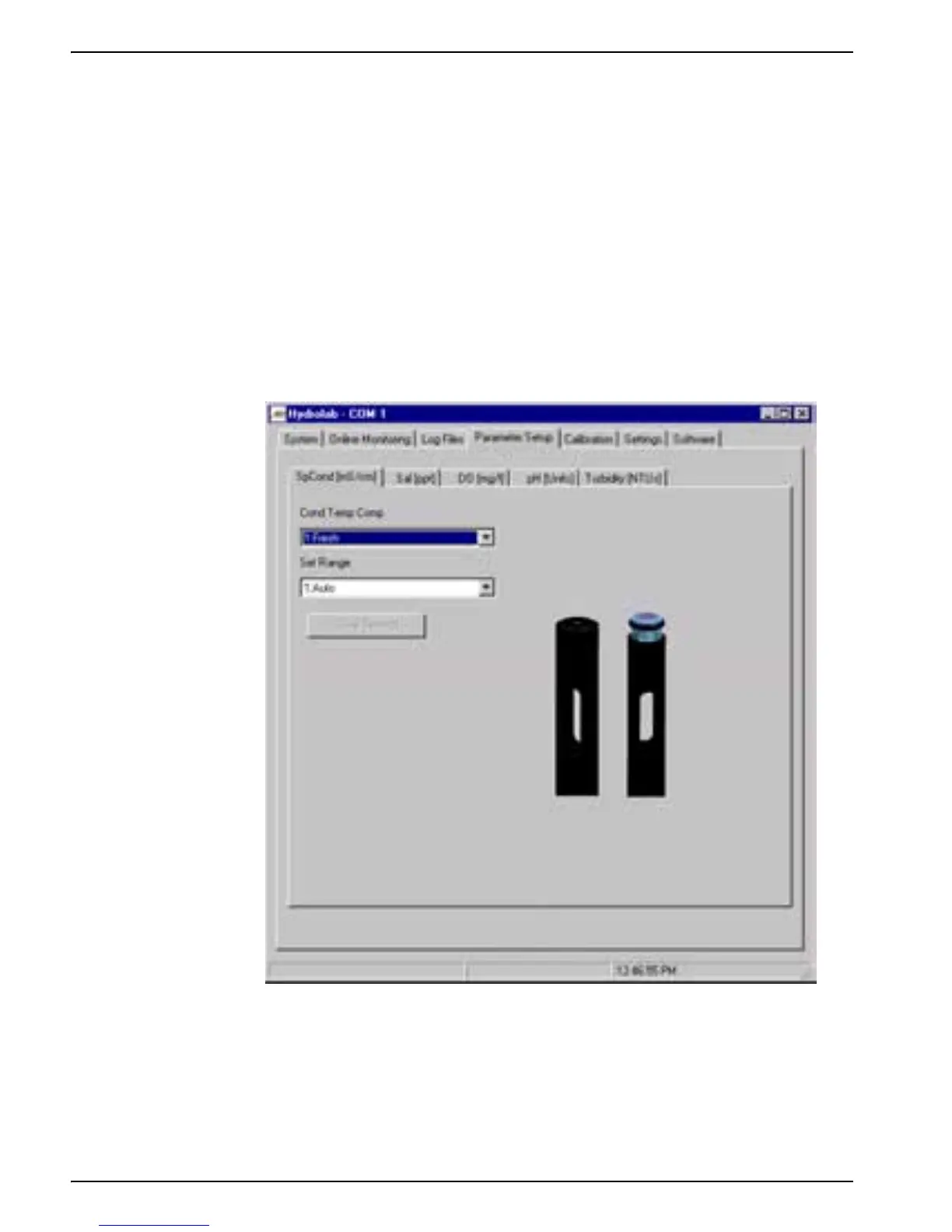
3. Click on the Parameter Setup tab and select the parameter tab to be configured.
4. Enter the appropriate values and press
SAVE SETTINGS.
4.1.3 Specific Conductance Parameter Setup
For specific conductance set the following functions using Hydras 3 LT or the Surveyor:
• Select the specific conductance function (Fresh, Salt, StdMth, None, or Custom).
• Fresh (default) is based on the manufacturer’s freshwater temperature
compensation. This function is derived from


 To Next Page