23
Operation
4.2.2 Calibrating the Sensors Using Hydras 3 LT
For more information on Hydras 3 LT, refer to the Quick Start Guide (Cat. No.
6234289) or press the
F1 key while Hydras 3 LT is active.
1. Attach the power and data cable to the Sonde. Attach the 9-pin connector to a PC.
2. Start Hydras 3 LT. Wait for the software to scan for connected Sondes. Highlight the
multiprobe and press
OPERATE SONDE.
Note: If the Sonde appears to be connected and the software does not recognize the Sonde
connection, remove and replace the connector cable and press RE-SCAN FOR SONDE. Repeat
until Hydras 3 LT recognizes the Sonde.
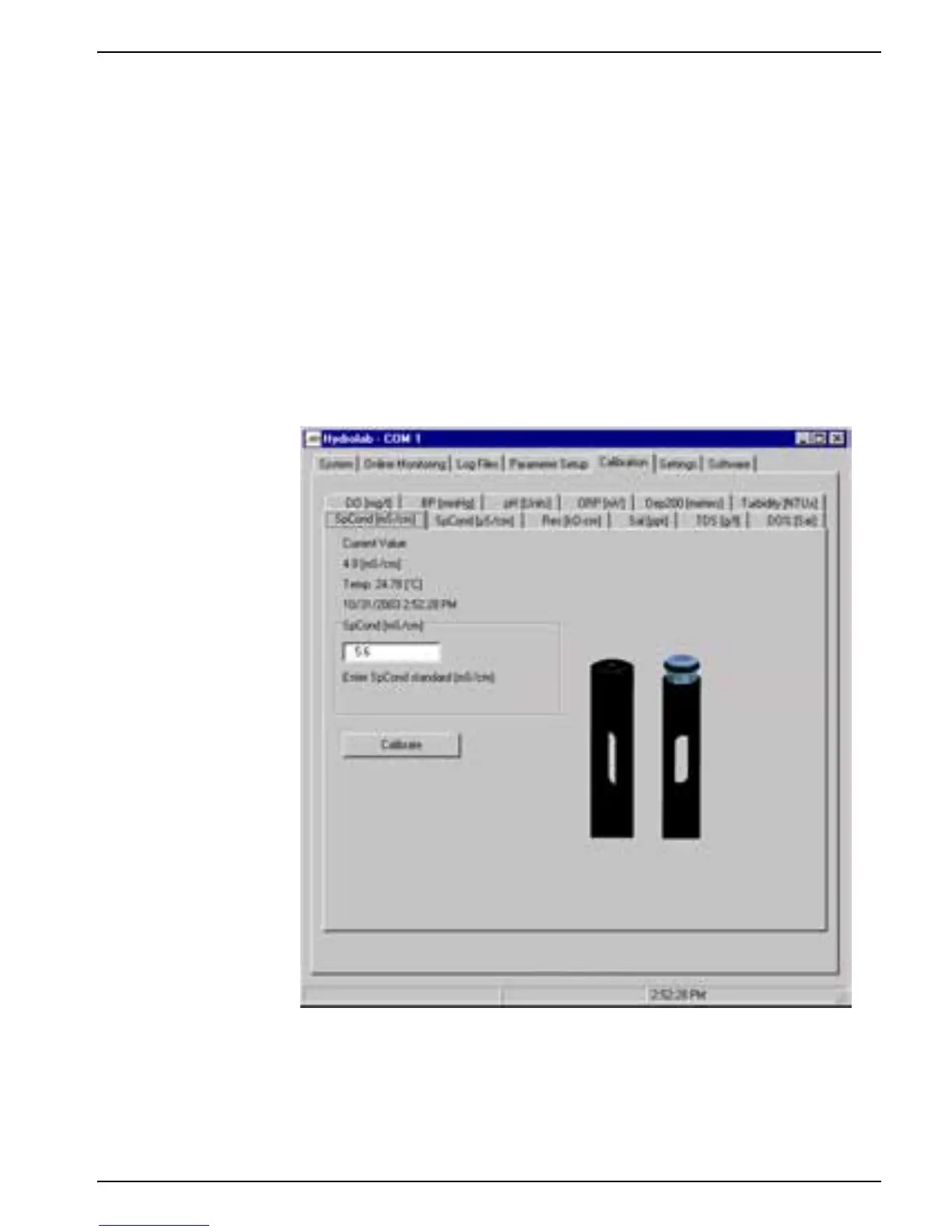
3. Click on the Calibration Tab and click on the parameter to be calibrated.
4. Enter the calibration values and click
CALIBRATE.


 To Next Page