57
Appendix B External Communications
B.1 SDI-12 Interface
SDI-12 is an industry-originated, serial digital interface bus designed to allow an operator
to connect a wide variety of sensors (meteorological, hydrological, water quality, etc.) to a
single SDI-12 datalogger with a single cable bus.
The multiprobe is compatible with SDI-12 V1.2. A copy of the specification can be found at
www.sdi-12.org. The optional SDI-12 Interface Adapter Cable is required to operate the
multiprobe with an SDI-12 Datalogger.
Note: All three wires (one ground) must be connected for correct SDI-12 operation.
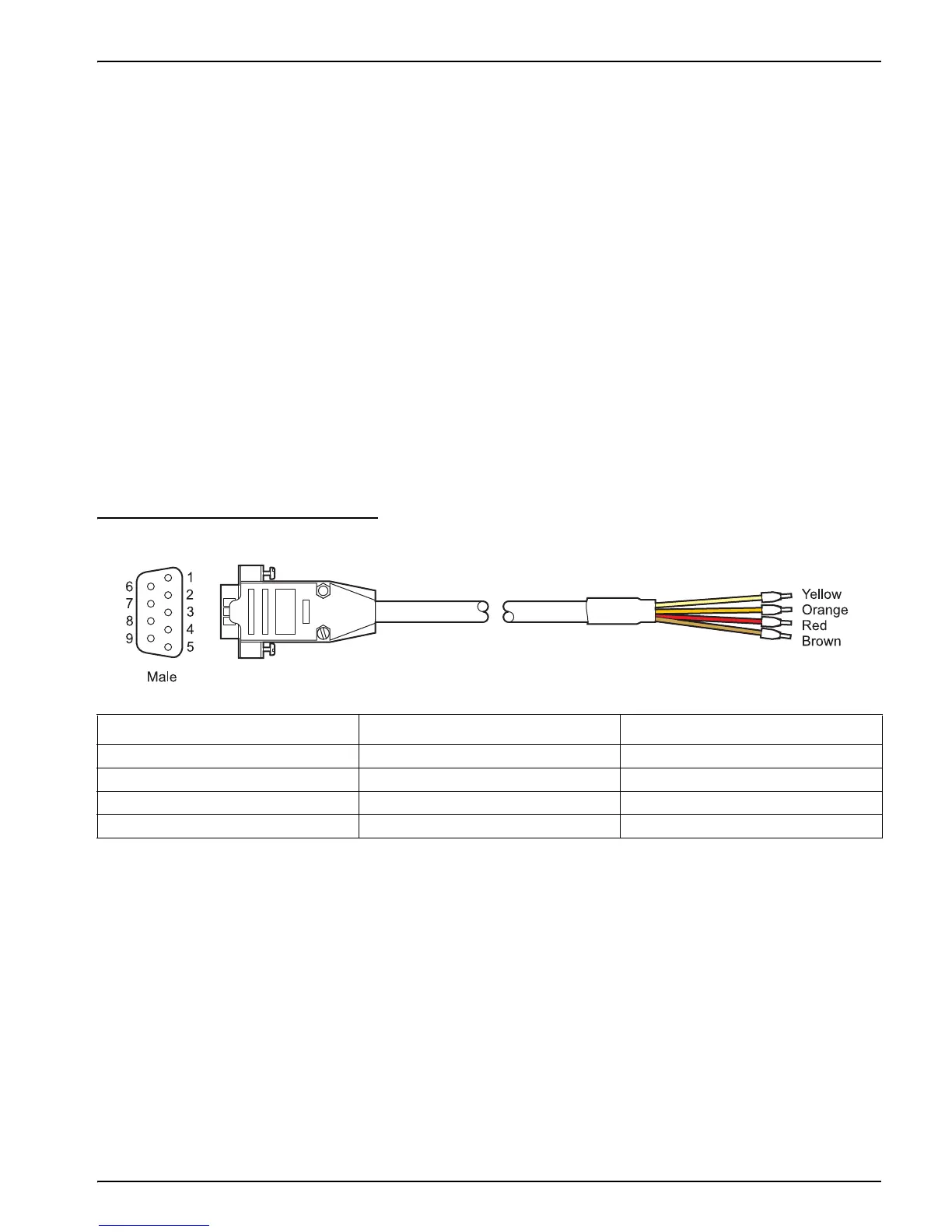
A label on the SDI-12 Interface Adapter Cable shows the pinout in Figure 19.
1. Connect the data cable to the SDI-12 Interface Adapter Cable connector.
2. Disconnect power from the multiprobe.
3. Connect the bare wires at the end of the SDI-12 Interface Adapter Cable to the
appropriate connections on the SDI-12 datalogger. Follow the label on the SDI-12
Interface Adapter.
Figure 19 SDI-12 Cable
Consult the SDI-12 datalogger manual for information on how to connect the SDI-12
Interface Adapter.
Note: SDI-12 parameters can be setup through Hydras 3 LT.
Table 3 SDI-12 Pinouts
Pin Number Wire Color
1
1
Wire color is valid only for this cable (Cat. No 007139). Use of other cables or cable modifications may result in instrument
damage.
SDI-12 Function
4Brown+12 VDC
5 Red Ground
8 Orange SDI-12 Data
9 Yellow SDI-12 Return



 To Next Page