64
External Communications
B.6 TTY Mode
The sonde is equipped with a TTY Communication Mode, which enables the Sonde to
send an ASCII string of characters, representing selected parameter values, once per
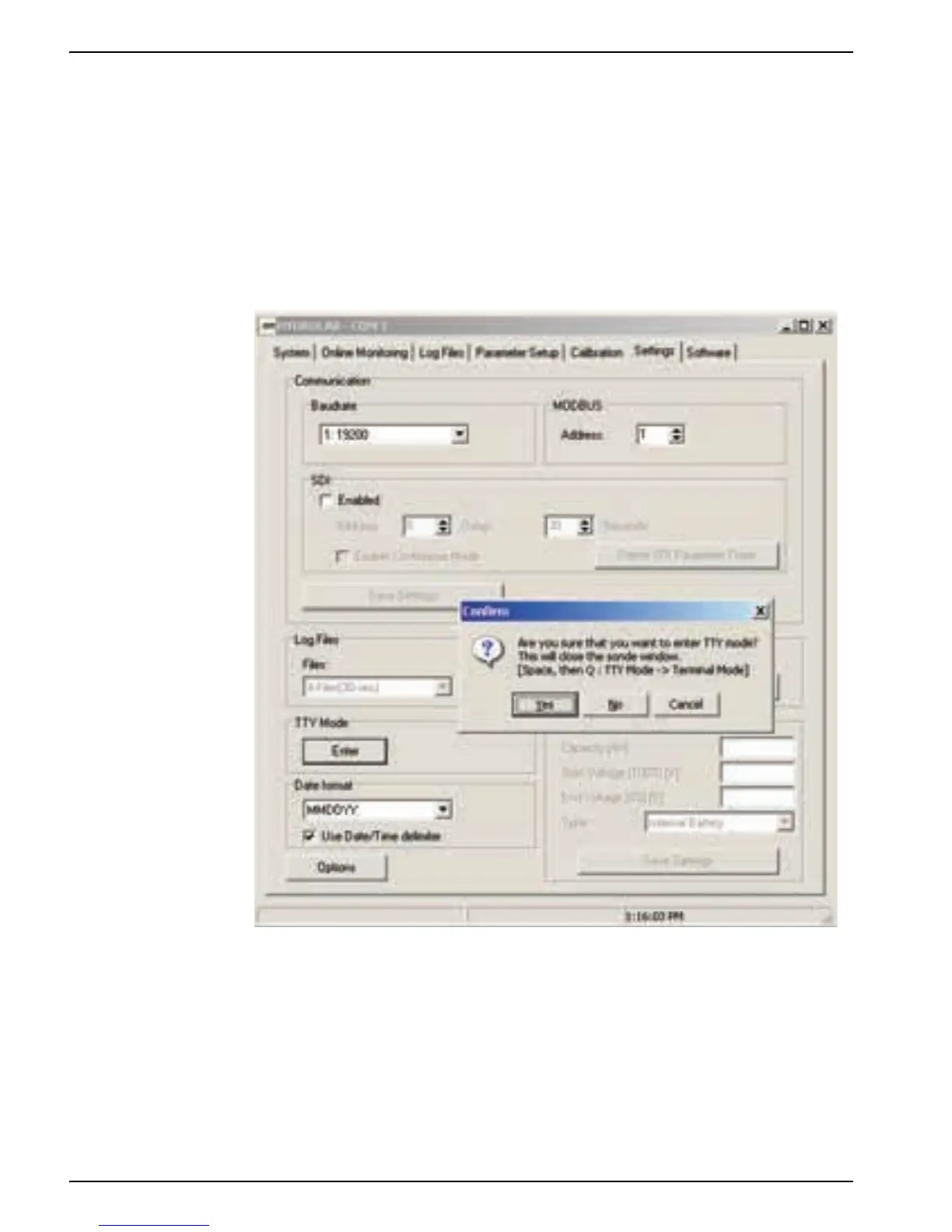
second. Parameters and Parameter Order may be selected using the "Define SDI
Parameter Order" button in the SDI section of the Settings Tab.
To enter TTY Mode:
1. Press
ENTER in the TTY Mode section of the Settings Tab.
2. Press
YES to verify the entry in mode.
Once the Sonde has been placed in TTY mode, it will no longer communicate with
Hydras3LT except in terminal mode. The Sonde will retain its current baud rate. Any
ANSI terminal emulator may be used to communicate with the Sonde at 8 data bits, No
Parity, and 1 stop bit.



 To Next Page