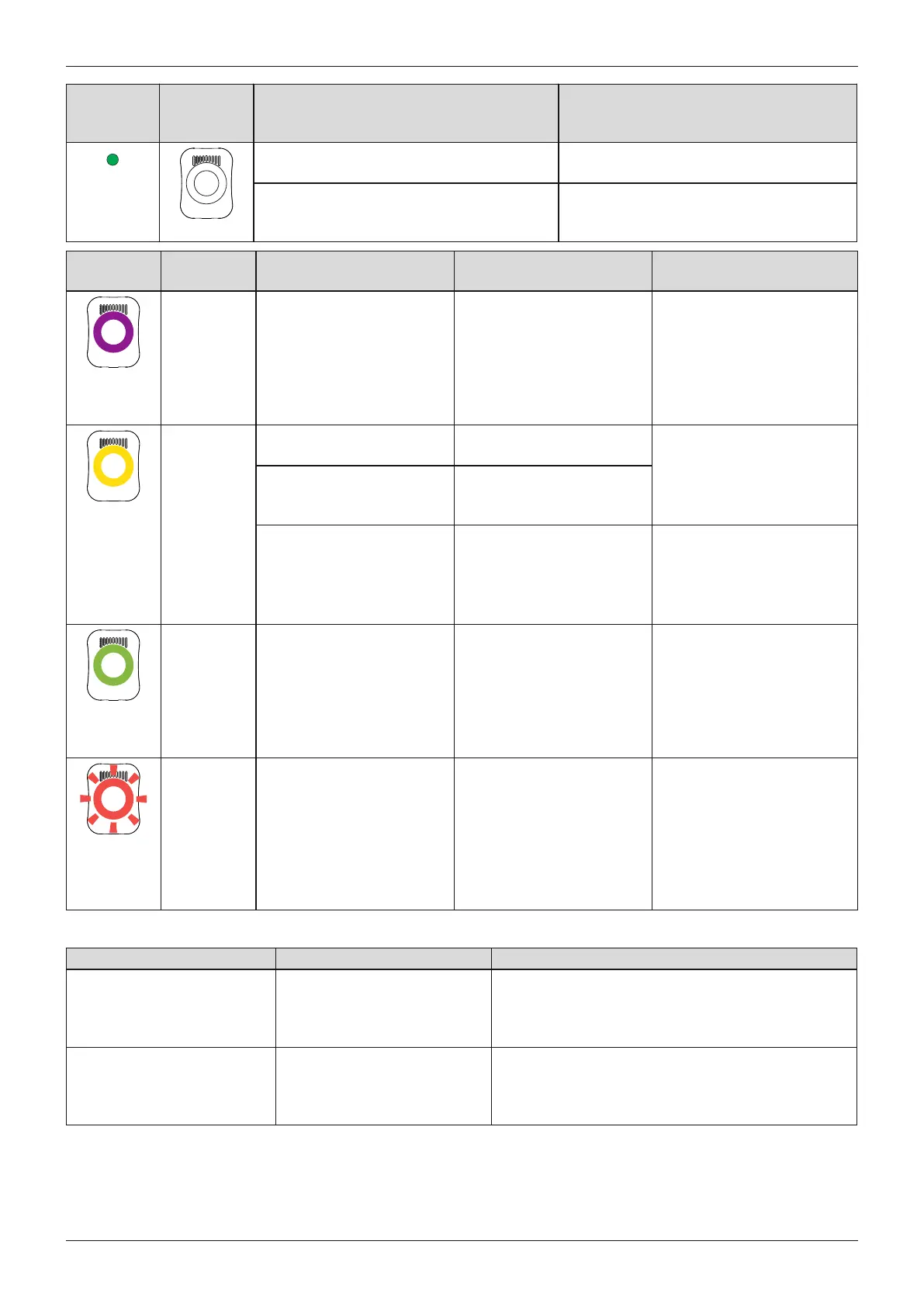
LED on
power sup
ply
Status LED
on battery
charger
Error Resolution
No connection between battery charger
and power supply
Check whether the charging cable plug is
fully engaged on the battery charger.
Defective battery charger The battery charger and power supply
must be inspected by an authorised
Ottobock Service Centre.
Status LED Charging status indicat
or (5 LEDs)
Error Resolution
The LED
ring is lit in
weak purple
No LED is lit Distance between battery
charger and receiver of the
charging unit on the pros
thesis too great. If the dis
tance is more than 2mm,
the prosthesis cannot be
charged.
Reduce distance between
battery charger and receiver
of the charging unit.
LED 2 and 4 are lit up Charger excess temperat
ure
LED 1, 3 and 5 are lit up Excessively high or low
temperature of the pros
thesis
Check whether the spe
cified ambient conditions for
charging the battery are met
(see Page96).
The LED
ring is lit up
yellow
LED 3 is lit up The prosthesis is not being
charged
Distance between battery
charger and receiver of the
charging unit too great.
Connection may be
improved by reducing the
distance between the char
ger and receiver of the char
ging unit.
The LED
ring is lit up
green
The battery charger is
functional but not connec
ted to the receiver, or the
distance between the bat
tery charger and receiver
of the charging unit is too
great.
Connect the battery charger
or reduce the distance
between the charger and
the receiver of the charging
unit on the prosthesis.
The LED
ring is flash
ing red
The prosthesis is not being
charged
Defective battery charger.
Reset the error by discon
necting and connecting the
power supply.
If the error persists, the bat
tery charger and power sup
ply must be inspected by an
authorised Ottobock Ser
vice Center.
17.2.3 Error messages while establishing a connection with the cockpit app
Error message Cause Correction
Component was connec
ted to another device.
Establish connection?
The component was connec
ted to another device
To disconnect the original connection, tap the "OK"
button.
If the original connection is not to be disconnected,
tap the "Cancel" button.
Mode change failed An attempt was made to
switch to a different MyMode
while the component was in
motion (e.g. while walking)
For safety reasons, switching MyModes is only per
mitted when components are at rest, e.g. while
standing or sitting.
101Genium 3B1-3/3B1-3=ST
Appendices





 To Next Page