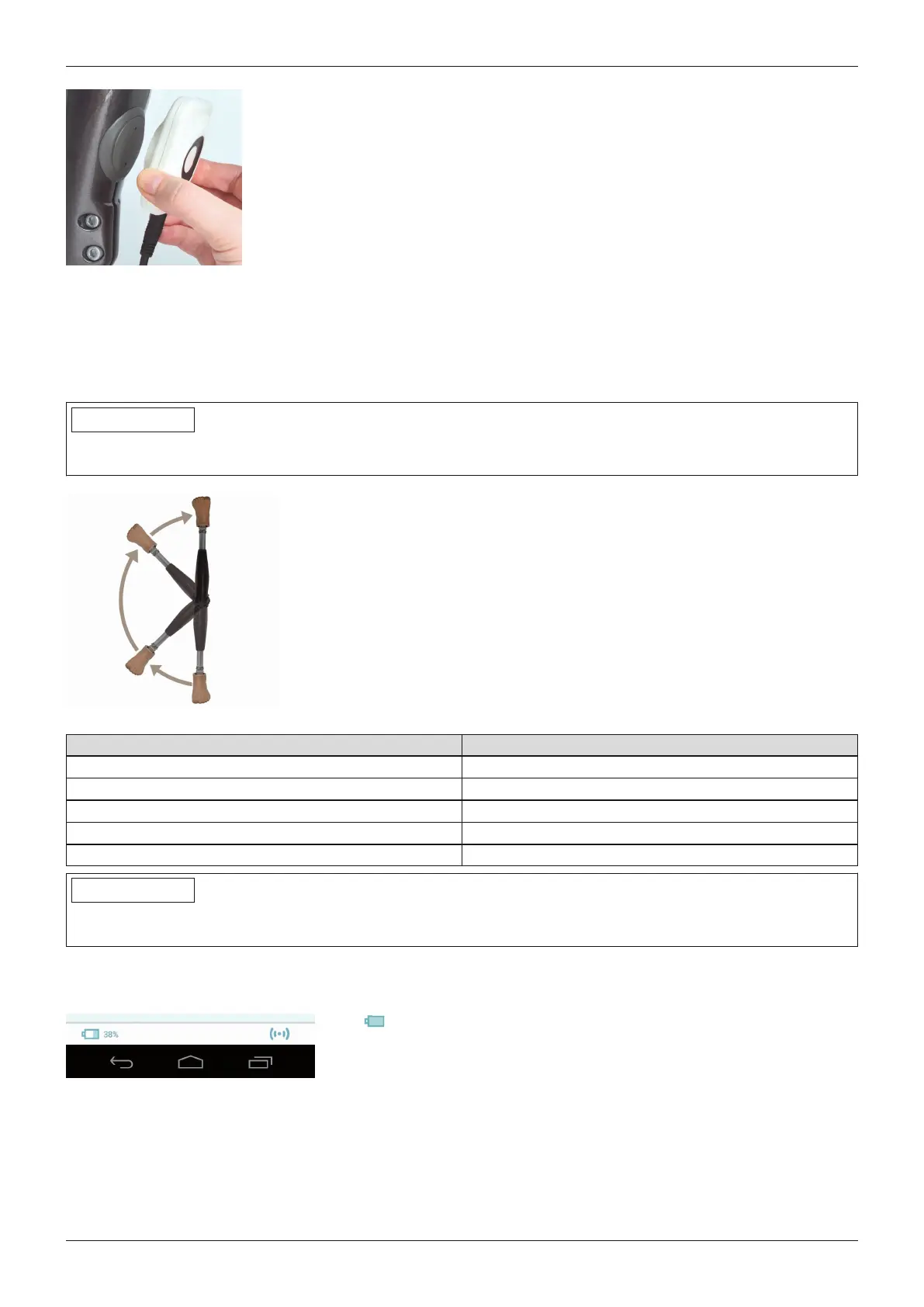
1) Connect the inductive charger to the receiver of the charging unit on the rear of
the product. The charger is held in place by a magnet.
→ The LED ring on the rear of the charger pulsates purple (4-second cycle).
→ If the LED ring lights up in a different colour, this indicates an error (see
Page100).
2) The charging process starts.
→ Once the product battery is fully charged, all LEDs on the side of the battery
charger light up.
3) After the charging process is complete, hold the prosthesis still and remove the
inductive charger from the receiver.
→ A self-test is performed. The joint is operational only after corresponding
feedback (see Page102).
6.3 Display of the current charge level
6.3.1 Display of battery charge level without additional devices
INFORMATION
The charge level cannot be displayed during the charging process, e.g. by turning the prosthesis over. The
product is in charging mode.
1) Turn the prosthesis by 180° (the sole of the foot must face up).
2) Hold still for 2 seconds and wait for beep signals.
Beep signal Battery charge level
5x short more than 80%
4x short 60% to 80%
3x short 40% to 60%
2x short 20% to 40%
1x short less than 20%
INFORMATION
If the Volume parameter is set to '0' in the Cockpit app (see Page85) or if mute mode (silent mode) is activated,
there are no beep signals.
6.3.2 Display of the current charge level using the Cockpit app
Once the Cockpit app has been started, the current charge level is displayed in the bottom line of the screen:
1. 38% – Charge level of battery for currently connected component
6.3.3 Display of the current charge level during the charging process
During the charging process, the current battery charge level is indicated by the LEDs lit on the side of the char
ger.
73Genium 3B1-3/3B1-3=ST
Charging the battery










 To Next Page