32
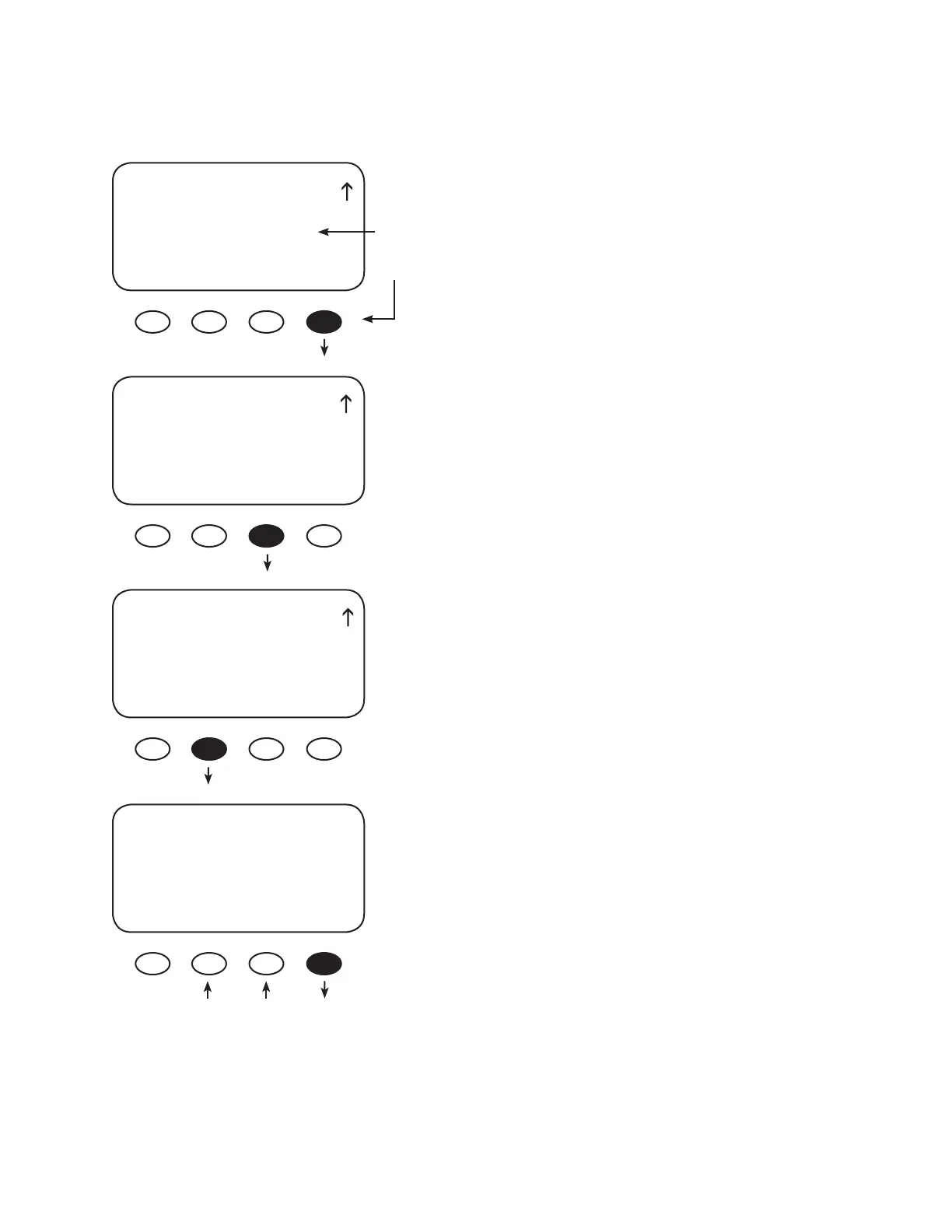
This example shows Auto MODE selected. Press the
<SET> soft key to open the Hysteresis and PV Voltage
screens.
Press the <HYST> soft key to open the On Hysteresis
Time screen.
Use the < - > and < + > soft keys to adjust the time
required for the PV input voltage to be below the
threshold voltage before the Night Light is enabled.
Press the <OFF> soft key to view the O Hysteresis Time
screen.
AUX MODE
Night Light
Output: Off Off
EXIT NEXT SET MODE
On
O
Auto
AUX MODE
Night Light
Output: Off Auto
EXIT NEXT SET MODE
AUX MODE
Night Light
EXIT HYST TIME VOLT
Night Light
On Hysteresis Time
Minutes 000
BACK - + OFF
The Night Light illuminates a user provided low-wattage
light when the PV voltage falls below a user-determined
voltage. O is the default value. Press the <MODE> soft
key to change the Night Light MODE (O , On, or Auto).
NIGHT LIGHT


 To Next Page