Installation & Initial Operation "Hydrocontrol MTR" (lead-free)
20
Settingtheowvolume
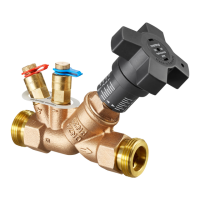
The tting has two measuring
ports for connecting it to a dif-
ferential pressure meter. As
suchitispossibletosetthevalve
toaspeciedowvolumevalue.
The measuring computer (e.g.
"OV-DMC2")measuresthepre-
vailing differential pressure be-
fore (+) and after (-) the measur-
ingoriceintegratedinthevalve,
thereby calculating the current
volumeow.Thismakesitpos-
sible to balance between target
and actual values. Any devia-
tionscanbereadjustedusingthe
handwheel.
When using a measuring com-
puter, insert its measuring
needles into the two open-
ings of the measuring ports.
Connect the measuring tube
marked in blue to the valve
labeled with "-" and the tube
marked in red to the "+" valve,
accordingly.
Should you use a
differential pressure
meter, please also note
the relevant
instructionsforuse.


 To Next Page