EasyManua.ls Logo

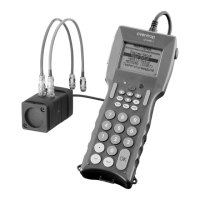
oventrop OV-DMC 2 - User Manual

oventrop OV-DMC 2
36 pages
Print Icon
To Next Page IconTo Next Page
Loading...
Valves, controls + systems
Operating instructions
Flow meter
“OV-DMC 2”
Question and Answer IconNeed help?

Do you have a question about the oventrop OV-DMC 2 and is the answer not in the manual?

Summary

Introduction and Device Components

Characteristic Lines for Valve Compatibility

Lists compatibility data for various Oventrop and third-party valves for measurement setup.

Technical Data and Setup

System Setup Options

Configures language, sound, display settings, and battery charging modes.

Measurement Procedures

Measurement Setup & Valve Selection

Configures measurement methods, units, fluid properties, and selects valve details.

Temperature Measurement

Instructions for connecting and performing temperature measurements with the device.

Measurement Methods Overview

Covers Balanced Pressure, Kv-Value, Computer, and OV-Balance measurement techniques.

Data Management and Troubleshooting

Display, Battery, and Keyboard Management

Adjusting display contrast, managing batteries, and locking the keyboard.

Error Messages and Handling

Interprets common error messages and provides solutions for device issues.

Summary

Introduction and Device Components

Characteristic Lines for Valve Compatibility

Lists compatibility data for various Oventrop and third-party valves for measurement setup.

Technical Data and Setup

System Setup Options

Configures language, sound, display settings, and battery charging modes.

Measurement Procedures

Measurement Setup & Valve Selection

Configures measurement methods, units, fluid properties, and selects valve details.

Temperature Measurement

Instructions for connecting and performing temperature measurements with the device.

Measurement Methods Overview

Covers Balanced Pressure, Kv-Value, Computer, and OV-Balance measurement techniques.

Data Management and Troubleshooting

Display, Battery, and Keyboard Management

Adjusting display contrast, managing batteries, and locking the keyboard.

Error Messages and Handling

Interprets common error messages and provides solutions for device issues.

oventrop OV-DMC 2 Specifications

General IconGeneral
Measuring Range0.05 - 10 m/s
Max. Operating Pressure16 bar
Max. Operating Temperature120 °C
ConnectionG 1/2"
MaterialBrass
Protection classIP 65
Housing materialBrass
DisplayLCD
Operating temperature0 to 120 °C