ARRANGER & STORAGE
This is the place to create your Songs, link several
patterns or launch them manually.
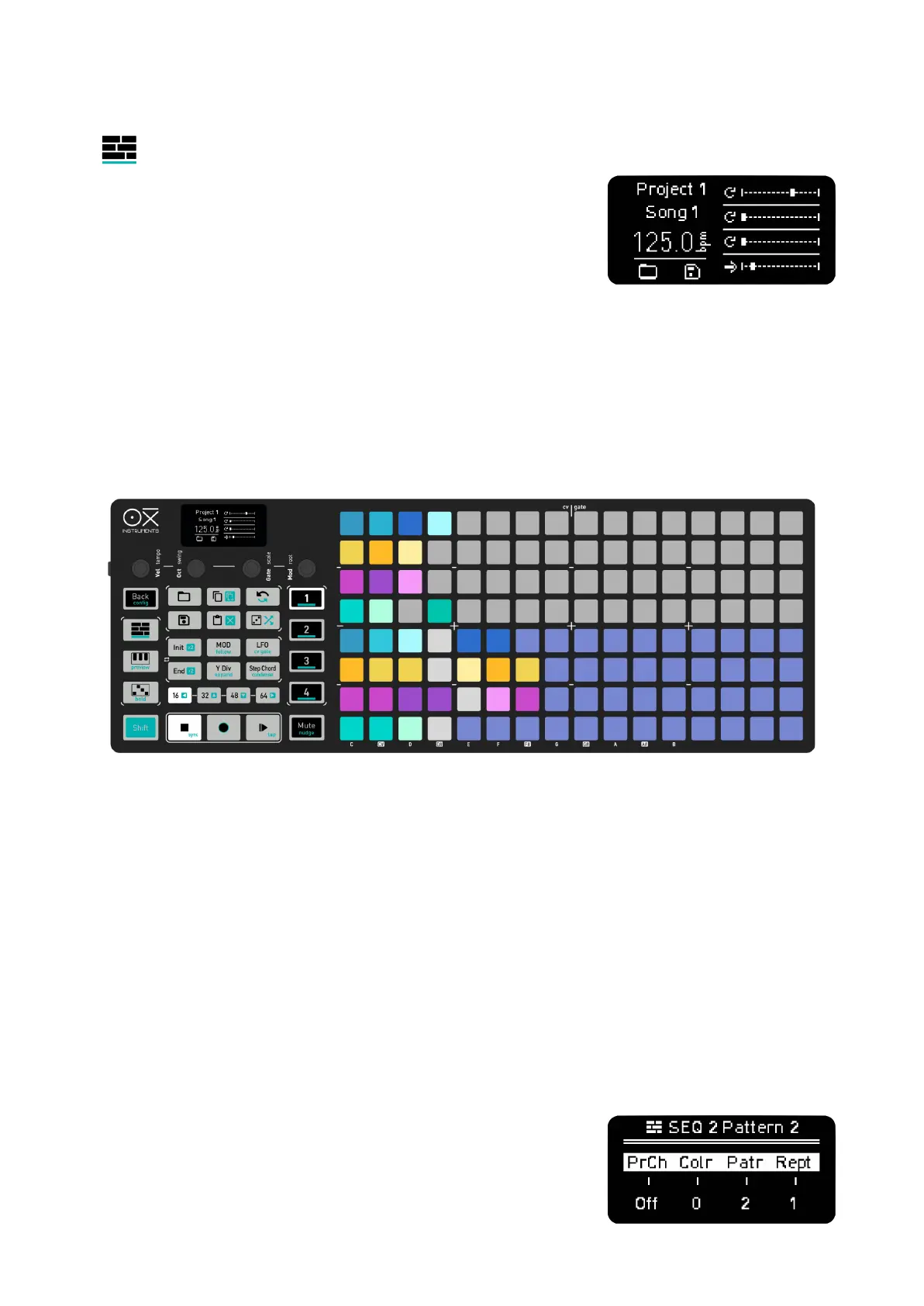
To activate the Arranger playback hold Shift + Arranger, you'll see
“Arranger ON” on the screen.
The Arranger is then ready for playback. Turn OFF Arranger from
playing with the same command.
The bottom 4 rows of the grid are a 16 position sequence for each Sequencer respectively, so you
have 4 lanes of pattern playback. The top 4 rows are the Memory Access where you can see the
saved patterns of the 4 Sequencers.
To add a pattern on the arranger, simply hold its slot pad and press a pad in the desired position of
the corresponding Sequencer lane of the arranger.
If there’s a gap between the last arranger slot when adding a new pattern, the middle slots will be
filled with blank patterns. Blank patterns don't play any notes or modulation and serve as silence or
separation between patterns. Their duration is one bar (16 steps at 1/16th) and the number of
repetitions of it can be changed, so one single blank pattern can be set to a number of repetitions or
loop to infinity. Blank patterns are highlighted in white.
–––––––––––––––––––––
Setting blank patterns on a lane with infinite repetitions allows you to have parts where one sequencer
stops sending notes until you manually launch the next pattern of your song.
–––––––––––––––––––––
Empty slots, that is any patterns with 0 repetitions, will be simply skipped.
Hold a pad of the arranger to see the parameters of the pattern step,
that is Program Change, Color changes the color for all the pads
that plays the same stored pattern so you can easily spot them,



 To Next Page