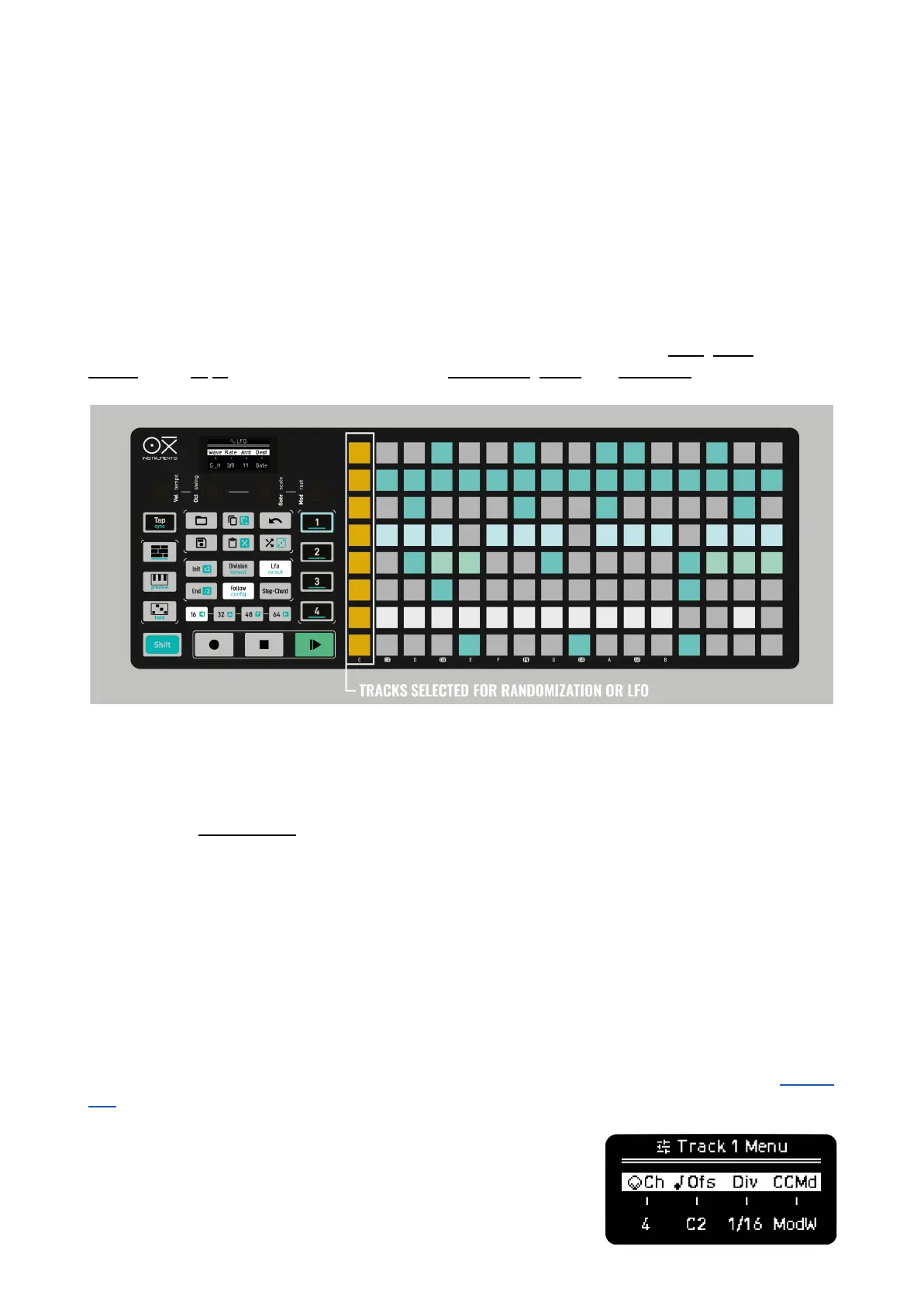
By holding the RANDOM or the LFO button the grid will show the 1st step of every track in yellow
and orange respectively, this indicates which tracks are affected by Randomization and LFO
parameter changes. By default all tracks are enabled.
In Multitrack mode instead of Random Octave you have Random Gate, it doesn’t affect the TIEs.
For example, this is handy to use the LFO to send pitch modulation on a hi-hat track and not affect
other tracks.
MULTITRACK EDITION
In this mode, the function buttons affect the selected track. This way you can copy, paste, duplicate,
extend, clear, x2 /2 the time division, activate the randomizer, rotate and transpose per track.
In the case you want to use these functions to affect ALL tracks at once, this means clear all tracks,
extend all tracks, randomize all tracks, rotate all tracks, etc. press FIRST the respective Sequencer
button and then the regular button commands.
For example, Randomizer (Random generator) on a track (SHIFT + Random) creates a Mono
sequence on the selected track by randomizing the pitch, gate, velocity and time offset;
Randomizer on ALL tracks (Seq button + SHIFT + Random) creates a rhythmic pattern on all tracks,
keeping the same note per track, ideal for drum kit use. It randomizes the triggers, gates and offsets
of all tracks.
A row pad + SHIFT + Random: randomizes the velocity of the steps of the selected track.
TRACK PARAMETERS
Each Track has its own Init and End points, with individual length and time divisions. Review Init and
End.



 To Next Page