To access Track parameters hold any pad on the desired track and hold the Sequencer button in
which Multitrack is active. This menu is momentary while the keys are being pressed so you are back
as soon as you make changes and release the buttons. We recommend using your right hand to
press the two buttons and the left to turn the encoders. In this screen you can modify:
Track MIDI Channel. By default all tracks are routed to the global MIDI channel of the Multitrack
Sequencer, change this parameter to send each track on individual or grouped MIDI channels to have
total flexibility.
Note Offset changes the base note of all the steps of the track, by semitone on chromatic or by
degree in any other scale. It’s useful for setting drum racks or samplers.
Time Division per track. We’ll expand this later on.
Modulation assigned to the track. You can scroll through all CC assignations, the default is Mod
Wheel. The selected Mod will be then modifiable on the 4th encoder in the Sequencer view as a step
parameter, or you can motion record the encoder movement on CC Perform screen.
DIVISION
In Multitrack, Division menu parameters are set per track. This means you can select:
Track Selection to choose which track you are editing on the same screen.
Playback Direction of the track, being Forward, Backward, Pendulum and Random.
Division Randomization of the track, from 0 to 100% of probability each step that the track’s Time
Division is going to change.
Time Division of the track. This is the same value that the Track Menu screen seen above.
You change all track’s Time Division at once by holding the Sequencer button and then press SHIFT +
or to duplicate or split all the Time Divisions by two with each press.
Hold Init and End and any two steps to create a LOOP of all tracks between those steps. The
different time divisions will create rhythmic and melodic variations.
–––––––––––––––––––––
MUTE + double press the Sequencer button will reset all tracks to step 1 following the Punch In
quantization timing selected.
If Punch In is Off, the reset will be instant.
–––––––––––––––––––––
STEP PARAMETERS
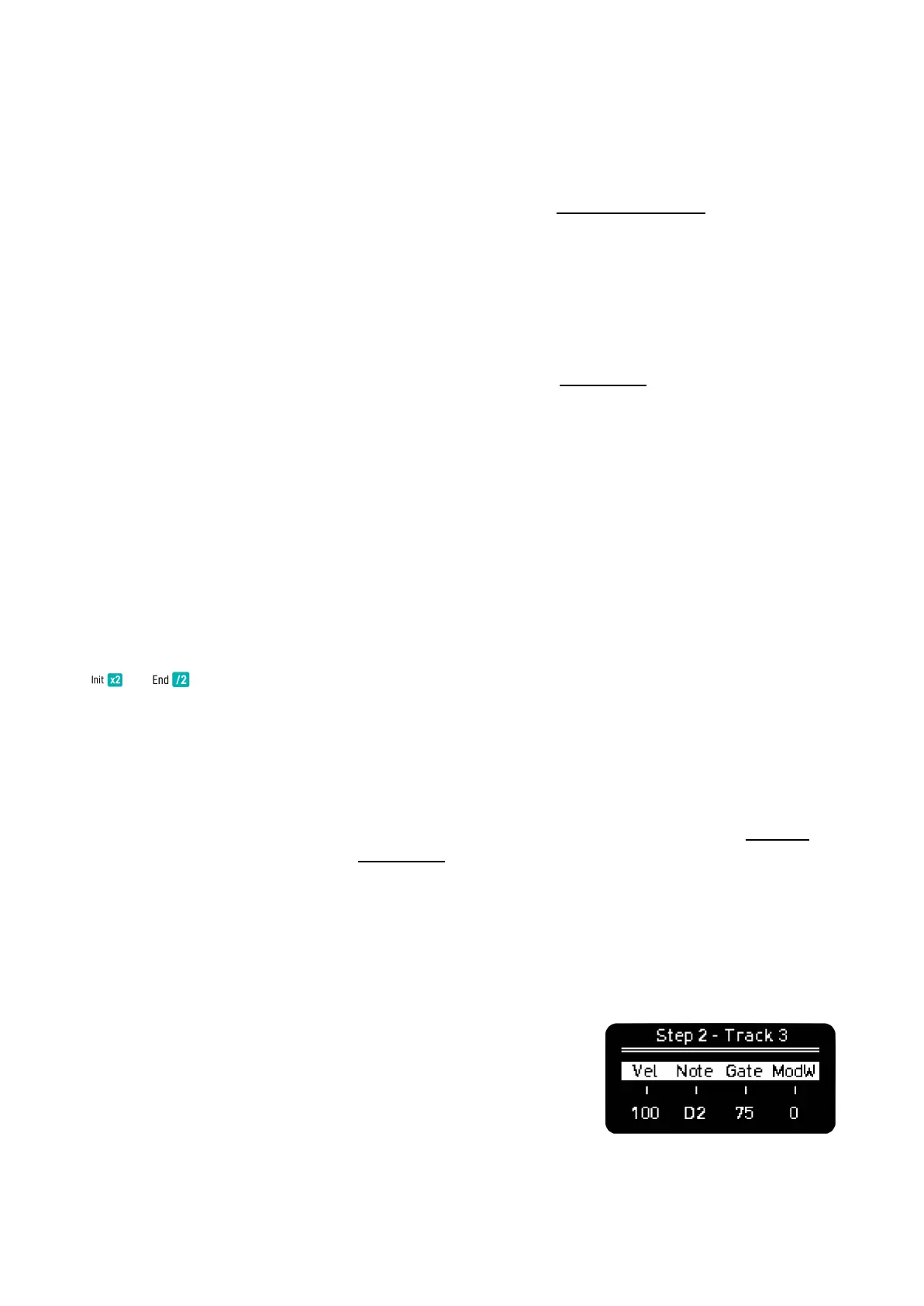
Hold any step of any track to access its parameters. Here you can
modify per step:
Velocity and Gate as in other modes.
Note, as we don’t have a Piano Roll view, you can edit the notes
manually, the values depend on the active scale.



 To Next Page