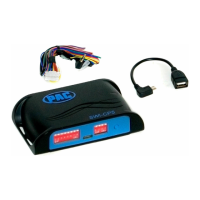
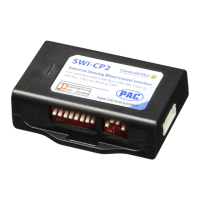
SWI-CP2
Universal Steering Wheel Control Retention Interface
TM
Steering Wheel Control Interface
Rev. 051617
Page 2
Copyright © 2017. All rights reserved. PAC is a Power Brand of AAMP Global.
PAC-audio.com
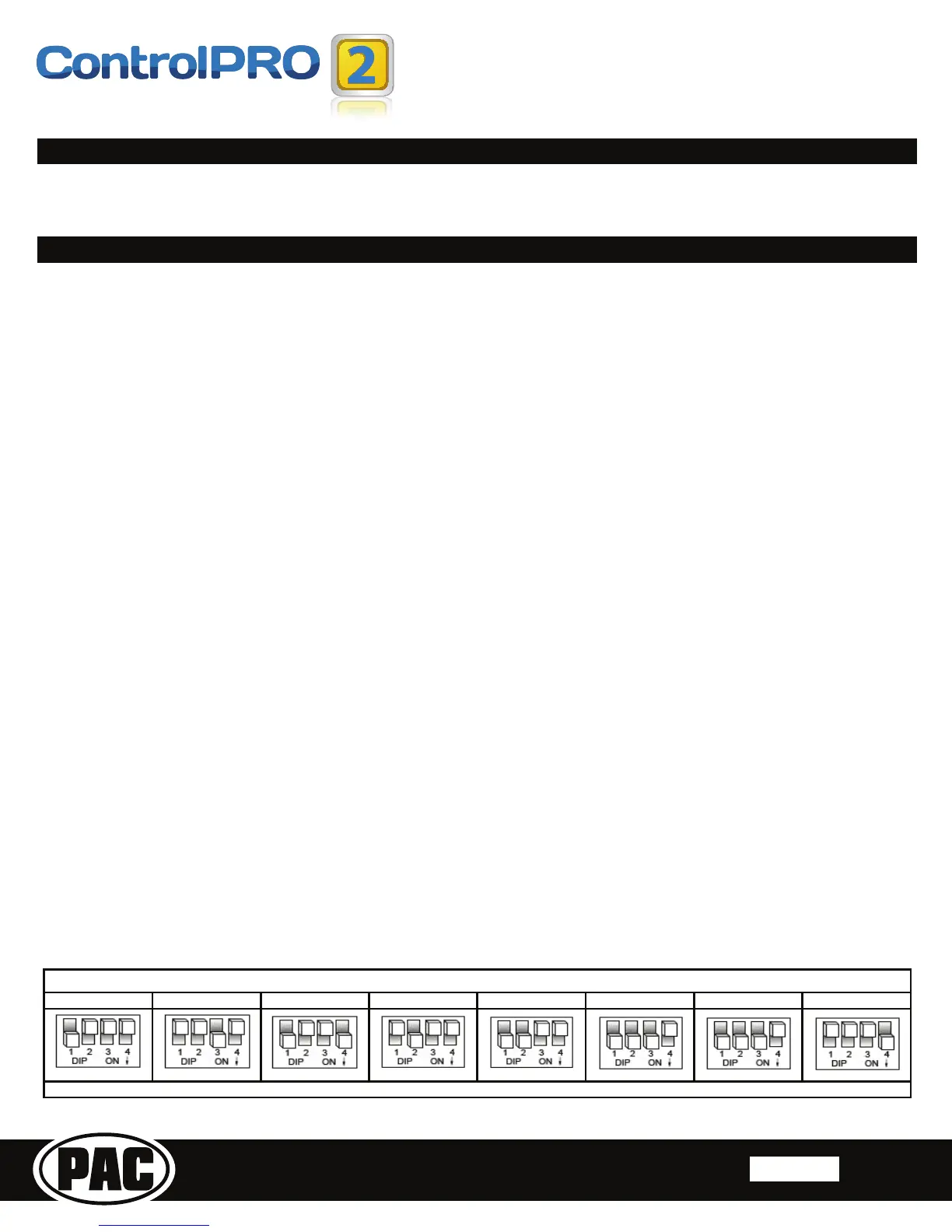
Alpine Clarion/Nakamichi Fusion JVC Kenwood Other Pioneer Sony
RadioDipswitchSettings
OtherͲAdvent,BOYO,Dual,LightningAudio,Visteon,RockfordFosgate
0DQXDO&RQ¿JXUDWLRQ0RGH
This is the fastest most convenient way to program our module. This method only requires you to look up the dipswitches and
wiring via our PC, Android or Apple application, set the dipswitches and then connect it to the vehicle/radio for it to function.
:LWKWKLVPHWKRG WKH &3XVHVDSUHGHWHUPLQHGGLSVZLWFKFRQ¿JXUDWLRQWRDVVLJQWKHYHKLFOHDQG6:&EXWWRQIXQFWLRQDOLW\
7KHGLSVZLWFKHVRQWKHVLGHRIWKHLQWHUIDFHPXVWEHPDQXDOO\VHWWRWKHSURSHUFRQ¿JXUDWLRQE\WKHXVHU7KHVHYHKLFOHVSHFL¿F
GLSVZLWFKVHWWLQJVFDQEHIRXQGE\GRZQORDGLQJ\RXUGHYLFHVSHFL¿F&RQWURO3URDSSOLFDWLRQIURPZZZSDFDXGLRFRPFRQWUROSUR
app. If you wish to re-assign button functions or use short press/long press dual command functionality, please follow the button
re-assignment procedure outlined on page 5.
1. 3OHDVH 9LVLW ZZZSDFDXGLRFRPFRQWUROSURDSS WR GRZQORDG WKH \RXU GHYLFH VSHFL¿F &RQWURO3UR DSSOLFDWLRQ /DXQFK WKH
DSSOLFDWLRQDQG¿QG\RXUYHKLFOHUDGLRFRPELQDWLRQ
2. Set the vehicle dipswitches according to the application.
3. Set the radio dipswitches according to the chart below.
4. Wire up the interface according to the installation instructions in the application.
App Mode
With this method, the CP2 can be connected to a PC in which the application assigns the vehicle and SWC button functionality.
The dipswitches on the side of the interface must all be set to down/on which is the default position. When using this method, it is
not required to manually program the SWC buttons when programming via App mode.
1. Visit www.pac-audio.com/controlpro/app to download the ControlPro PC application.
2. &RQQHFWWKH&3WRWKH3&:KHQXVLQJD3&WRFRQ¿JXUHLWLVQRWUHTXLUHGWRSRZHUWKHPRGXOHYLDWKHSLQFRQQHFWRU
PLEASE NOTE: It may be necessary to update your Microsoft .NET Framework. If you require this update your PC will
DXWRPDWLFDOO\QRWLI\\RX,I\RXGRQRWJHWDQRWL¿FDWLRQWKHQ\RXGRQRWUHTXLUHWKHXSGDWH
3. Launch the application or software and follow the on screen prompts.
Manual Programming Mode
With this method the SWC values must be manually programmed into the CP2 by using the programming button. The vehicle
dipswitches on the side of the interface must all be set to the up (off) position. The radio dipswitches must be set to the proper
UDGLRFRQ¿JXUDWLRQVHHEHORZPLEASE NOTE: This mode is only compatible in vehicles with both analog SWC and a
discrete 12v Accessory wire. Vehicles with CAN-Bus buttons cannot be manually programmed.
1. Visit www.pac-audio.com/controlpro/app to download the ControlPro PC application.
2. /DXQFKWKHDSSOLFDWLRQDQG¿QGWKHLQVWDOODWLRQLQVWUXFWLRQVIRU\RXUYHKLFOH
3. Set the radio dipswitches according to the chart below.
4. Wire up the interface according to the installation instructions in the application.
5. Connect the CP2 to the vehicle
6. You can now follow the programming instructions on the next page.
&RQ¿JXULQJ3URJUDPPLQJ
Installation
3OHDVHYLVLWZZZSDFDXGLRFRPFRQWUROSUR$SSWRGRZQORDGWKH3&DSSOLFDWLRQWKDWSURYLGHVYHKLFOHVSHFL¿F
ZLULQJ DQG FRQ¿JXUDWLRQ SURFHVVHV :H UHFRPPHQG WKDW DOO ZLULQJ FRQQHFWLRQV EH VROGHUHG WR HQVXUH D
sturdy and reliable connection.


 To Next Page
 Loading...