Introduction
In Calibration (CAL) Mode, you can:
1. Change the Upper and Lower Temperature limits for each channel independently.
2. Set the Default Temperature scale to °F or °C as desired.
3. Enable or disable the Auto Temperature Setback/Power Down features.
4. Calibrate your MBT 250 system to assure continued accuracy and peak performance using the optional
Calibration Kit (see "Replacement Parts" section of this manual).
KEY LOCK OPTION
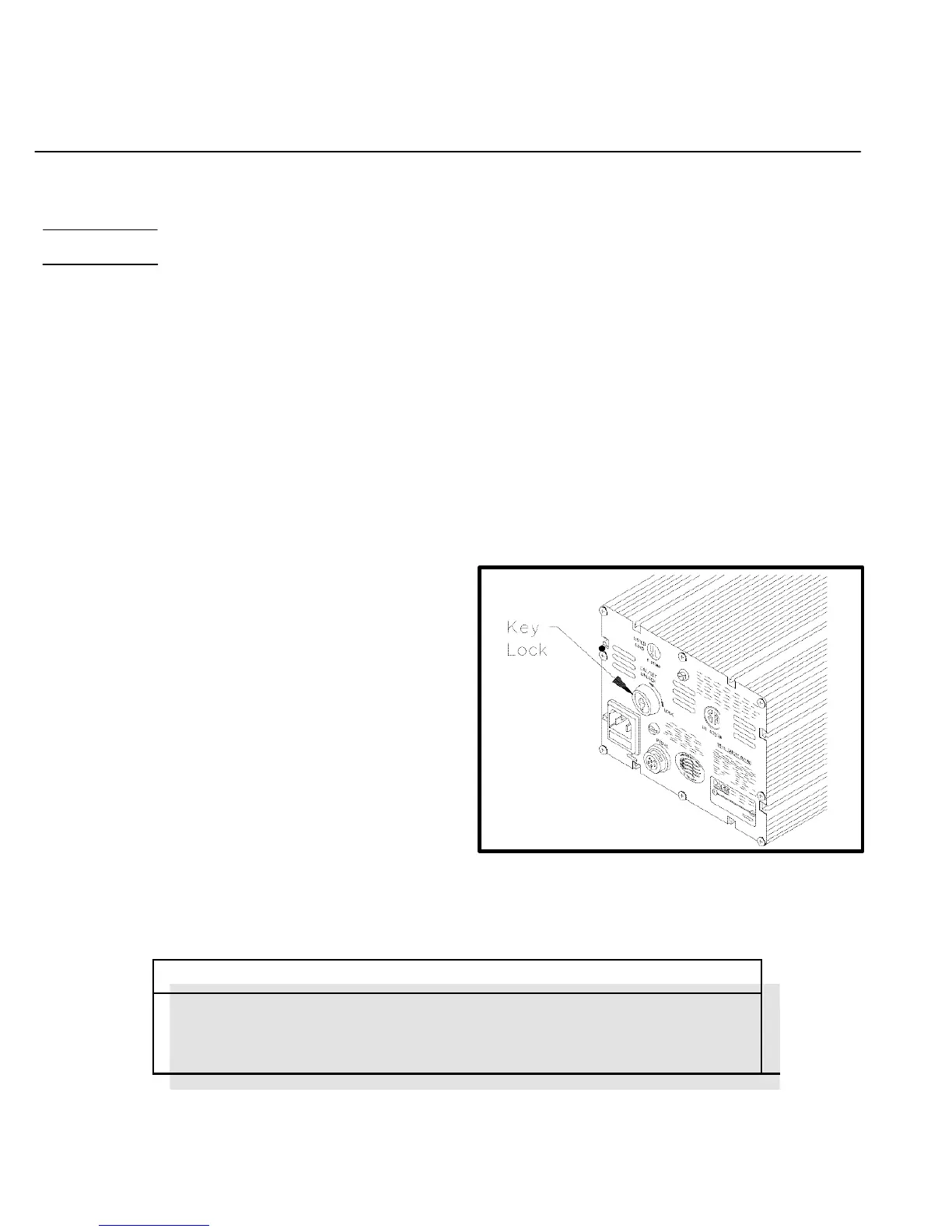
1. An optional Key Lock feature is available from
PACE which prevents unauthorized alteration of
temperature and offset settings or calibration of
the system. Check the rear panel of the system
power source. If the Key Lock feature is present
there will be a Key Lock switch located in the
upper left portion of the panel. Use the key to turn
the switch to the UNLOCK position. If the feature
is not present, there will be a round plastic filler
plug present at that location.
Figure 17. Key Lock Option
The Key Lock switch must be turned to the UNLOCK position to alter any of
the data stored in memory or to calibrate the system.


 To Next Page