25
REPAIR
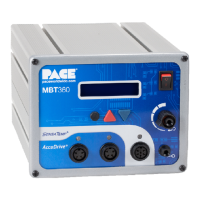
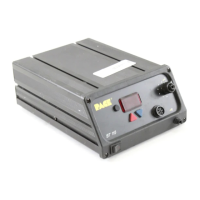
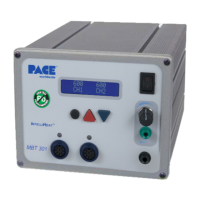
POWER SOURCE
Contact PACE Customer Service at Tel. (301) 490-9860, FAX (301) 604-9215 to obtain any replacement parts.
Refer to the "Replacement Parts" section of this manual for part numbers.
Table III. Corrective Maintenance, Power Source
SYMPTOM PROBABLE CAUSE SOLUTION
Digital Readout is blank.
No functions on system.
Blown Fuse (F1) Replace Fuse F1 located on rear of
Power Source in the AC Receptacle.
E-1 displayed on Digital
Readout.
All Channels are unplugged
on Thermal Mgmt. Center.
Plug SensaTemp handpiece into CH 1,
CH 2 OR CH 3.
Open sensor in SensaTemp
handpiece.
Refer to handpiece Operation Manual for
Corrective Maintenance procedures.
E-2, E-3 or E-4 displayed
on Digital Readout.
Defective heater assembly in
SensaTemp handpiece.
Unplug all SensaTemp handpieces.
Plug handpieces back in one at a time.
When defective handpiece is
connected, "E" code will be displayed.
Refer to handpiece Operation Manual.
No heat on SensaTemp
handpiece(s) at Thermal
Management Center.
Digital Readout displays
very low temperature.
Open heater. Refer to handpiece Operation Manual.
Blown 12 Amp Fuse. Replace 12 amp Fuse located on rear of
Power Source.Disconnect all
SensaTemp handpieces before
powering system up. Plug SensaTemp
handpieces back in one at a time. If the
fuse blows when a handpiece is plugged
in, the handpiece is shorted. Repair the
handpiece.
Handpieces connected to
AUX receptacles.
SensaTemp handpieces are
not AUX compatible.
Disconnect incompatible handpieces
from AUX Receptacles. Connect to
Power Receptacles on front panel.
Damaged Power Receptacle. Replace Power Receptacle.
System overload. Check for
defective SensaTemp
handpiece.
Disconnect defective handpiece.
220 Volt version only: Overtemp cutout
in transformer may open. Allow
transformer to cool.
Microprocessor pcb defect. Replace Microprocessor pcb.


 To Next Page