System Operations Manual
www.paceworldwide.com
Page 20 of 50
e. Inspection Screen Features
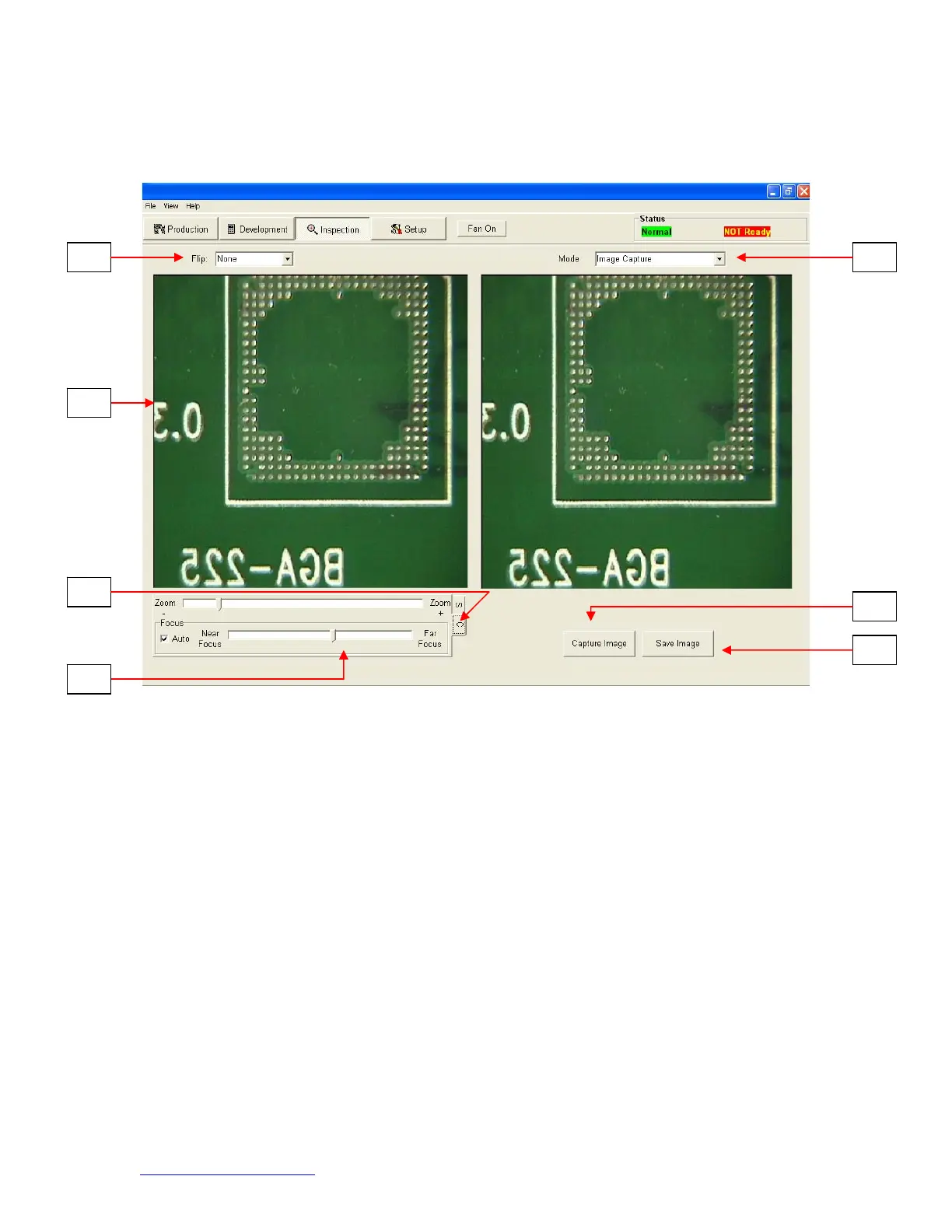
Inspection Screen (Figure 8a)
i. Flip feature. Rotate or flip inspection image.
ii. Inspection Image. The inspection image selected is viewed here.
iii. (S) tab allows you to select video input source. (C) tab gives you access to
TF1700 camera control when selected input source.
iv. Focus. Select Auto or Manual Focus.
v. Mode. Allows operator to review library images (Fig 8a), capture images (Fig
8b), review saved images (Fig 8c), and create report (Fig 8d).
vi. Takes a snapshot of the current camera image.
vii. Save Image. Saves captured image to TIFF file format.
i
iii
iv
ii
v


 To Next Page