System Operations Manual
www.paceworldwide.com
Page 24 of 50
g. Prism Calibration – This step is required to ensure the prism is properly aligned
so when the software shows the PCB and component visually aligned, they are
actually physically aligned.
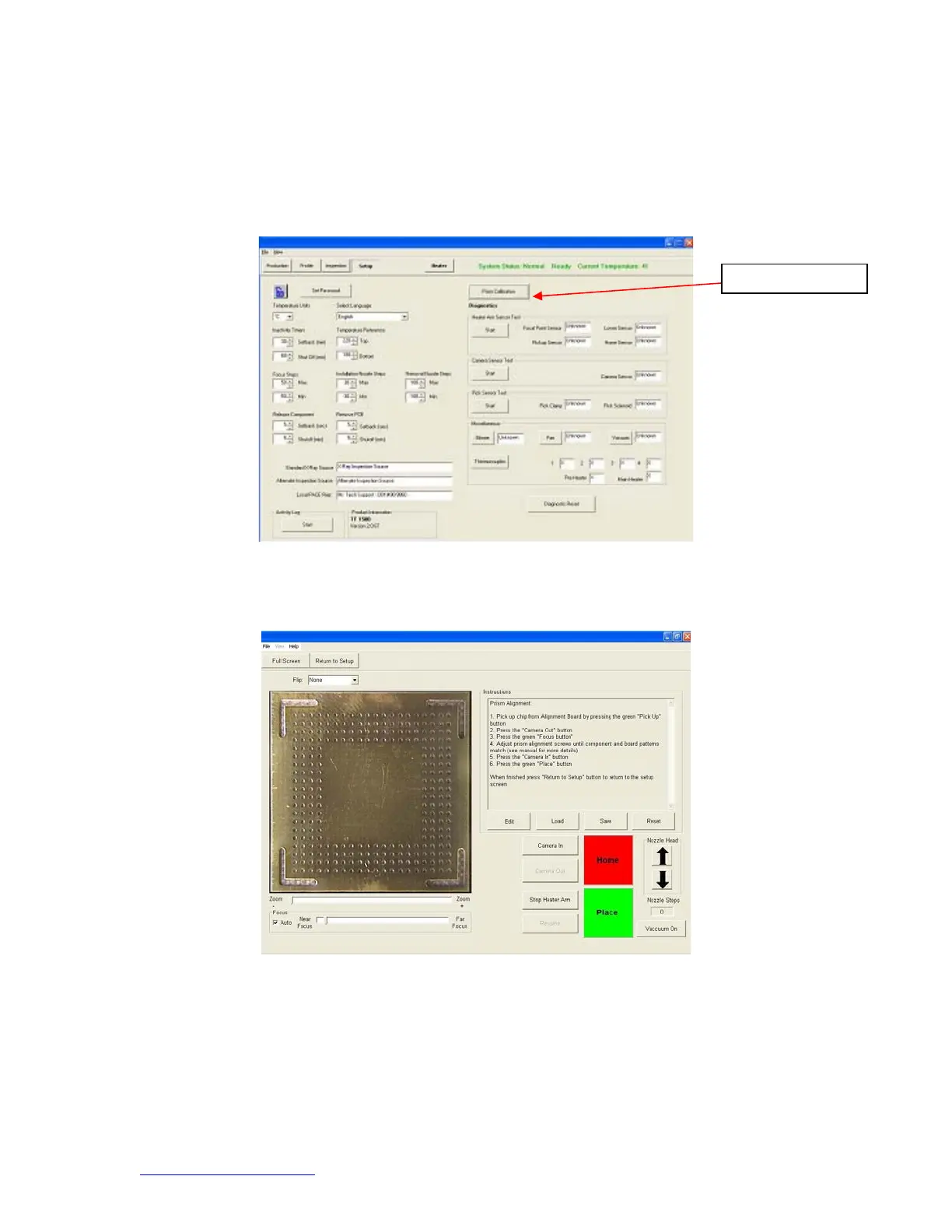
i. Select setup screen. (Figure 9)
Figure 9
ii. Select prism calibration.
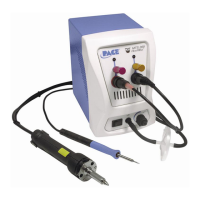
iii. Monitor now shows calibration screen. (Figure 10)
Figure 10
iv. Place alignment board with BGA in place in mounting brackets.
Prism Calibration


 To Next Page