Micro SD
card
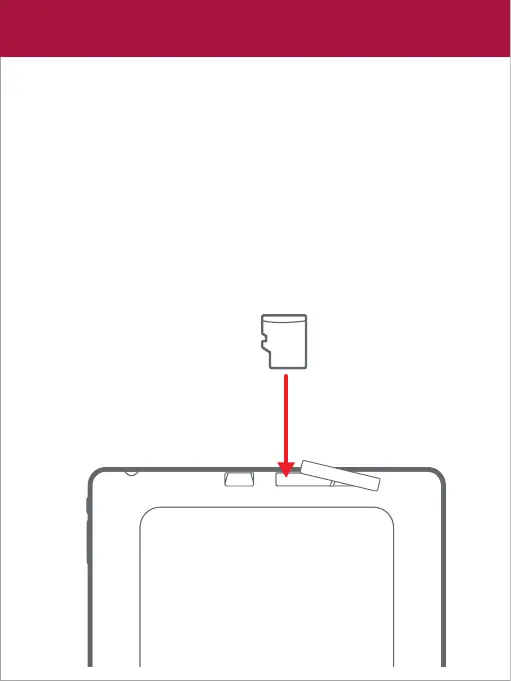
Inserting a Micro SD card
The tablet supports Micro SD cards up to 256GB (not included).
To install a Micro SD card into the tablet, gently open the cover
and carefully insert the card as shown below into the card slot
until it clicks and locks into place.
To remove the Micro SD card, gently press it inward to eject.
Expanding the storage










 To Next Page