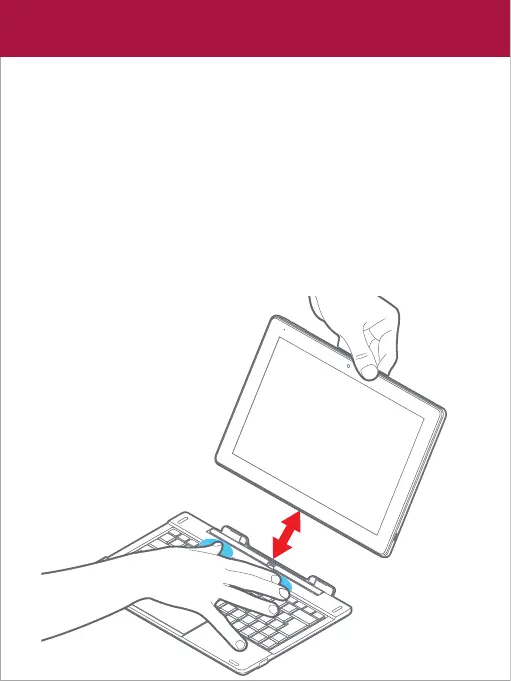
• To dock the tablet to the keyboard, align the tablet and the
keyboard, then slide the tablet into the dock as shown below.
• To undock the tablet from the keyboard, firmly hold the keyboard
as shown below, then gently pull the tablet upwards.
Note:
1. The tablet will automatically recognize the keyboard when
docked properly.
2. If the tablet is wrongly docked then it may damage the keyboard
or tablet.
Keyboard
Tablet
Keyboard dock










 To Next Page