Machine Maintenance Procedures 3-15
DIMM (Dual In-line Memory Module) Module Removal 0
Prerequisite:
Base Door Removal
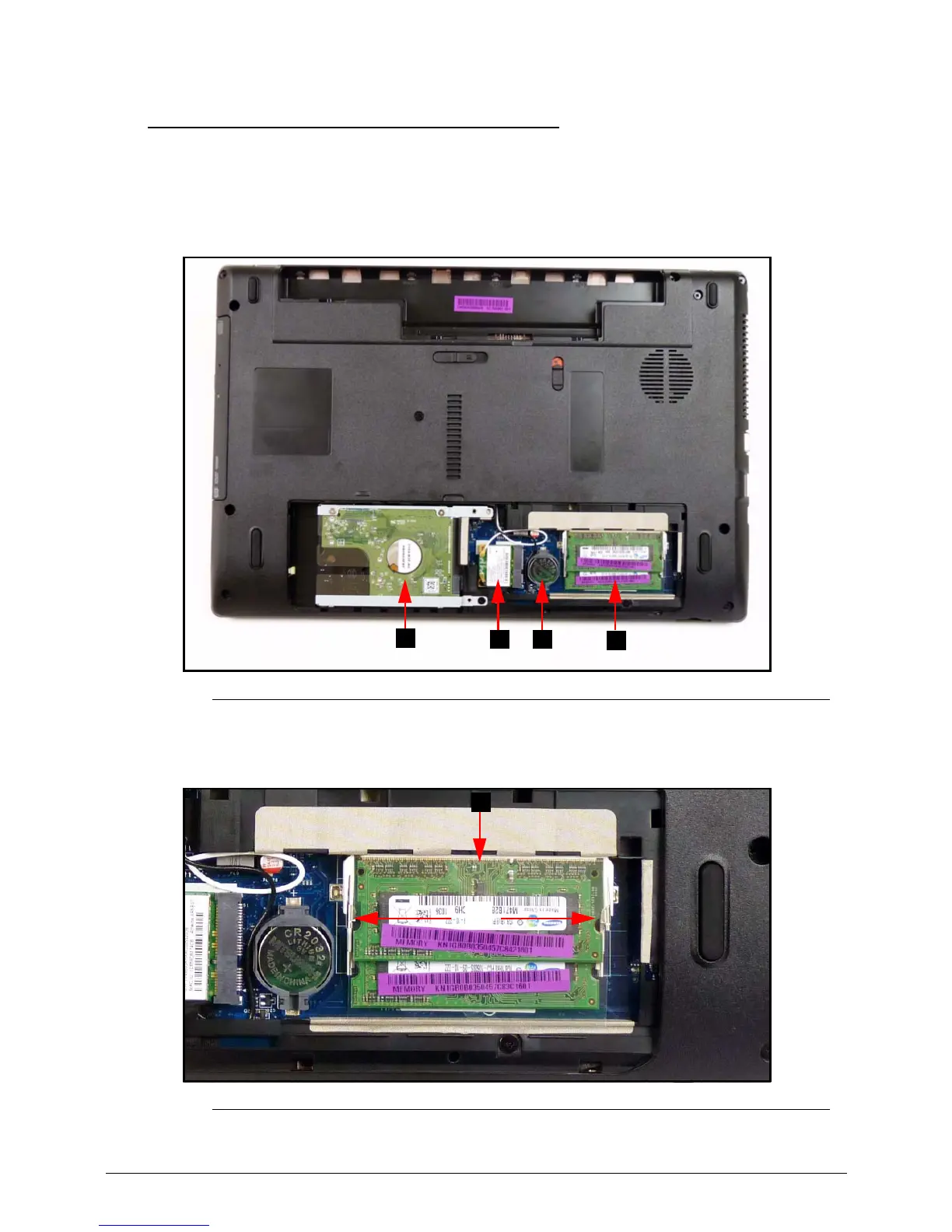
1. Find DIMM (D) in the component bay. (Figure 3-10)
Figure 3-10. Component Location
2. Push DIMM clips (A) outwards. (Figure 3-11)
Figure 3-11. DIMM Modules











 To Next Page